
AI Formatter
Transform your text into stunning professional documents with AI Formatter's smart templates, all for free and in.
VisitPublished on:
October 14, 2025
Pricing:
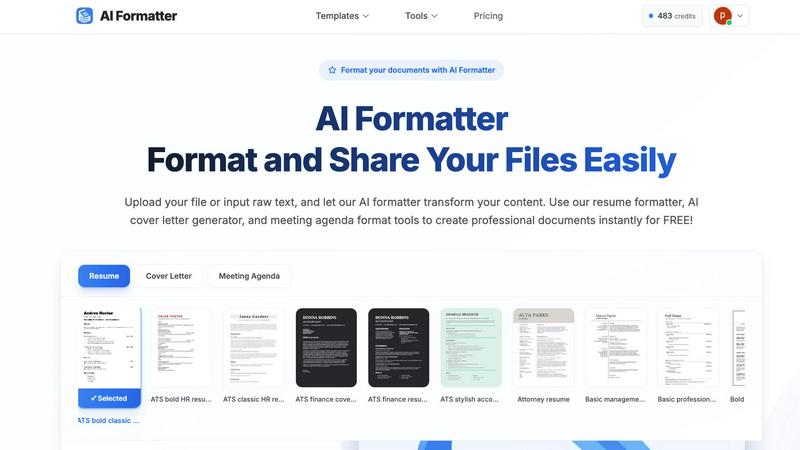
About AI Formatter
AI Formatter is your ultimate AI-powered assistant designed to simplify the document creation process. Whether you are a job seeker polishing your resume, a professional crafting a business invoice, or an academic formatting a research report, AI Formatter is here to help. With just a few clicks, you can upload your existing files or input raw text, and the intelligent AI will transform your content using one of over 100 professional templates. The tool is especially beneficial for those looking to pass automated resume screenings (ATS) or for anyone who wants to create visually appealing documents quickly. The main value proposition of AI Formatter is its ability to save you over 2 hours per document, allowing you to focus on what truly matters. With its user-friendly interface, secure sharing options, and multi-format exports, AI Formatter makes creating professional documents accessible and remarkably easy for everyone.
Features of AI Formatter
Intuitive Document Upload
AI Formatter allows users to effortlessly upload existing files or input raw text directly into the platform. It supports multiple formats, including PDF, DOC, DOCX, and TXT, making it easy to get started with your document formatting.
Extensive Template Library
Choose from a diverse library of over 162 professionally designed templates tailored for various document types. Whether you need an ATS-optimized resume or a polished cover letter, the extensive selection ensures you find the perfect fit for your needs.
Automated Formatting
Once your content is uploaded or pasted, AI Formatter automatically processes it and applies the selected template. This feature ensures your documents maintain professional formatting and structure without the hassle of manual adjustments.
Multi-Format Export Options
After editing your document, you can easily download it in multiple formats, including Word, PDF, and more. This flexibility allows you to share your documents in the format that best suits your needs, whether for online applications or physical submissions.
Use Cases of AI Formatter
Job Seekers
Job seekers can benefit from AI Formatter by creating polished and ATS-friendly resumes and cover letters. This tool helps individuals stand out in the competitive job market, ensuring their applications are visually appealing and professionally formatted.
Business Professionals
Business professionals can use AI Formatter to standardize their company documents, including invoices and meeting agendas. This feature helps maintain consistency across documents, making them look credible and organized.
Academics and Students
Academics and students can utilize AI Formatter to format research papers and reports effortlessly. The tool saves time and ensures that documents meet the required formatting standards, allowing users to focus more on content than presentation.
Entrepreneurs and Freelancers
Entrepreneurs and freelancers can quickly generate professional invoices and receipts using AI Formatter. This feature streamlines the billing process, enabling them to present polished documents to clients and maintain a professional image.
Frequently Asked Questions
How does AI Formatter work?
AI Formatter works by allowing users to upload their documents or input raw text. After selecting a template, the AI processes the content and applies professional formatting, making it ready for download and sharing.
What types of documents can I create with AI Formatter?
You can create a variety of documents with AI Formatter, including resumes, cover letters, business invoices, meeting agendas, and more. The tool is versatile, catering to the needs of different users.
Is AI Formatter free to use?
Yes, AI Formatter offers a free version that allows users to format documents using the available templates. There may be premium features or templates available for a fee, but basic functionalities are free.
Can I customize my documents after formatting?
Absolutely! After AI Formatter processes your document, you can use the intuitive editor to make adjustments and customize the content. This ensures that your final document reflects your unique style and preferences.
Similar to AI Formatter

Build Mode for Mac
Build Mode is a Mac app that turns focused sessions into visible progress, so you can see the work adding up before the results arrive.
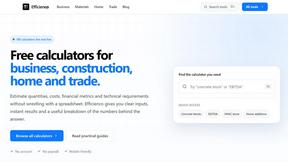
Efficienco
Efficienco is a free collection of practical online calculators for construction, materials, home improvement, engineering, trades, and business.
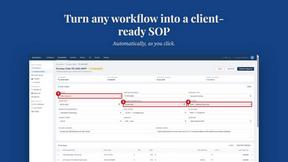
MySOP.guru
Capture any workflow in your browser and export a branded, step-by-step SOP with screenshots. €5 per document, no subscription.
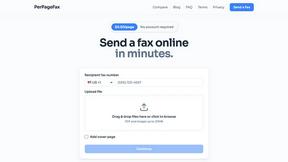
PerPageFax
PerPageFax lets you send a fax online from any browser for a flat $0.50 per page — no account, no subscription, no fax machine.

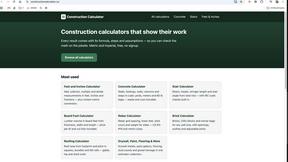
Construction Calculator
Free construction calculators with transparent formulas, steps, assumptions, and metric or imperial units.


Glanced
Follow news, blogs, newsletters, and podcasts in a free RSS reader, with AI summaries, top stories, full-text search, saved searches, and a catalog.