
Starter Tools for Founders, Small Teams, and Early Workflows
My Start Tools is a software tools directory for founders, small teams, and early-stage workflow setup with practical startup software.
Featured Tools
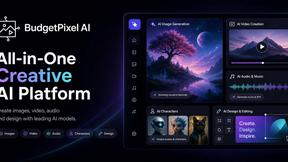
Budgetpixel AI
Create and edit AI images, videos, music, and designs in one workspace, with multiple models, reusable characters, and API access.

BuildingNow Podcast
BuildingNow shares founder conversations and practical lessons on building products, finding customers, and growing a business.
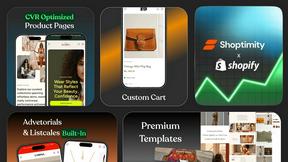
Shoptimity
Boost sales, increase AOV, and replace costly apps with Shoptimity. Mobile-first Shopify theme built for speed, conversions, and growth.
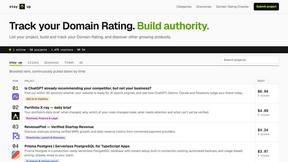

@fuck.it - email with attitude
Private email. Pure. Secure. Exclusive. No ads, no tracking, no data selling. GDPR compliant, EU-hosted.
Explore All Tools

LightScreen
Free light screen tool online. Turn any display into a flashlight, ambient light, or solid-color screen. No download or sign-up.
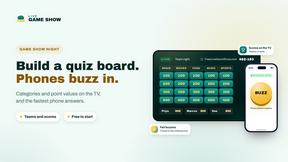
LiveGameShow
A game show board for the TV, with real buzzers on every player's phone

LivePartyGames
Most likely to, would you rather and more: the TV shows it, every phone votes
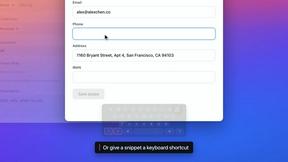
TypeFire
Free text expander, Markdown notes app and clipboard manager for Mac and Chrome
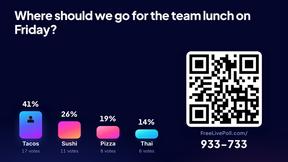
LivePoll
Create a free live poll, share a QR code, and watch the votes come in live.
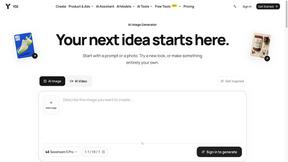
YIX
AI image and video generation, photo editing, restoration and product visuals in one browser studio.

Design.com AI Image Generator
Turn text prompts into polished, copyright-safe visuals that plug directly into branded templates
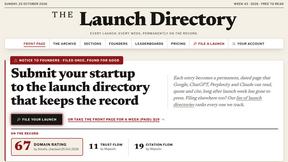
The Launch Directory
The Launch Directory: permanent, dated pages for every product launch. Week-by-week record, archive, and rankings.

Kovnerov
Personal site of Vlad Kovnerov: analytics dashboards, web development, Telegram bots and browser tools for sellers and subscription tracking.
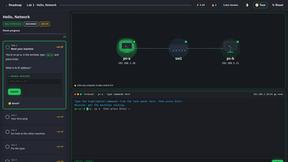
PracticeNetworking
Master networking with interactive, hands-on practice directly in your browser. Solve real terminal challenges, debug routes, and build core IT skills
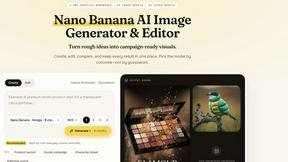
Nano AI
Create and edit AI images, generate videos, and compare models in one creative workbench.


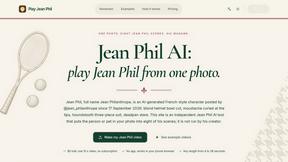

Gas Station Dance AI Generator
Browser-based AI generator that recreates the viral gas station dance video from 1–3 photos.

Unforgettable Car AI
Unforgettable Car AI generates the 15-second Unforgettable car trend video from a single selfie.

Ozil Goal AI
Ozil Goal AI turns one photo into an AI remake of Mesut Özil's famous 2016 chip-and-dribble goal against Ludogorets.
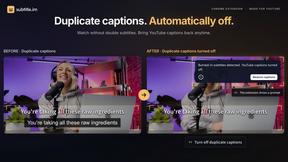
subtitle.im
Chrome extension for existing YouTube captions. Local OCR helps handle duplicates by your settings. Free 10-video trial; optional Pro.
Explore Tools by Category
About My Start Tools
My Start Tools focuses on the first wave of software founders and small teams usually need to set up how work gets done. The directory covers essential starter tools across project management, team communication, email marketing, invoicing, CRM, website building, and analytics so early-stage teams can compare and choose foundational software with confidence.
Whether you are a solo founder selecting your first tech stack, a small team choosing between project management platforms, or an early-stage startup evaluating affordable CRM and marketing tools, My Start Tools organizes your options by category, pricing, and practical fit for teams that are just getting started.
My Start Tools helps early-stage users compare practical starting tools with a clear view of what supports small teams best. Use it to find the right software foundation for your first workflows, team coordination, and early business operations.
Frequently Asked Questions
What kinds of tools does My Start Tools cover?
My Start Tools covers software tools across starter workflows for founders, small teams, and early operations.
How do I compare tools on My Start Tools?
Use category and pricing filters to narrow the field, then compare listings that support the same workflow or team need.
Who is My Start Tools for?
The directory is useful for people who want a more structured way to evaluate work software with clearer categories and comparison context.
Can I submit my own tool?
Yes. You can submit your own tool through the submission page, and it will be reviewed before it is added to the directory.
Is My Start Tools free to use?
Yes. Browsing the directory, viewing listings, and comparing tools is completely free. Individual tools listed in the directory may have their own pricing models, but using My Start Tools to discover and evaluate them costs nothing.
How often is the directory updated?
We add new tools and update existing listings multiple times per week. Our editorial team continuously monitors the market to keep the directory current, accurate, and comprehensive.
