
SupaSidebar
SupaSidebar is a Mac app that saves and organizes links, files, and folders for instant access with simple shortcuts.
Visit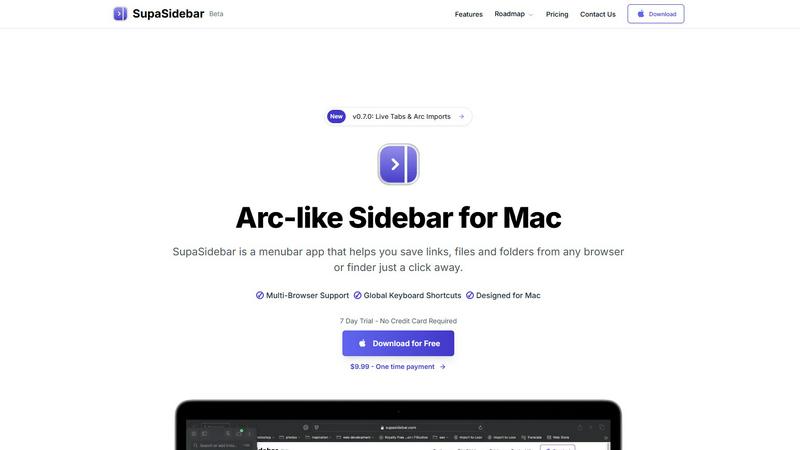
About SupaSidebar
Welcome to SupaSidebar, the ultimate productivity booster designed specifically for Mac users! If you often find yourself juggling too many browser tabs, struggling to recall that important link from yesterday, or simply wish to access your favorite files and websites more quickly, SupaSidebar is the perfect solution for you. This beautifully crafted, lightweight menubar app transforms your browsing experience by providing an Arc browser-inspired sidebar that integrates seamlessly with your entire Mac. With SupaSidebar, you transform your workspace into a universal command center, allowing you to save, find, and open anything with just a click or a keyboard shortcut. Whether you are a student conducting research, a creative professional managing multiple projects, or someone who wants to enhance web browsing efficiency, SupaSidebar has got you covered. It works flawlessly with all major browsers—Safari, Chrome, Firefox, Arc, and Brave—keeping your vital links, files, and folders always within reach. Your data remains secure on your Mac, and with its native macOS design, SupaSidebar feels like an integral part of your computer, empowering you to work smarter, not harder.
Features of SupaSidebar
Instant Saving and Copying
With SupaSidebar, saving links and files is a breeze. Use the global keyboard shortcuts CMD + CTRL + S to save items and CMD + CTRL + C to copy the current website link directly to your sidebar. This feature eliminates the tedious steps of manually saving or copying URLs, allowing you to focus on your tasks.
Recents Tracking
Never lose track of your browsing history again with the Recents feature. SupaSidebar automatically tracks every website you have visited in the last 48 hours, making it easy to find your work quickly. This is particularly useful for those who switch between multiple projects or need to revisit recent research.
Pinned Items for Quick Access
SupaSidebar allows you to pin your favorite links, files, and folders at the top of your sidebar. This feature ensures that your most-used items are always front and center, so you can access them with just a click, reducing time wasted searching for frequently used resources.
Fast Global Search
Switching between apps can slow down your productivity, but not with SupaSidebar. Just press CMD + CTRL + K and start typing to find any file, folder, website, or app instantly. This feature provides a powerful, efficient way to navigate your digital workspace without the hassle of digging through numerous tabs or folders.
Use Cases of SupaSidebar
Efficient Research for Students
Students can greatly benefit from SupaSidebar during research projects. By saving important links and documents directly to the sidebar, they can easily access their sources without getting lost in a sea of browser tabs, allowing for a smoother and more organized study experience.
Project Management for Creatives
Creative professionals can use SupaSidebar to manage multiple projects simultaneously. By pinning relevant files, folders, and websites for each project, they can switch contexts quickly and efficiently, ensuring they stay in the flow without unnecessary interruptions.
Streamlined Web Browsing
For anyone who spends significant time online, SupaSidebar enhances the browsing experience by providing quick access to favorite sites and recent visits. This eliminates the frustration of endlessly scrolling through bookmarks or searching for previously opened tabs.
Enhanced Workflow for Remote Workers
Remote workers can leverage SupaSidebar to maintain an organized workspace while navigating various tasks. With easy access to necessary documents and links, they can streamline their workflow, increase productivity, and reduce the time spent switching between applications.
Frequently Asked Questions
Is SupaSidebar a browser extension?
No, SupaSidebar is a standalone menubar app designed for Mac that works across all major browsers, providing a unified experience for saving and accessing links and files.
Which browsers does SupaSidebar work with?
SupaSidebar is compatible with all major browsers, including Safari, Chrome, Firefox, Arc, and Brave, ensuring that you can access your important resources regardless of your preferred browser.
What macOS version do I need?
SupaSidebar requires macOS 13 or later to function properly, ensuring that users have the latest features and security enhancements.
Where is my data stored?
All your data is securely stored on your Mac, ensuring that you have complete control and privacy over your saved links, files, and folders without any external data sharing.
Explore more in this category:
Similar to SupaSidebar

Build Mode for Mac
Build Mode is a Mac app that turns focused sessions into visible progress, so you can see the work adding up before the results arrive.

Efficienco
Efficienco is a free collection of practical online calculators for construction, materials, home improvement, engineering, trades, and business.

MySOP.guru
Capture any workflow in your browser and export a branded, step-by-step SOP with screenshots. €5 per document, no subscription.

PerPageFax
PerPageFax lets you send a fax online from any browser for a flat $0.50 per page — no account, no subscription, no fax machine.


Construction Calculator
Free construction calculators with transparent formulas, steps, assumptions, and metric or imperial units.


Glanced
Follow news, blogs, newsletters, and podcasts in a free RSS reader, with AI summaries, top stories, full-text search, saved searches, and a catalog.