
RecordFlow
RecordFlow automatically saves your Zoom recordings to Google Drive and can delete them from Zoom once backed up.
Visit
About RecordFlow
RecordFlow is a simple, secure tool that automatically saves your Zoom cloud recordings directly to Google Drive the moment your meeting ends. No more manual downloads, no more forgotten files, and no more paying for Zoom storage you do not actually need. If you have recordings from the past two years, RecordFlow can backfill those too, bringing everything into one organized place.
The setup takes just 60 seconds. You sign in with your Zoom account, connect your Google Drive, and pick a folder. After that, every new recording syncs automatically within minutes, forever. There is nothing else to remember or click. RecordFlow transfers every file Zoom produces: the video (MP4), audio (M4A), transcripts (VTT plus a formatted Google Doc), and chat logs. Everything is organized neatly by year and date in your Drive.
RecordFlow is built for coaches, consultants, therapists, professors, and small teams who cannot afford to lose a recording. It is designed to be reliable, using chunked transfers that never choke on large files, smart deduplication so it is safe to re-run, and automatic retries if anything goes wrong. Your recordings stream straight to your Drive, meaning we never store them on our servers. Security is handled with OAuth 2.0 and AES-256 encryption. You can also turn on the optional auto-delete feature, which clears recordings from Zoom on a safe delay once the Drive copy is verified, freeing up your Zoom storage automatically. Start syncing for free with no credit card required, and see how RecordFlow can save you time and worry.
Features of RecordFlow
Automatic Sync
New Zoom cloud recordings transfer to your Google Drive within minutes of the meeting ending. You do not have to do anything. Once you set up your accounts and choose a folder, RecordFlow runs quietly in the background. It checks for new recordings regularly and moves them to your Drive automatically. This means you never have to remember to download, upload, or organize another file again. It is truly set it and forget it.
Auto-Delete from Zoom
Once a recording is safely verified in your Google Drive, RecordFlow can automatically delete the copy from Zoom to free up your storage space. This is completely optional, so you control when it happens. The feature adds a safe delay to make sure the Drive copy is perfect before anything is removed. This is a huge help for anyone who hits Zoom's storage limits quickly, like coaches recording multiple sessions a week or teams with lots of meetings.
Handles Large Files and Reliable Transfers
RecordFlow is built to handle even your longest meetings. It uses chunked transfers, which means it breaks large files into smaller pieces so they never time out or fail. If a transfer is interrupted for any reason, RecordFlow automatically retries until everything is complete. Smart deduplication also means it is safe to re-run the sync without creating duplicate files in your Drive. This reliability gives you peace of mind that every recording, no matter how long, will arrive safely.
Capture AI Companion Transcripts and Summaries
For meetings recorded with Zoom AI Companion, RecordFlow can archive the transcript and summary directly to your Google Drive. The transcript is saved as a formatted Google Doc right beside your video and audio files. The meeting summary is saved as Markdown and another Google Doc. This is an early access feature that makes it easy to search and share the key points from your meetings without having to watch the entire recording again.
Use Cases of RecordFlow
Coaches and Consultants
If you record client sessions every week, your Zoom storage fills up fast. RecordFlow automatically moves each session to your Google Drive, keeping your recordings organized and safe. You can share direct links with clients so they have permanent access to their sessions. No more worrying about hitting storage limits or manually downloading files. Your client recordings become a professional, organized archive that is always available.
Education Teams and Professors
Lectures and class recordings need a permanent home where students can access them. RecordFlow saves every lecture to a shared Google Drive folder, organized by date. Students can find past classes easily without relying on Zoom storage that might expire or get deleted. Professors can set it up once and know that every lecture is backed up securely. It is perfect for hybrid or fully online courses where recordings are essential learning materials.
Business Teams
When your whole team records meetings, things can get messy fast. RecordFlow keeps everything organized in one Google Drive folder. Each team member's recordings can go into their own sub-folder automatically. This makes it easy for managers to find important meetings, for new hires to catch up on past discussions, and for everyone to share recordings without hunting through Zoom. It saves hours of manual organization every month.
IT and Ops Admins
If you manage your company's Zoom account, RecordFlow gives you control. You can install it once as an admin, opt members in, and every selected member's recordings land in one Drive folder you control. This ensures company recordings are backed up centrally and securely. You can set policies for auto-deletion to manage Zoom storage costs across the entire organization. It is a simple way to solve a recurring problem for your whole team.
Frequently Asked Questions
How long does the setup take?
Setup takes about 60 seconds. You sign in with your Zoom account, connect your Google Drive, and pick a destination folder. After that, new recordings sync automatically. You do not need any technical skills or special software. It is designed to be beginner-friendly and gets you up and running immediately.
Is my data safe with RecordFlow?
Yes, your data is very safe. RecordFlow uses OAuth 2.0 for secure sign-in, so we never see your passwords. All data is encrypted in transit and at rest with AES-256 encryption. Your recordings stream directly to your Google Drive, and we never store them on our servers. RecordFlow has been approved by Zoom after a security review and is available on the Zoom App Marketplace and Google Workspace Marketplace with minimal access permissions.
What happens if I already have recordings in Zoom?
RecordFlow can backfill recordings from the past two years. When you first connect your accounts, it will find and transfer all your existing cloud recordings to your Google Drive. This is a one-time catch-up that brings everything into one place. After that, only new recordings are synced automatically.
Can RecordFlow work for my whole team?
Yes, absolutely. If you are a Zoom admin, you can install RecordFlow once and opt in members of your team. Their recordings will then automatically sync to a root folder you control, with sub-folders created for each member. This is perfect for business teams, education departments, or any group that needs centralized recording management.
Explore more in this category:
Similar to RecordFlow
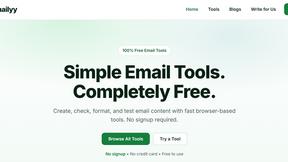
Emailyy
Free email tools for signatures, subject lines, HTML previews, word counts, and email headers. Browser-based, simple to use, and no signup required.
Uniclip
Clip pages, take full-page screenshots and batch-capture list data to Notion, Feishu, Obsidian, Markdown, CSV or JSON.
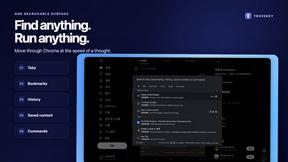
TroveKey
Search tabs, Chrome bookmarks and history, run browser commands, and save webpages and social posts locally—no account.
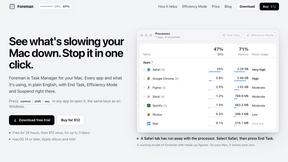
Foreman
See every app and what it's using in plain English, and end or slow down the one that's hogging your Mac.
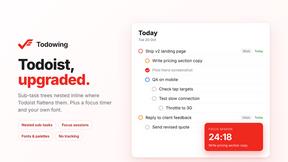
Todowing
Chrome extension for Todoist that shows sub-tasks nested inline in Today, Upcoming, Filter, and Label views instead of a flat list.
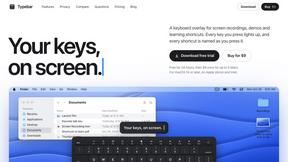
Typebar
Every key you press lights up on an on-screen keyboard, and each shortcut is named as you press it.
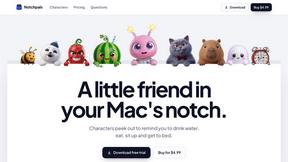
Notchpals
Little characters peek out of your Mac's notch to remind you to drink water, eat, sit up and get to bed. Quiet during calls. $4.99 once.
LightScreen
Free light screen tool online. Turn any display into a flashlight, ambient light, or solid-color screen. No download or sign-up.