

Alternatives to RecordFlow
RecordFlow automatically saves your Zoom recordings to Google Drive and can delete them from Zoom once backed up.
Explore 20 alternatives to RecordFlow. Compare features, pricing, and find the best fit for your needs.
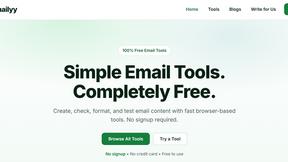
Emailyy
Free email tools for signatures, subject lines, HTML previews, word counts, and email headers. Browser-based, simple to use, and no signup required.

Uniclip
Clip pages, take full-page screenshots and batch-capture list data to Notion, Feishu, Obsidian, Markdown, CSV or JSON.
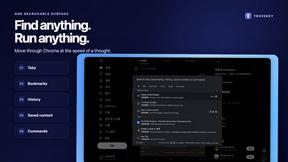
TroveKey
Search tabs, Chrome bookmarks and history, run browser commands, and save webpages and social posts locally—no account.
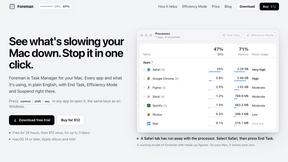
Foreman
See every app and what it's using in plain English, and end or slow down the one that's hogging your Mac.
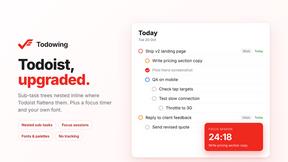
Todowing
Chrome extension for Todoist that shows sub-tasks nested inline in Today, Upcoming, Filter, and Label views instead of a flat list.
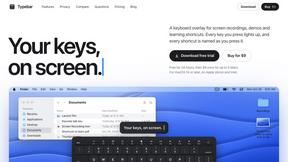
Typebar
Every key you press lights up on an on-screen keyboard, and each shortcut is named as you press it.
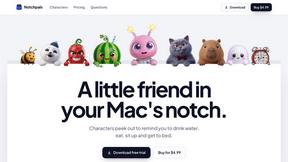
Notchpals
Little characters peek out of your Mac's notch to remind you to drink water, eat, sit up and get to bed. Quiet during calls. $4.99 once.

LightScreen
Free light screen tool online. Turn any display into a flashlight, ambient light, or solid-color screen. No download or sign-up.
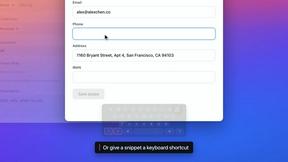
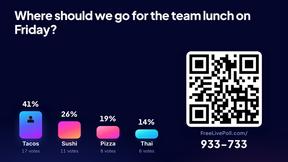

Kovnerov
Personal site of Vlad Kovnerov: analytics dashboards, web development, Telegram bots and browser tools for sellers and subscription tracking.
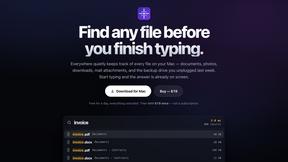
Everywhere
Fast file search for the Mac. Results as you type, files inside Mail and Photos, works with Wi-Fi off. $19 once.
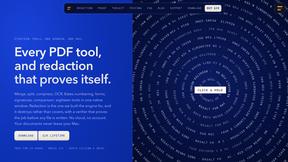
Basalt
Eighteen PDF tools in one native Mac window: merge, split, compress, OCR, Bates numbering, forms, signing and redaction. Offline. $29 once.
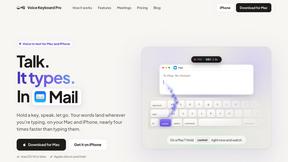
Voice Keyboard Pro
Hold a key, say what you mean, let go. Clean, punctuated text lands at the cursor in any app on your Mac or iPhone.
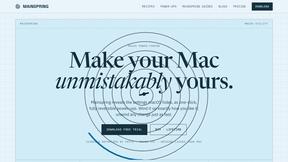
Mainspring
Mainspring turns the settings macOS hides into 90+ one-click, fully reversible power-ups for Finder, Dock, screenshots and more. $29 once.
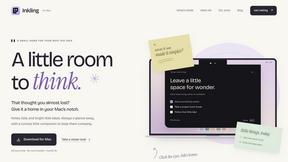
Inkling
Catch a thought without leaving what you are doing. Notes, checklists and a little companion in your Mac's notch. $12 once.
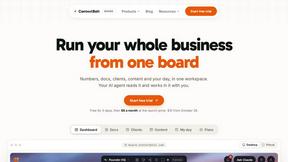
Context Board
Context Board brings your numbers, docs, clients, content and day into one workspace that Claude and Codex can read and update.

HookAds
Free ad creative hub: 1,750+ prompts behind viral AI ads, 118 hook frameworks, teardowns, swipe files and 27 free AI tools.

@fuck.it - email with attitude
Private email. Pure. Secure. Exclusive. No ads, no tracking, no data selling. GDPR compliant, EU-hosted.
About RecordFlow Alternatives
RecordFlow is a specialized tool that automatically transfers your Zoom cloud recordings to Google Drive, fitting into the productivity and management category. Its core purpose is to eliminate the manual work of downloading, organizing, and backing up meeting videos, audio, transcripts, and chat logs. Users often look for alternatives due to a need for a different pricing structure, a desire to integrate with a cloud storage provider other than Google Drive (like Dropbox or OneDrive), or the requirement for more advanced organizational features or team-based permission controls. When searching for an alternative, you should first identify your must-have features, such as support for your preferred cloud storage platform or the ability to handle a high volume of recordings. Consider the setup process—you want something that is just as easy to configure but also offers the reliability of automatic retries and secure file transfers. Finally, check for data security standards, like encryption and OAuth, to ensure your sensitive meeting content remains protected, and look for a solution that offers a free trial or a transparent pricing model that matches your usage.
FAQs about RecordFlow Alternatives
What is RecordFlow?
RecordFlow is an automation tool that backs up your Zoom cloud recordings directly to Google Drive. It works automatically the moment a meeting ends and can even backfill recordings from the past two years. The setup takes about 60 seconds, and after that, new recordings sync without any further effort on your part.
Who is RecordFlow for?
RecordFlow is designed for professionals who rely on Zoom and cannot afford to lose a recording. This includes coaches, consultants, therapists, professors, and small teams. It is especially helpful for anyone who wants to free up Zoom storage space without worrying about manually downloading and organizing their files.
What are the main features of RecordFlow?
Key features include automatic transfer of video, audio, transcripts, and chat logs to Google Drive, organized by year and date. It uses chunked transfers to handle large files reliably, smart deduplication to prevent duplicates, and automatic retries if a transfer fails. An optional auto-delete feature removes recordings from Zoom on a safe delay once the Google Drive copy is verified.
Is RecordFlow secure?
Yes, RecordFlow is built with security in mind. It uses OAuth 2.0 for authorization and AES-256 encryption to protect your data. Importantly, recordings are streamed directly to your Google Drive and are never stored on RecordFlow's servers, ensuring your files remain under your control.