
InvoiceLaunch
InvoiceLaunch makes invoicing easy by letting you create professional bills, accept payments from 12 gateways, and manage clients with AI help.
Visit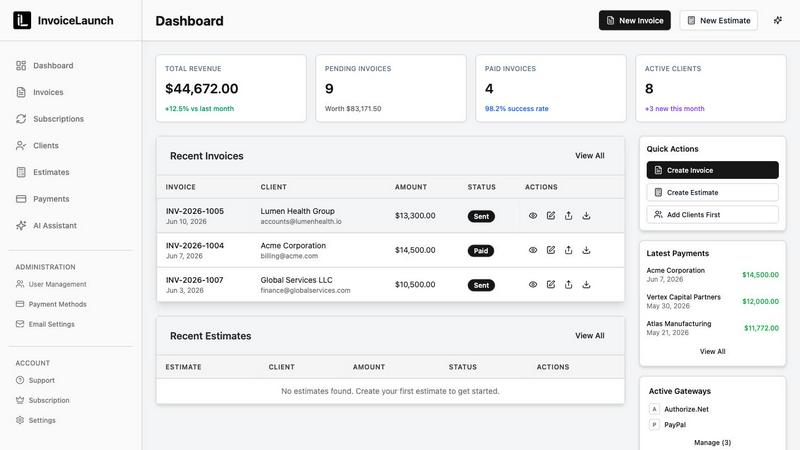
About InvoiceLaunch
If you have ever found yourself buried under a pile of spreadsheets, chasing down late payments, or struggling to create a professional invoice that actually reflects your brand, InvoiceLaunch is the tool you have been waiting for. InvoiceLaunch is a comprehensive invoicing software designed specifically for freelancers, small business owners, and B2B teams who want to stop wasting time on billing and start getting paid faster. At its core, InvoiceLaunch lets you build stunning, branded invoices in just a few minutes. You can add your logo, choose your colors, and pick from multiple professional templates so every invoice you send looks like it came from a top-tier company. But InvoiceLaunch goes far beyond simple invoice creation. Once your invoice is ready, you can send it with a secure payment link, giving your clients a one-click way to pay you. The platform connects with over 12 payment gateways including Stripe, PayPal, Square, Braintree, Authorize.net, and bank transfers, so you and your customers can use the payment method that works best. For those with recurring clients or retainer agreements, InvoiceLaunch automates recurring billing so you never have to remember to send a monthly invoice again. You can also send estimates, track every payment status in real time, and let the built-in AI assistant draft invoices and follow-up reminders for you. The goal is simple: no more spreadsheets, no more chasing payments, and no more administrative headaches. InvoiceLaunch is designed to be beginner-friendly, so even if you have never used invoicing software before, you can get started in minutes and feel confident managing your entire billing workflow from one central dashboard.
Features of InvoiceLaunch
AI-Powered Finance Assistant
InvoiceLaunch includes a built-in AI assistant that completely changes how you handle your invoicing workflow. You can create invoices and manage clients using simple, natural language commands. For example, you can type "Create an invoice for John's web design project, $2500" and the AI will generate it for you instantly. The assistant can also parse uploaded documents like proposals, quotes, or contracts, automatically extracting the relevant data and creating an invoice. Additionally, when invoices become overdue, the AI generates professional, personalized reminder emails with just one click. This feature is available as an add-on for $25 per month and is included with the Business plan.
Multi-Gateway Payment Acceptance
Say goodbye to limiting your clients to just one payment option. InvoiceLaunch integrates with over 10 major payment gateways and processors, giving you and your customers complete flexibility. You can connect Stripe, PayPal, Square, Braintree, Authorize.net, Razorpay, and more. This means your clients can pay using major credit cards, digital wallets like Apple Pay and Google Pay, or even bank transfers. Every invoice you send includes a secure payment link, making it effortless for your customers to pay you immediately. This feature significantly reduces the time it takes to get paid and eliminates the awkwardness of asking for money.
Professional Invoice Creation and Management
Creating a professional invoice has never been easier. InvoiceLaunch provides a comprehensive dashboard where you can create, send, and track all your invoices. You have access to multiple templates, from modern to standard styles, so you can choose the look that best represents your brand. Custom branding is fully supported, allowing you to add your logo, brand colors, and overall identity to every invoice you send. The system also offers real-time tracking, so you can monitor invoice status, see when a client has viewed it, track payments, and observe client activity. Everything you need to manage your billing workflow is in one organized place.
Automated Sharing and Follow-ups
InvoiceLaunch saves you time by automating how you share invoices and follow up on payments. You can send invoices directly to clients via email, SMS, or even through a QR code that they can scan. The platform also handles automated reminders and follow-ups, so you never have to manually check on overdue invoices again. This automation ensures that your clients receive timely notifications, which helps you get paid faster without any extra effort on your part. Combined with the AI assistant, you can set up a fully automated billing cycle that runs in the background while you focus on your actual work.
Use Cases of InvoiceLaunch
Freelancers Managing Multiple Clients
If you are a freelancer juggling several projects and clients at once, InvoiceLaunch is your new best friend. You can create a branded invoice for each client in minutes, send it with a secure payment link, and accept payments through their preferred gateway. The AI assistant can draft invoices based on simple descriptions of your work, and the automated follow-ups ensure you never have to chase a late payment again. The client management dashboard keeps all your client information, payment history, and invoice statuses organized in one place, so you always know where you stand financially.
Small Businesses with Recurring Retainer Clients
For small businesses that work with clients on a monthly retainer, InvoiceLaunch automates the entire recurring billing process. You can set up recurring invoices that are automatically generated and sent on the schedule you choose. Your clients receive their invoice with a secure payment link, and the system tracks every payment automatically. This eliminates the repetitive task of manually creating and sending the same invoice each month. Plus, with the AI assistant, you can generate professional follow-ups if a payment is missed, ensuring your cash flow remains consistent and predictable.
B2B Teams Needing Estimates and Proposals
B2B teams often need to send estimates or proposals before finalizing a project. InvoiceLaunch makes this seamless by allowing you to create professional estimates that can easily be converted into invoices once the client approves. You can upload existing proposals or contracts, and the AI assistant will parse the data to create an invoice for you. The multi-gateway payment system also supports bank transfers and other B2B-friendly payment methods, making it easy for corporate clients to pay you according to their own accounting procedures.
Entrepreneurs Scaling Their Business
As your business grows, managing invoices manually becomes unsustainable. InvoiceLaunch provides advanced analytics that track revenue trends, client performance, and business growth with comprehensive reporting. The platform supports high-volume invoicing with 99% uptime and enterprise-level security, including SOC 2 compliance. You can onboard new clients quickly, send invoices via multiple channels, and accept payments globally through 10+ gateways. This scalability means InvoiceLaunch grows with you, from your first client to thousands of invoices created, without ever needing to switch to a different system.
Frequently Asked Questions
How do I get started with InvoiceLaunch?
Getting started is incredibly simple and designed for beginners. First, visit the InvoiceLaunch website and click "Get Started" to create your account. You will be guided through a quick setup process where you can add your business name, logo, and brand colors. From there, you can immediately create your first invoice by selecting a template, adding your client's information, and describing the services or products. If you want to use the AI assistant, you can simply type a command like "Create an invoice for Sarah's consulting project, $1500" and the invoice will be generated for you. There are no setup fees, and you can cancel anytime.
Which payment gateways does InvoiceLaunch support?
InvoiceLaunch supports over 10 major payment gateways and processors, giving you and your clients maximum flexibility. The supported gateways include Stripe, PayPal, Square, Braintree, Authorize.net, and Razorpay, among others. You can also accept bank transfers directly. When you send an invoice, it includes a secure payment link that lets your client choose their preferred payment method. You can connect multiple gateways to your account, so your clients can pay using major credit cards, digital wallets like Apple Pay and Google Pay, or alternative payment options. This ensures that no matter where your client is located or how they prefer to pay, they can settle their invoice quickly.
How does the AI assistant work and what does it cost?
The AI assistant is a powerful feature that automates your invoicing workflow. You can use natural language commands to create invoices, such as "Create an invoice for John's web design project, $2500." The AI can also parse uploaded documents like proposals, quotes, or contracts, extracting the necessary data and generating an invoice for you. For overdue invoices, the AI drafts professional, personalized reminder emails with a single click. The AI assistant is available as an add-on for $25 per month, which can be added to any subscription plan. This includes monthly AI usage and all AI features. If you go over your included usage, extra usage is billed only if needed. The AI assistant is also included with the Business plan at $99 per month.
Is my data safe with InvoiceLaunch?
Absolutely. InvoiceLaunch takes data security very seriously. The platform uses bank-level encryption to protect all your financial and client data. Your information is stored in secure cloud storage that is SOC 2 compliant, meaning it meets rigorous industry standards for security, availability, and confidentiality. The platform also boasts 99% uptime, so you can rely on it being available when you need to send an invoice or check payment status. Additionally, InvoiceLaunch offers 24/7 customer support, so if you ever have any concerns about security or anything else, a knowledgeable team member is available to help you at any time.
Pricing of InvoiceLaunch
InvoiceLaunch offers flexible pricing plans designed to grow with your business. You can start with no setup fees and cancel anytime. The platform also provides a 30-day money-back guarantee, so you can try it risk-free. While specific pricing for each tier is not fully detailed in the provided content, the AI Add-On is available for $25 per month and can be added to any subscription plan. The Business plan is listed at $99 per month and includes the AI assistant. For the most accurate and up-to-date pricing information, it is best to visit the InvoiceLaunch website and view the "Pricing" page or click "See Plans & Pricing" to see all available options.
Similar to InvoiceLaunch
Foreman
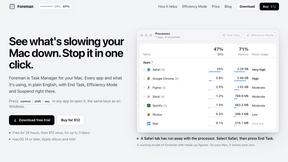
See every app and what it's using in plain English, and end or slow down the one that's hogging your Mac.
Todowing
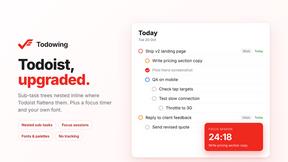
Chrome extension for Todoist that shows sub-tasks nested inline in Today, Upcoming, Filter, and Label views instead of a flat list.
Typebar
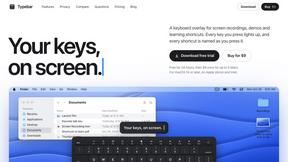
Every key you press lights up on an on-screen keyboard, and each shortcut is named as you press it.

Notchpals
Little characters peek out of your Mac's notch to remind you to drink water, eat, sit up and get to bed. Quiet during calls. $4.99 once.

LightScreen
Free light screen tool online. Turn any display into a flashlight, ambient light, or solid-color screen. No download or sign-up.

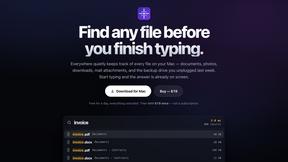
Everywhere
Fast file search for the Mac. Results as you type, files inside Mail and Photos, works with Wi-Fi off. $19 once.

Basalt
Eighteen PDF tools in one native Mac window: merge, split, compress, OCR, Bates numbering, forms, signing and redaction. Offline. $29 once.