

Alternatives to InvoiceLaunch
InvoiceLaunch makes invoicing easy by letting you create professional bills, accept payments from 12 gateways, and manage clients with AI help.
Explore 20 alternatives to InvoiceLaunch. Compare features, pricing, and find the best fit for your needs.
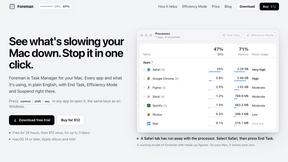
Foreman
See every app and what it's using in plain English, and end or slow down the one that's hogging your Mac.
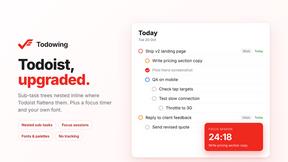
Todowing
Chrome extension for Todoist that shows sub-tasks nested inline in Today, Upcoming, Filter, and Label views instead of a flat list.
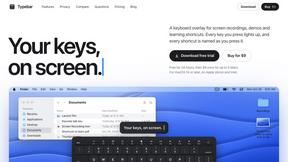
Typebar
Every key you press lights up on an on-screen keyboard, and each shortcut is named as you press it.

Notchpals
Little characters peek out of your Mac's notch to remind you to drink water, eat, sit up and get to bed. Quiet during calls. $4.99 once.

LightScreen
Free light screen tool online. Turn any display into a flashlight, ambient light, or solid-color screen. No download or sign-up.

Manatee
A Mac app that opens damaged video, PDFs, archives and documents and writes out everything it can still read. $9 once, no uploads.
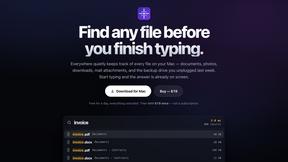
Everywhere
Fast file search for the Mac. Results as you type, files inside Mail and Photos, works with Wi-Fi off. $19 once.

Basalt
Eighteen PDF tools in one native Mac window: merge, split, compress, OCR, Bates numbering, forms, signing and redaction. Offline. $29 once.

Voice Keyboard Pro
Hold a key, say what you mean, let go. Clean, punctuated text lands at the cursor in any app on your Mac or iPhone.

Mainspring
Mainspring turns the settings macOS hides into 90+ one-click, fully reversible power-ups for Finder, Dock, screenshots and more. $29 once.
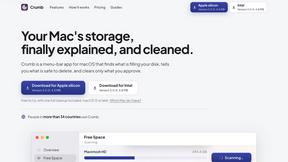
Crumb
A Mac menu bar app for a full disk. See what is using your space, read whether it comes back on its own, and remove only what you tick.
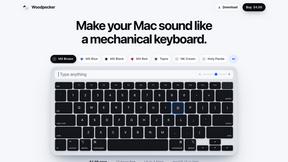
Woodpecker
Make your Mac sound like a real mechanical keyboard. Every key plays its own recording, 22 switches, quiet on calls. $4.99 once.

Inkling
Catch a thought without leaving what you are doing. Notes, checklists and a little companion in your Mac's notch. $12 once.

Screen Issues
Free Online Screen Test Tool - Instantly diagnose dead pixels, lines, color issues, and flickering. Multiple test modes, no download needed.

MD TO TEXT
Paste Markdown to strip formatting and keep clean readable text you can copy for AI workflows, docs cleanup, and publishing.

SightRadar
Face recognition API, a drop-in replacement for AWS Rekognition. Index, search, compare and detect faces, billed per photo with no subscription.

Enlisted
Search 20,000+ open-source and SaaS tools by the job you need done or the app you want to replace.


Egmatic
No-code 2D game editor: visual node logic, drag-and-drop scenes, live preview. Exports to Windows, macOS, Linux, Android, iOS, Web.

SnitchFeed
SnitchFeed is an agentic social listening tool that surfaces high-intent conversations on LinkedIn, X, Hackernews, and more for GTM and product teams.
About InvoiceLaunch Alternatives
InvoiceLaunch is a software tool designed to help freelancers, small business owners, and B2B teams create professional invoices, manage their clients, and accept payments all from one central dashboard. It fits into the invoicing and billing software category, offering features like recurring billing, estimates, and an AI assistant to help with drafting invoices and follow-up messages. While InvoiceLaunch is a strong option, users often look for alternatives for a few common reasons. You might be searching for a tool with a different pricing structure that better fits a tight budget, or perhaps you need a platform that integrates with a specific accounting software you already use. Other times, you may simply prefer a more minimalist interface or need very specific features that another tool specializes in. When choosing an alternative to InvoiceLaunch, the most important step is to clearly define your own needs before comparing options. Start by listing the features you use most often, such as recurring billing for retainer clients or the ability to accept payments through a specific gateway like PayPal or Square. Next, consider your budget and whether you prefer a one-time payment, a monthly subscription, or a free tier with limited features. Finally, think about ease of use and customer support, since you want a tool that feels intuitive and offers help when you need it. By focusing on your specific workflow and must-have features, you can find an invoicing solution that truly fits your business without getting distracted by flashy extras you won’t use.
FAQs about InvoiceLaunch Alternatives
What is InvoiceLaunch?
InvoiceLaunch is an invoicing software platform designed for freelancers, small businesses, and B2B teams. It allows you to create professional branded invoices, send them with secure payment links, and accept payments through 12 different gateways including Stripe, PayPal, and Square. The tool also includes features for recurring billing, estimates, client management, and an AI assistant to help draft invoices and follow-up messages.
Who is InvoiceLaunch for?
InvoiceLaunch is built specifically for freelancers, small business owners, and B2B teams who need to send invoices and get paid efficiently. It is ideal for anyone who wants to move away from manual spreadsheets and chasing payments, offering a centralized hub for client management and payment tracking. The AI assist and recurring billing features make it especially useful for service providers with retainer clients or recurring projects.
What are the main features of InvoiceLaunch?
InvoiceLaunch offers a comprehensive set of features including the ability to create branded invoices in minutes, send them with secure payment links, and accept payments via 12 different gateways such as Braintree, Authorize.net, Stripe, PayPal, Square, and bank transfer. It also supports automated recurring billing for retainer clients, lets you send professional estimates, tracks the status of every payment, and includes a built-in AI assistant that can draft invoices and follow-up messages for you.
Is InvoiceLaunch secure?
Yes, InvoiceLaunch prioritizes security by allowing you to send invoices with secure payment links, which helps protect both you and your clients during transactions. By supporting trusted payment gateways like Stripe, PayPal, and Authorize.net, the platform leverages the established security protocols of these processors. This approach helps eliminate the need for manual payment chasing and reduces the risk associated with handling payments outside of a secure system.