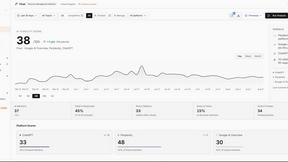
Crops
Crops is an AI workspace that organizes your creative assets and catches errors to speed up campaigns.
Visit
About Crops
Crops is your team's all-in-one, AI-powered solution for creative asset management, designed specifically for creative and marketing teams. If you're tired of wasting hours searching for files, dealing with feedback scattered across endless emails and Slack threads, or feeling the panic of an error making it to production, Crops is here to help. It transforms workflow chaos into organized clarity. Think of it as the fertile ground where your creative projects can grow efficiently. Crops combines intelligent digital asset organization with automated quality control and streamlined collaboration tools. This means your entire creative library becomes instantly searchable, feedback is centralized directly on the assets, and an AI assistant scans every piece of work for typos, accessibility issues, and more before anything ships. It's built to solve the most common and frustrating problems like version confusion and manual error-checking, giving you back precious time and eliminating the risk of embarrassing mistakes. Ultimately, Crops empowers your team to focus on what they do best: creating amazing, error-free campaigns that convert, from the first idea to the final, flawless asset shared with the world.
Features of Crops
Smart Asset Organization
Crops uses AI to automatically tag and categorize every file you upload, turning your creative library into an instantly searchable, intelligently organized workspace. Assets can live in multiple project boards without duplication, and complex searches that used to take hours now take seconds. This means your team can find the exact hero image, logo, or document they need immediately, every single time, without losing creative momentum.
Streamlined Approvals & Collaboration
End feedback chaos by bringing all comments and approvals into one place, directly on the asset itself. Stakeholders can leave visual annotations and comments on designs, and you can track approval status with clear, custom workflows. You can even share secure review links with clients—no login required for them—which speeds up the entire review cycle and helps you ship campaigns faster with clear, contextual feedback.
AI-Powered Quality Control
This feature acts as your safety net, catching errors before stakeholders ever see them. The AI instantly scans your creative work for dozens of potential problems, including spelling mistakes, grammar errors, accessibility issues like poor color contrast, and even forgotten placeholder text like "Lorem ipsum." You can connect these automated checks to your workflow to run before client presentations, ensuring you ship with total confidence.
Secure & Simple Sharing
Get feedback faster without the friction of endless email attachments. Crops lets you generate secure, branded links to share assets with clients and external partners. You have full control, setting passwords, expiration dates, and download permissions. Recipients can review and comment directly without needing to create an account, making the process professional, secure, and incredibly smooth.
Use Cases of Crops
Managing a Multi-Channel Marketing Campaign
When launching a new product, your team creates hundreds of assets for social media, email, and web. Crops keeps every version, copy variant, and image organized in one place. The AI tags everything by campaign, format, and platform, so finding the right asset for a last-minute TikTok ad is effortless. All stakeholder feedback is collected directly on the files, preventing version confusion and ensuring the final assets that go live are perfectly on-brand and error-free.
Streamlining Client Review and Approval Cycles
For agencies, getting timely client feedback is a constant challenge. With Crops, you simply send a secure review link to your client. They can click directly on the design to leave precise comments, and all their feedback is gathered in one thread. You can set up a clear approval workflow so everyone knows the status, eliminating endless "just checking in" emails and accelerating project timelines significantly.
Ensuring Brand Consistency and Compliance
Large organizations with multiple teams need to maintain strict brand guidelines. Crops helps by using AI to flag potential inconsistencies in logos, color usage, and fonts. Before any asset is finalized for a presentation or launch, the AI quality control scan checks it against your brand rules, catching deviations that a human might miss and ensuring every piece of communication is perfectly on-brand.
Preventing Embarrassing Production Errors
Nothing is worse than a typo or placeholder text going live on your website. Crops integrates AI quality control directly into your creative process. Whenever a designer or copywriter uploads a new banner, email graphic, or web page mockup, it is automatically scanned for errors. This automated safety net catches the small mistakes that often slip through manual reviews, protecting your brand's reputation.
Frequently Asked Questions
How does Crops differ from using Google Drive or Dropbox?
While Google Drive and Dropbox are great for basic file storage, Crops is built specifically for the creative workflow. It adds a powerful layer of intelligence and collaboration. Crops uses AI to automatically organize and tag your creative assets, provides tools for visual feedback and approval tracking directly on files, and performs automated quality checks for errors—features that general cloud storage simply doesn't offer.
Is the AI quality control reliable? Can it replace human editors?
The AI quality control is a highly reliable tool designed to catch common, objective errors like spelling mistakes, grammar issues, placeholder text, and accessibility flags. It acts as a powerful first line of defense, catching what human eyes often miss due to fatigue or familiarity. It's not meant to replace human editors and designers but to empower them by handling the tedious checking, so they can focus on higher-level creative and strategic work.
Can I control who sees and downloads the assets I share?
Absolutely. Security and control are central to Crops' sharing features. When you generate a shareable link for a client or stakeholder, you can set a password, choose an expiration date for the link, and disable download permissions if you only want them to view and comment. This gives you complete peace of mind when sharing work externally.
How easy is it to get my team to start using Crops?
Crops is designed to be intuitive and user-friendly, making adoption smooth. The setup is straightforward—you can start by uploading your existing asset libraries. The AI will immediately begin helping to organize them. Because Crops solves clear pain points like lost files and feedback chaos, teams often find it a welcome change. We also provide helpful resources and support to guide your team through the first steps.
Explore more in this category:
Similar to Crops
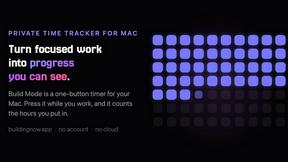
Build Mode for Mac
Build Mode is a Mac app that turns focused sessions into visible progress, so you can see the work adding up before the results arrive.

SubmitMap
A directory of launch platforms: who each accepts, what disqualifies you, and how to submit. Free to read, and your agent can do the submitting.

Efficienco
Efficienco is a free collection of practical online calculators for construction, materials, home improvement, engineering, trades, and business.
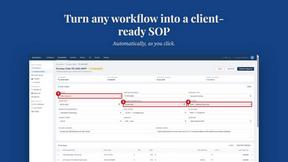
MySOP.guru
Capture any workflow in your browser and export a branded, step-by-step SOP with screenshots. €5 per document, no subscription.


PerPageFax
PerPageFax lets you send a fax online from any browser for a flat $0.50 per page — no account, no subscription, no fax machine.