

Alternatives to Crops
Crops is an AI workspace that organizes your creative assets and catches errors to speed up campaigns.
Explore 20 alternatives to Crops. Compare features, pricing, and find the best fit for your needs.


Panzoe
Panzoe is an all-in-one AI platform for personal productivity, business automation, AI assistants, content creation, and custom AI solutions.

CleanSmart
CleanSmart removes duplicates, fixes formatting, fills gaps, and flags anomalies in one automated pass. No code. No data engineers.

Enlisted
Search 20,000+ open-source and SaaS tools by the job you need done or the app you want to replace.

AI Email Filter
AI Email Filter sorts incoming mail into folders using plain-language prompts you write. Works with any IMAP mailbox; bring your own LLM if you want.

Egmatic
No-code 2D game editor: visual node logic, drag-and-drop scenes, live preview. Exports to Windows, macOS, Linux, Android, iOS, Web.

Kody Tools
Free collection of online developer utilities, code formatters, and digital converters designed to streamline your daily workflow.

Forms Plugin
The #1 Native Form Builder Plugin for Framer - No Code, No Embeds, No External Platforms.
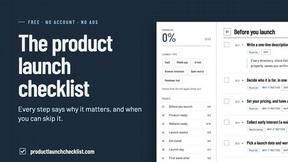
Product Launch Checklist
A free launch checklist for SaaS, apps, AI tools and more. Every step says why it matters and when you can skip it.

HomeAnswerBook
Practical, independent guides to home repairs, maintenance, costs, troubleshooting, and everyday fixes.

BlazePDF
Highlight faster. Study in flow with custom shortcuts and a workflow built around you. Print smarter, or turn any page into a tiled poster.


ContextBolt SEO
Research keywords, competitors, backlinks and AI visibility inside Claude or Codex, with findings saved to your SEO dashboard.


Build Mode for Mac
Build Mode is a Mac app that turns focused sessions into visible progress, so you can see the work adding up before the results arrive.

SubmitMap
A directory of launch platforms: who each accepts, what disqualifies you, and how to submit. Free to read, and your agent can do the submitting.



Efficienco
Efficienco is a free collection of practical online calculators for construction, materials, home improvement, engineering, trades, and business.
About Crops Alternatives
Crops is an AI-powered workspace designed for marketing and creative teams. It falls into the category of creative asset management and workflow tools, helping teams organize files, collaborate on feedback, and catch errors automatically to speed up campaign production. People often explore alternatives to find a solution that fits their specific needs. Common reasons include budget constraints, the need for different feature sets like deeper integrations with other software, or platform requirements such as a preference for on-premise vs. cloud-based tools. Every team's workflow and priorities are unique. When evaluating other options, focus on what matters most for your team's efficiency. Key aspects to consider are the core capabilities for organizing and finding assets, the tools available for clear collaboration and approval processes, and any automated checks that can prevent costly mistakes. The right tool should solve your biggest pain points without unnecessary complexity.
FAQs about Crops Alternatives
What is Crops?
Crops is an AI-powered workspace that organizes creative assets, streamlines team collaboration, and automatically catches errors to help marketing and creative teams speed up their campaigns.
Who is Crops for?
Crops is designed specifically for creative and marketing teams who struggle with disorganized files, scattered feedback, and the risk of errors in their production workflow.
What are the main features of Crops?
The main features are Smart Asset Organization with AI tagging, Streamlined Approvals for centralized feedback, and AI Quality Control to catch errors before publication.
Why choose Crops?
Crops brings order, clarity, and confidence to the creative process by solving common problems like version confusion and manual error-checking, saving teams time and preventing mistakes.