
BudgetSheet
Easily import live bank transactions into Google Sheets for effortless budgeting and expense tracking with BudgetSheet.
Visit
About BudgetSheet
BudgetSheet is a powerful Google Sheets addon designed to simplify the process of managing your finances by seamlessly importing bank transactions into your spreadsheets. This innovative tool eliminates the need for manual exports or tedious copying and pasting from CSV files, allowing you to focus on what really matters: budgeting and tracking your expenses. By leveraging secure connections through Plaid, BudgetSheet supports over 10,000 financial institutions, including checking accounts, savings accounts, credit cards, investment accounts, and loans. BudgetSheet is perfect for individuals and small businesses looking for a user-friendly way to gain control over their financial data, create custom budgets, and automate their financial tracking. With BudgetSheet, you can take charge of your financial management efficiently and effectively, ensuring that you always have access to real-time data and insights.
Features of BudgetSheet
Seamless Bank Integration
BudgetSheet integrates effortlessly with over 10,000 financial institutions, making it easy to connect your checking accounts, savings accounts, credit cards, and more. This feature ensures that you have all your financial data in one place, simplifying the budgeting process.
Automatic Transaction Fetching
With BudgetSheet, you can enable the Autofetch feature to automatically retrieve your latest bank transactions every night. This saves you time and ensures that your financial data is always up-to-date, allowing you to make informed budgeting decisions without any manual effort.
User-Friendly Setup
Setting up BudgetSheet is a breeze. Simply enable the addon in your Google account, link your bank accounts, and start importing transactions. The intuitive setup process makes it accessible for users of all skill levels, ensuring that anyone can take control of their finances effortlessly.
Enhanced Security
BudgetSheet prioritizes your security by using Plaid for bank connections, ensuring that your sensitive information remains protected. The addon does not store bank logins and only retains a read-only access token, which is encrypted at rest. This commitment to security gives you peace of mind while managing your financial data.
Use Cases of BudgetSheet
Personal Budgeting
BudgetSheet is perfect for individuals looking to take control of their personal finances. By importing transactions directly into Google Sheets, users can create custom budgets that reflect their unique financial situations, track spending, and identify areas for improvement.
Small Business Expense Tracking
Small business owners can benefit significantly from BudgetSheet by tracking expenses across multiple bank accounts and credit cards. The ability to pull all financial data into one spreadsheet streamlines the expense tracking process, making it easier to monitor cash flow and prepare for tax season.
Investment Tracking
For those managing investments, BudgetSheet allows users to import transaction data from investment accounts. This feature enables investors to keep a close eye on their portfolio performance and make informed decisions based on real-time financial data.
Financial Analysis and Reporting
BudgetSheet empowers users to perform in-depth financial analysis by leveraging the data imported into Google Sheets. Users can create customized reports, charts, and dashboards that provide insights into spending habits and financial trends, facilitating better decision-making.
Frequently Asked Questions
How secure is BudgetSheet?
BudgetSheet uses Plaid for all bank connections, which means your sensitive bank information is never stored or handled by the addon. Only a read-only access token is retained, and it is encrypted for security.
Can I try BudgetSheet for free?
Yes! BudgetSheet offers a 15-day free trial with no credit card required. This allows you to explore all the features and benefits before committing to a paid plan.
Is BudgetSheet compatible with all banks?
BudgetSheet supports over 10,000 financial institutions. You can check the list of supported banks on the BudgetSheet website to see if your bank is included.
How often does BudgetSheet update my transactions?
You can enable the Autofetch feature to automatically update your transactions every night. This ensures that your financial data is always current, allowing for timely budgeting decisions.
Similar to BudgetSheet


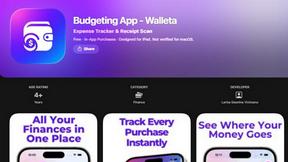
Budgeting App
Walleta is a user-friendly budgeting app that effortlessly tracks expenses and scans receipts, helping you manage your money with ease.
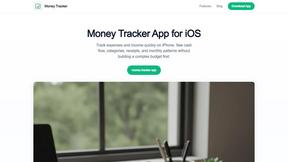
Money Tracker App
Money Tracker App helps you log expenses and income on iPhone with AI receipt scanning, budgets, and complete privacy no bank link needed.
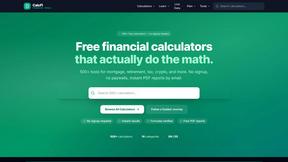
CalcFi
CalcFi offers 500+ free financial calculators for every money decision, providing instant results and detailed reports without any signup.
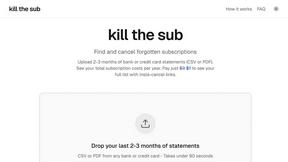
kill the sub
Find and cancel forgotten subscriptions in minutes with our AI tool for just $3.
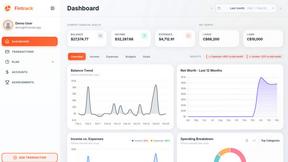
Fintrack
Fintrack is your AI money copilot that reveals hidden savings, tracks spending, and simplifies personal finance for a clearer financial future.

Redbark
Easily sync your Australian bank and brokerage data to Google Sheets and YNAB, automating your financial tracking.