
Budgeting App
Walleta is a user-friendly budgeting app that effortlessly tracks expenses and scans receipts, helping you manage your money with ease.
Visit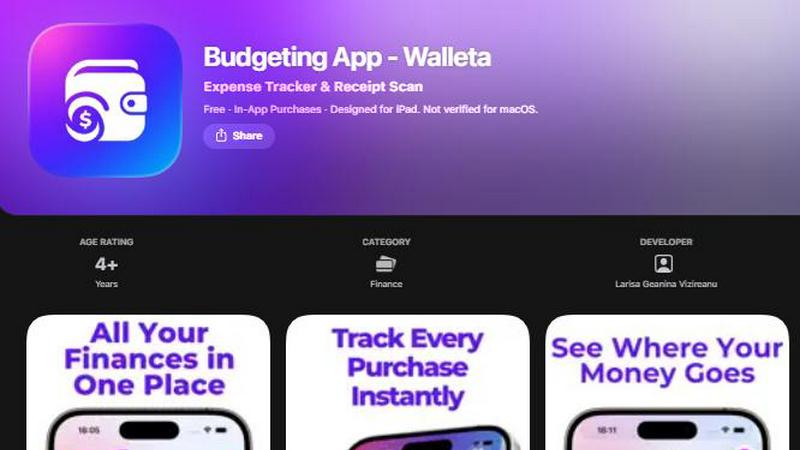
About Budgeting App
Budgeting App, also known as Walleta, is a comprehensive and user-friendly budgeting tool designed for iOS users. This free app serves as both a budget planner and an AI-powered expense tracker, making it an ideal choice for anyone looking to manage their finances without the need for bank linking or creating an account. With Walleta, users can effortlessly set monthly spending limits, capture and categorize receipts, and analyze their expenditure habits. It's particularly beneficial for travelers, students, expats, and privacy-conscious individuals who prefer to keep their financial data on their devices without syncing to the cloud. Walleta's intuitive interface simplifies the money-tracking process, allowing you to log spending, monitor budgets, and gain insights into your financial habits all in one place. With no ads or tracking pixels, Walleta prioritizes user privacy while providing essential tools to help you take control of your finances.
Features of Budgeting App
AI Receipt Scanning
Walleta's innovative AI receipt scanning feature allows users to capture and log expenses in seconds. Simply take a photo of your receipt, and the app will automatically extract key details such as the merchant, total amount, date, and category. This eliminates the need for manual entry, making expense tracking quick and efficient. Free users can try this feature with three AI scans, while Walleta Pro subscribers enjoy unlimited access.
Monthly Budgeting
Set and manage your monthly budgets with ease using Walleta's budget-setting feature. Users can define spending limits for various categories and track their progress in real-time. The app sends alerts when users approach or exceed their budget, helping them stay on top of their finances and avoid overspending.
Beautiful Analytics
Gain valuable insights into your spending habits with Walleta's visually appealing analytics. The app offers pie charts, bar graphs, and detailed category summaries, allowing users to review their expenses weekly, monthly, and yearly. This feature helps users identify spending patterns and make informed financial decisions.
Multi-Currency Support
Walleta supports multiple currencies, making it an excellent choice for travelers and expats. The app automatically detects your local currency or allows you to set a currency code manually. This flexibility ensures that users can easily track their expenses regardless of where they are in the world.
Use Cases of Budgeting App
For Students
Students can benefit immensely from Walleta as they manage tight budgets and various expenses. The app allows them to track their spending across categories such as food, transport, and entertainment, ensuring they stay within their financial limits.
For Travelers
Travelers will find Walleta invaluable for managing their expenses on the go. With its multi-currency support and easy receipt scanning, users can keep track of their spending in different countries without the hassle of manual conversions or entry.
For Expats
Expats often face unique financial challenges, especially when dealing with multiple currencies and varying costs of living. Walleta helps them stay organized by providing tools for budgeting and expense tracking tailored to their needs.
For Privacy-Conscious Users
Individuals who prioritize their privacy will appreciate Walleta's commitment to keeping financial data secure. With no bank connections, account setups, or data tracking, users can manage their finances independently and safely on their devices.
Frequently Asked Questions
How does the AI receipt scanning feature work?
The AI receipt scanning feature allows users to take a photo of their receipts, after which the app's on-device AI extracts details like the merchant name, total amount, date, and spending category. Users can then verify the information before saving it to their expense history.
Is Walleta available on platforms other than iOS?
Currently, Walleta is designed for iOS devices, including iPhone and iPad. There is no verification for macOS support at this time.
Can I track expenses without an internet connection?
Yes, Walleta operates entirely on-device, meaning you can track your expenses and manage your budgets without needing an internet connection. This feature is particularly beneficial for users who prioritize privacy.
What happens if my receipts are faded or unclear?
The AI receipt scanning feature works best with clear, readable receipts. If a receipt is faded or unclear, users may need to manually enter the details to log their expenses accurately.
Similar to Budgeting App


Money Tracker App
Money Tracker App helps you log expenses and income on iPhone with AI receipt scanning, budgets, and complete privacy no bank link needed.
CalcFi
CalcFi offers 500+ free financial calculators for every money decision, providing instant results and detailed reports without any signup.
kill the sub
Find and cancel forgotten subscriptions in minutes with our AI tool for just $3.
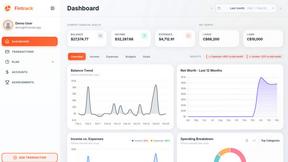
Fintrack
Fintrack is your AI money copilot that reveals hidden savings, tracks spending, and simplifies personal finance for a clearer financial future.

Redbark
Easily sync your Australian bank and brokerage data to Google Sheets and YNAB, automating your financial tracking.

Ricco - Financial Literacy Game
Ricco is a fun financial literacy game that teaches budgeting, investing, and money management through real-life.