
BacklinkHelper
Effortlessly build quality backlinks and streamline your SEO with our free Chrome extension in just minutes.
Visit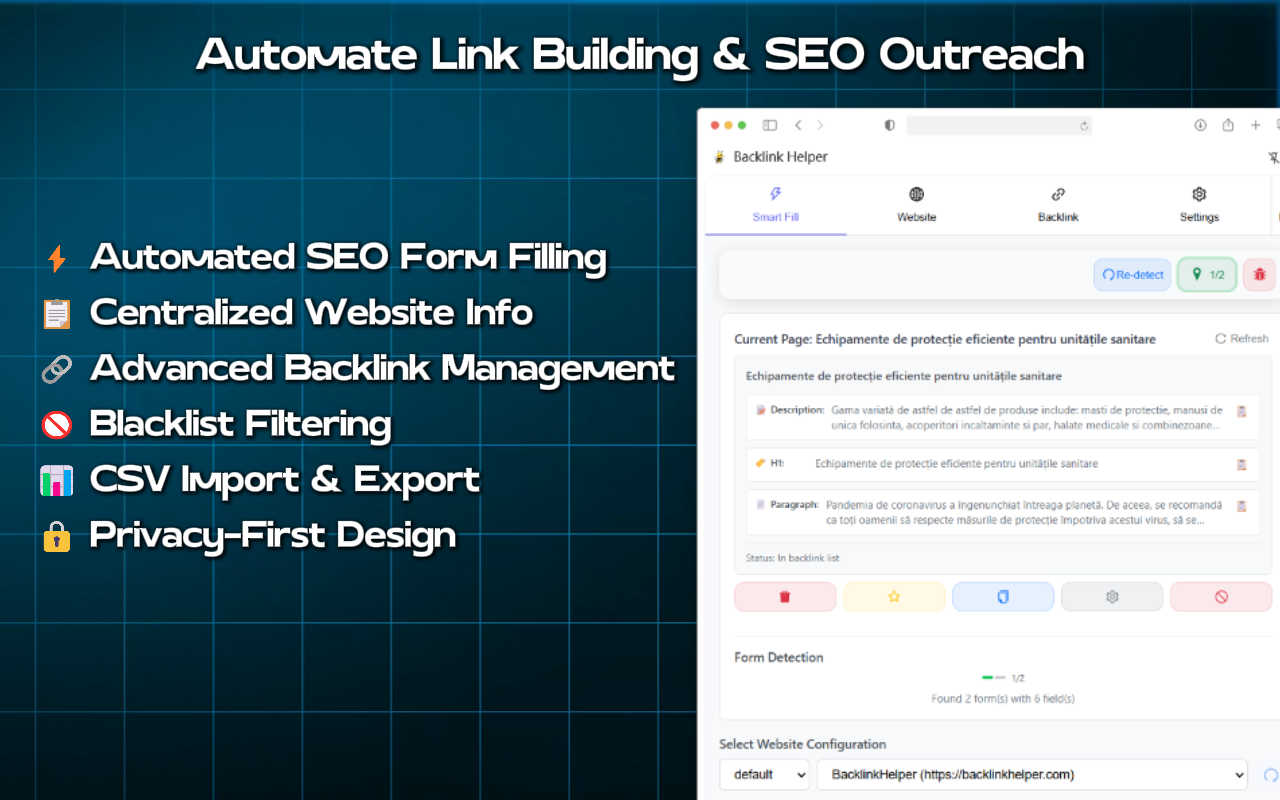
About BacklinkHelper
BacklinkHelper is an innovative Chrome extension designed to simplify the often daunting process of SEO backlink building and outreach. It targets SEO professionals, digital marketers, web administrators, and anyone seeking to enhance their website's search engine ranking through quality backlinks. The tool is built to tackle the tedious tasks of finding websites for submissions, filling out forms, and tracking backlinks efficiently. With BacklinkHelper, users can effortlessly auto-fill forms with their site information, generate natural comments tailored to each submission, and keep all backlink records organized in one accessible location. Its main value proposition is to reclaim valuable hours in your workweek by streamlining the entire workflow—from discovering potential backlinks to submitting and tracking them—ensuring that your efforts are both organized and effective. Plus, you can start using BacklinkHelper for free, allowing you to see immediate enhancements in your SEO productivity without any financial commitment.
Features of BacklinkHelper
Smart Form Autofill
BacklinkHelper features an intelligent autofill capability that detects and pre-fills directory submissions, guest post forms, and backlink requests with your website data. This saves you hours of manual typing and streamlines the submission process to just a click of a button.
AI Comment Generation
With the AI comment generation feature, BacklinkHelper creates unique and contextually relevant comments tailored for each submission. By analyzing both your content and the target pages, it generates natural, readable text that is likely to pass manual reviews, enhancing the quality of your submissions.
Backlink Portfolio Management
This feature allows users to track, organize, and monitor their entire backlink portfolio. You can prevent duplicate submissions, add custom notes for each link, group submissions by campaigns, and receive periodic status checks on link health, all within one interface.
Multi-Site SEO Management
BacklinkHelper supports the management of multiple websites simultaneously. You can store and switch between different sites, each with its own SEO titles, descriptions, and keywords, making it ideal for SEO professionals handling several client projects or personal websites.
Use Cases of BacklinkHelper
For SEO Agencies & Consultants
SEO agencies can leverage BacklinkHelper to scale their link-building operations efficiently. With assisted directory submissions and organized outreach tracking, agencies can manage multiple client portfolios seamlessly and improve their overall productivity.
For Web Admins & Site Owners
Web administrators and site owners benefit from BacklinkHelper by maintaining a clean record of all their backlink submissions. This feature helps avoid duplicate entries and ensures that all outreach efforts are documented, facilitating better management of link-building strategies.
For Freelance Digital Marketers
Freelancers can utilize BacklinkHelper to enhance their link-building workflows. By automating repetitive tasks, they can focus more on strategy and content creation, ultimately improving their service offerings and client satisfaction.
For Content Creators
Content creators looking to build their online presence can use BacklinkHelper to efficiently submit their work to various platforms. By streamlining the outreach process, they can ensure their content reaches a wider audience, driving referral traffic and enhancing brand exposure.
Frequently Asked Questions
How do I install BacklinkHelper?
To install BacklinkHelper, simply visit the Chrome Web Store, search for BacklinkHelper, and click the 'Add to Chrome' button. Follow the prompts to complete the installation.
Is BacklinkHelper free to use?
Yes, BacklinkHelper is free to use. You can start using the essential features without any credit card requirement, allowing you to explore its capabilities risk-free.
Can I manage multiple websites with BacklinkHelper?
Absolutely! BacklinkHelper allows users to manage multiple websites simultaneously. You can easily switch between them and customize settings for each site, making it ideal for agencies or individuals with diverse projects.
How does the AI comment generation work?
The AI comment generation feature analyzes your content along with the target page's context to create unique and relevant comments for your submissions. This ensures that the comments are natural and suited for each specific platform, enhancing acceptance rates.
Explore more in this category:
Similar to BacklinkHelper
LaunchIntel
Your AI agent picks relevant directories, submits your product in your browser and tracks every step. One-time purchase.
LightScreen
Free light screen tool online. Turn any display into a flashlight, ambient light, or solid-color screen. No download or sign-up.

CloneWebsite
Clone any webpage pixel-perfect, export HTML/CSS/ZIP or React/Vue components.
GenX
All-in-one AI workspace to generate images, videos, and audio with multiple leading AI models.

Uniclip
Clip pages, take full-page screenshots and batch-capture list data to Notion, Feishu, Obsidian, Markdown, CSV or JSON.
TroveKey
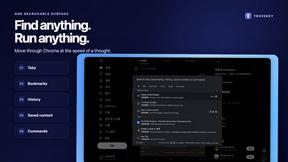
Search tabs, Chrome bookmarks and history, run browser commands, and save webpages and social posts locally—no account.
Todowing
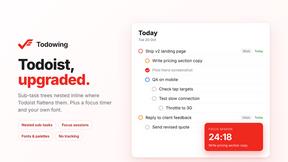
Chrome extension for Todoist that shows sub-tasks nested inline in Today, Upcoming, Filter, and Label views instead of a flat list.