

Alternatives to Very Good Calendar Sync
Very Good Calendar Sync quietly keeps your work, personal, and client calendars aligned on your Mac without linking accounts or sharing your private.
Explore 20 alternatives to Very Good Calendar Sync. Compare features, pricing, and find the best fit for your needs.


GigUp
GigUp helps freelancers discover relevant Upwork jobs through AI matching, automated monitoring, and instant alerts.

Safe Outreach
AI-powered platform that evaluates the safety of LinkedIn automation tools and helps reduce the risk of account restrictions.
How Long How Many Tool
Timers and hourly checks to figure how out long until a certain time or how many days away.

ButterShare
Realtime peer-to-peer file transfer in the browser. Send files directly between devices, no account and no upload to a server.
Emailyy
Free email tools for signatures, subject lines, HTML previews, word counts, and email headers. Browser-based, simple to use, and no signup required.

Uniclip
Clip pages, take full-page screenshots and batch-capture list data to Notion, Feishu, Obsidian, Markdown, CSV or JSON.
TroveKey
Search tabs, Chrome bookmarks and history, run browser commands, and save webpages and social posts locally—no account.
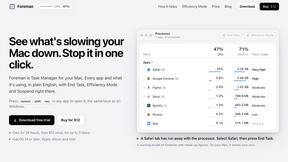
Foreman
See every app and what it's using in plain English, and end or slow down the one that's hogging your Mac.
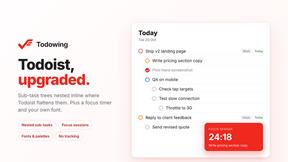
Todowing
Chrome extension for Todoist that shows sub-tasks nested inline in Today, Upcoming, Filter, and Label views instead of a flat list.
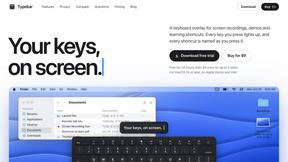
Typebar
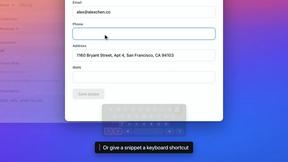
Every key you press lights up on an on-screen keyboard, and each shortcut is named as you press it.
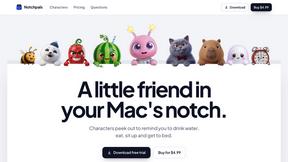
Notchpals
Little characters peek out of your Mac's notch to remind you to drink water, eat, sit up and get to bed. Quiet during calls. $4.99 once.

LightScreen
Free light screen tool online. Turn any display into a flashlight, ambient light, or solid-color screen. No download or sign-up.

Kovnerov
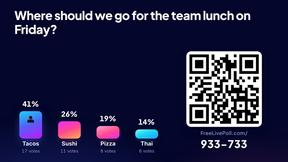
Personal site of Vlad Kovnerov: analytics dashboards, web development, Telegram bots and browser tools for sellers and subscription tracking.
Everywhere
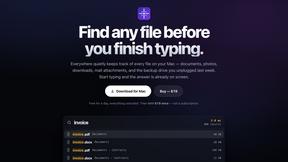
Fast file search for the Mac. Results as you type, files inside Mail and Photos, works with Wi-Fi off. $19 once.
Basalt
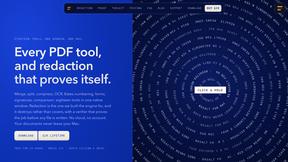
Eighteen PDF tools in one native Mac window: merge, split, compress, OCR, Bates numbering, forms, signing and redaction. Offline. $29 once.
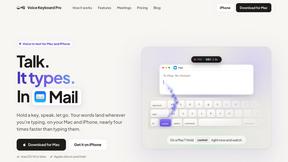
Voice Keyboard Pro
Hold a key, say what you mean, let go. Clean, punctuated text lands at the cursor in any app on your Mac or iPhone.
About Very Good Calendar Sync Alternatives
Very Good Calendar Sync is a privacy-focused Mac application that quietly keeps your calendars in sync without requiring you to constantly check multiple sources. It falls into the productivity and management category, designed to automate the tedious task of manually updating events across work, personal, and project calendars. Many users start looking for alternatives because they may need a solution that works across Windows or mobile devices, or they might be searching for a free or lower-cost option. Others might want additional features like team-based syncing or deeper integration with specific calendar platforms beyond what the Mac Calendar app offers. When searching for an alternative, focus on what matters most for your specific workflow. First, consider which platforms you need to support, such as Windows, Android, or iOS, as Very Good Calendar Sync is exclusive to macOS. Next, evaluate the privacy and security model, since some alternatives store your data in the cloud or require sharing credentials. Finally, look at the level of control you have over the sync process, such as the ability to filter by specific weekdays, time ranges, or event details. The best choice will balance your platform needs with the features and privacy requirements that make you feel confident in your setup.
FAQs about Very Good Calendar Sync Alternatives
What is Very Good Calendar Sync?
Very Good Calendar Sync is a macOS application that automatically and privately synchronizes your calendars. Once you set it up, it runs quietly in the background, monitoring your calendars and syncing any changes without you needing to check multiple places. It works with any calendar available in the macOS Calendar app, giving you full control over what gets shared and when.
Who is Very Good Calendar Sync for?
This tool is perfect for consultants managing client calendars, employees balancing work and personal schedules, and freelancers juggling multiple projects. It is designed for anyone who is tired of calendar chaos and wants a set-it-and-forget-it solution to keep their events organized. If you use a Mac and need to sync multiple calendars without manual effort, this app is built for you.
Is Very Good Calendar Sync free?
The provided information does not specify a price, but it describes the app as a premium productivity tool focused on privacy and automation. Generally, tools with this level of local-only processing and granular control are paid applications. You would need to check the official product page for current pricing details and any free trial offers.
Is Very Good Calendar Sync secure?
Yes, security is a core feature of Very Good Calendar Sync. Your calendar data never leaves your Mac, meaning there are no credentials to share, no third-party access, and no cloud storage involved. The app uses your Mac's native calendar access, so nothing is transmitted externally, keeping your private events completely under your control.