
Very Good Calendar Sync
Very Good Calendar Sync quietly keeps your work, personal, and client calendars aligned on your Mac without linking accounts or sharing your private.
Visit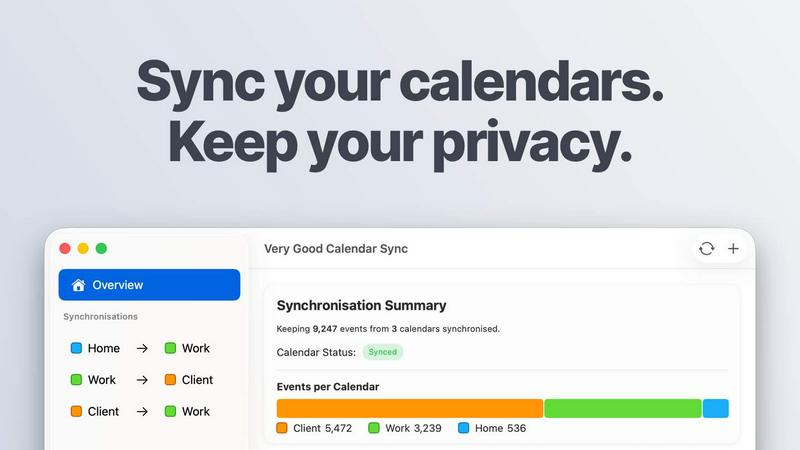
About Very Good Calendar Sync
Very Good Calendar Sync is a privacy-first macOS application designed to solve one of the most common modern frustrations: keeping multiple calendars aligned without sacrificing your personal data. Whether you are a consultant managing several client schedules, an employee balancing work and personal events, a freelancer juggling multiple projects, or simply someone with more than one calendar, this app makes synchronization effortless and secure.
The core idea is simple. You set up a synchronization between two calendars once, and the app runs quietly in your menu bar. It monitors your calendars in the background and automatically syncs any changes. A new meeting appears on your work calendar? It shows up on your personal calendar instantly. You cancel a dentist appointment? It disappears everywhere. No manual copying, no double-booking, no guesswork.
What makes Very Good Calendar Sync truly special is its commitment to privacy. Your calendar data never leaves your Mac. There are no accounts to link on third-party websites, no credentials to share, and no cloud storage involved. The app uses your Mac's native calendar access through macOS Calendar.app, meaning it works directly with the calendars you already use, including Google Calendar, Microsoft Outlook, Apple iCloud, and any CalDAV account. Everything happens on your device, with no middleman servers, no data collection, and no analytics tracking your schedule.
The app is built for anyone who wants their calendar to show the truth. It is beginner-friendly, requiring just two minutes to set up, and it stays completely out of your way after that. You have full control over what gets synchronized, including which weekdays, which hours of the day, and which event details to share. You can clone events with full details or redact them to show only that you are busy, keeping your private life private.
Very Good Calendar Sync is built by someone who got tired of double-bookings and third-party apps wanting access to their life. It is a tool that respects your time and your privacy, giving you peace of mind and a perfectly aligned schedule.
Features of Very Good Calendar Sync
Clone or Redact Event Details
Share your availability without sharing your life. With Very Good Calendar Sync, you have complete control over what information gets synchronized. You can choose to clone events with full details, including title, description, and location, so both calendars show the complete picture. Alternatively, you can redact events to show only that you are busy, keeping the specifics of your appointments completely private. This is perfect for consultants who need to block time on client calendars without revealing personal commitments, or for employees who want to show they are unavailable for a meeting without disclosing a doctor's appointment. The choice is yours for every synchronization you create.
Stays Out of the Way
Set up your syncs once and forget about them. Very Good Calendar Sync runs quietly in your macOS menu bar, requiring no ongoing attention or manual intervention. It synchronizes automatically whenever your calendars change, whether you add a new event, modify an existing one, or cancel something entirely. The app is designed to be background software that simply works, so you can focus on your actual work and life without constantly checking if your calendars are aligned. There are no pop-ups, no reminders, and no unnecessary notifications. Just a reliable sync that happens silently and efficiently.
Filter by Day and Time
You decide exactly when synchronization happens. Each sync you create can have its own custom rules for which days and times to include. For example, you can choose to synchronize only on weekdays, skipping weekends entirely, so your personal calendar doesn't get cluttered with work events on Saturday. You can set a daily time range, such as 9 AM to 6 PM, to limit syncing to your work hours only. You can also pick specific days of the week or set a start date for synchronization. This level of control ensures that your calendars reflect only what you want them to, exactly when you want them to.
No Accounts to Link
Your credentials stay safe and private. Very Good Calendar Sync does not require you to log in to any third-party website or share your Google, Microsoft, or Apple passwords. Instead, it uses the native calendar access already built into macOS through the Internet Accounts system. This means your credentials never leave your computer, and you never have to trust an external service with your login information. The app simply asks macOS for permission to read and write to your calendars, and that is it. No middleman, no data collection, no analytics. Just your Mac talking directly to your calendars.
Use Cases of Very Good Calendar Sync
Consultants Managing Client Calendars
As a consultant, you likely maintain separate calendars for each client to keep projects organized and avoid confusion. Manually checking each calendar for availability and copying events is time-consuming and error-prone. Very Good Calendar Sync solves this by automatically aligning your master calendar with each client's calendar. You can set up individual syncs with custom rules for each client, such as filtering by workdays and specific hours. When you block time for a client project on your master calendar, it appears on their calendar instantly. When a client adds a meeting, it shows up in your schedule. No more double-bookings, no more missed calls, and no more manually cross-checking availability.
Employees Balancing Work and Personal Schedules
Juggling a work calendar with a personal calendar is a common challenge. You want your team to see when you are busy so they don't schedule meetings during your dentist appointment, but you do not want to share the details of your personal life. Very Good Calendar Sync lets you redact personal events on your work calendar, showing only that you are busy without revealing the title, location, or description. Similarly, work events can appear on your personal calendar with full details or as redacted blocks. This keeps your professional and personal lives separate but perfectly coordinated, preventing scheduling conflicts and reducing stress.
Freelancers Juggling Multiple Projects
Freelancers often work with several clients simultaneously, each with their own calendar and communication tools. Keeping track of deadlines, calls, and project milestones across multiple calendars can quickly become chaotic. Very Good Calendar Sync allows you to create a central, master calendar that pulls in events from all your client calendars. You can set up different sync rules for each client, such as only synchronizing events during your working hours or filtering by specific days. This gives you a single, reliable view of your entire schedule, ensuring you never miss a client call or double-book a project deadline.
Agencies and Cross-Functional Teams
Agencies and teams that work across internal and client-facing calendars face a unique challenge: everyone needs to see the same real-time availability, but sensitive internal meetings should remain confidential. Very Good Calendar Sync enables you to synchronize team calendars with client calendars while controlling what information is shared. You can clone internal planning meetings as redacted events on client calendars, showing that the team is busy without revealing strategy discussions. This keeps everyone aligned, reduces confusion, and ensures that client-facing availability is always accurate and up to date.
Frequently Asked Questions
Do you store any of my calendar data?
No, never. Very Good Calendar Sync runs entirely on your Mac and does not store or transmit any of your calendar data. There are no servers of our own, no cloud storage, and no third-party access. The app uses your Mac's native calendar access through macOS Calendar.app, and all synchronization happens directly between your calendars on your device. We do not collect any analytics or telemetry data about your calendar events. Your privacy is the core design principle of this app.
Which calendar providers are supported?
Very Good Calendar Sync works with any calendar that appears in macOS Calendar.app. This includes Google Calendar, Microsoft Outlook and Exchange, Apple iCloud, and any CalDAV account. If you can see it in your Mac's Calendar app, you can sync it with Very Good Calendar Sync. There is no extra setup required, no additional apps to install, and no connections to configure. Your calendars are already there, and the app simply works with them.
Does it sync when my Mac is off or asleep?
No, Very Good Calendar Sync requires your Mac to be powered on and awake to perform synchronization. Because the app runs entirely on your device, it cannot function when the computer is off or in sleep mode. However, the app is designed to synchronize automatically and instantly whenever your calendars change, so as soon as you wake your Mac, any changes made while it was asleep will be synced quickly. For most users, this is not an issue, as the app catches up within seconds of your Mac waking up.
Is this app available for Windows or iOS?
Currently, Very Good Calendar Sync is only available for macOS. It is built specifically to integrate with macOS Calendar.app and the Internet Accounts system, which are not available on other platforms. There are no plans for a Windows or iOS version at this time. However, because the app works with Google, Microsoft, and Apple calendars, any changes you make on a Windows or iOS device will still be synced when you open your Mac.
Pricing of Very Good Calendar Sync
Very Good Calendar Sync offers flexible pricing to fit your needs. Your first synchronization between two calendars is completely free, with no payment required. When you are ready for more, you can choose from three plans.
The Monthly plan is GBP 1.99 per month, offering flexible month-to-month billing with the ability to cancel anytime. The Annual plan is GBP 19.99 per year, which saves you over 15 percent compared to the monthly plan and represents the best value for ongoing use. The Lifetime plan is GBP 39.99 as a one-time payment, giving you the app forever with all future updates included.
All plans include unlimited synchronizations, support for all calendar providers, and email support. The license is per user for all your Macs. You can download the app for free and choose your plan directly within the application.
Explore more in this category:
Similar to Very Good Calendar Sync
AI Email Filter
AI Email Filter sorts incoming mail into folders using plain-language prompts you write. Works with any IMAP mailbox; bring your own LLM if you want.
Egmatic
No-code 2D game editor: visual node logic, drag-and-drop scenes, live preview. Exports to Windows, macOS, Linux, Android, iOS, Web.
Kody Tools
Free collection of online developer utilities, code formatters, and digital converters designed to streamline your daily workflow.
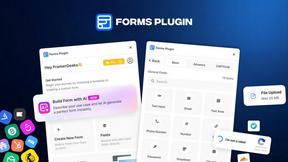
Forms Plugin
The #1 Native Form Builder Plugin for Framer - No Code, No Embeds, No External Platforms.
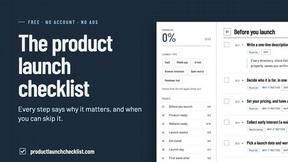
Product Launch Checklist
A free launch checklist for SaaS, apps, AI tools and more. Every step says why it matters and when you can skip it.
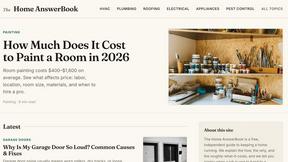
HomeAnswerBook
Practical, independent guides to home repairs, maintenance, costs, troubleshooting, and everyday fixes.
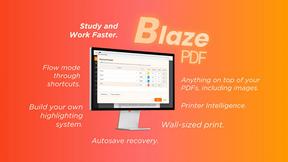
BlazePDF
Highlight faster. Study in flow with custom shortcuts and a workflow built around you. Print smarter, or turn any page into a tiled poster.
