

Alternatives to Subclip
Subclip is an AI video editor that helps you quickly add subtitles, remove silences, dub with voice cloning, and export to social media.
Explore 9 alternatives to Subclip. Compare features, pricing, and find the best fit for your needs.
HubVanta
HubVanta is a free AI creative toolkit for generating images, videos, voices, and visual edits from one browser workspace.
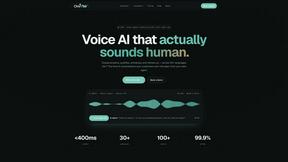
Oravaa
Oravaa helps you replace repetitive phone tasks with natural, human-sounding voice AI that handles calls, qualifies leads, and books appointments.
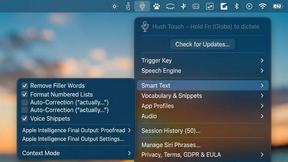
Hush Touch | Voice-to-Text for MacOS
Hush Touch offers smart offline voice-to-text for Mac, learning your vocabulary and simplifying dictation for just $20.
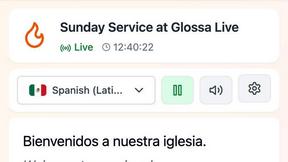
Glossa
Glossa offers real-time AI translation of sermons into 100+ languages, breaking language barriers for your congregation.
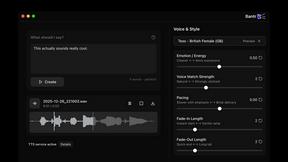
Bantr: Offline & Unlimited TTS for Mac
Bantr offers unlimited offline text-to-speech on your Mac, ensuring privacy and studio-quality voiceovers with no.

KaiCalls
KaiCalls is your 24/7 AI phone agent that answers calls and books appointments automatically.
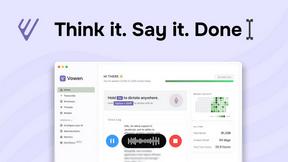
Vowen
Vowen is your free, private voice assistant that turns speech into text and actions on your computer.

Bargou One
Bargou One is your all-in-one AI assistant to create, write, and communicate effortlessly.
About Subclip Alternatives
Subclip is an AI-powered video editor that falls into the speech and voice category, designed to help creators, marketers, and educators edit videos as easily as editing a document. Instead of wrestling with complex timelines, you can drag a transcript to trim footage, use voice cloning to re-record parts of your audio, and automatically remove silences and filler words with a single click. Many users look for alternatives to Subclip for a few common reasons. You might need a tool that works on a different operating system, find that the free tier doesn't include enough export minutes for your workload, or require specific integrations with your existing editing software. Others may prefer a tool with a different pricing model, such as a one-time purchase instead of a subscription, or need advanced features like multi-track audio editing that fall outside Subclip’s core focus on speed and simplicity. When you’re searching for an alternative, it helps to first list your non-negotiable features. Do you absolutely need voice cloning, or are auto-subtitles your top priority? Consider the platform you use most—some tools are web-only while others have desktop apps. Think about your budget and whether a free plan with watermarks works for you, or if you’re willing to pay for higher quality exports. Finally, test the ease of use: the best alternative will let you complete your most common task, like removing silences or adding captions, in just a few clicks. By focusing on your specific workflow first, you can find a tool that feels like a natural fit rather than a compromise.
FAQs about Subclip Alternatives
What is Subclip?
Subclip is an AI-powered video editor that lets you edit videos by manipulating their transcripts, similar to editing a text document. It includes advanced features like voice cloning, automatic subtitle generation, silence and filler word removal, and multi-language dubbing. The tool is designed to simplify video production for creators, marketers, and educators who want to save time without sacrificing quality.
Who is Subclip for?
Subclip is built for YouTubers, podcasters, course creators, and content teams who need a fast, intuitive way to edit videos. It is especially useful for anyone who regularly creates talking-head videos, tutorials, or presentations and wants to remove awkward pauses, add captions, or dub content into other languages. The tool is beginner-friendly but powerful enough to handle professional workflows.
Is Subclip free?
Yes, Subclip offers a freemium pricing model with a free tier that lets you try its core features. For more advanced capabilities or higher usage limits, affordable paid plans are available. This makes it accessible for beginners who want to test the tool before committing to a subscription.
What are the main features of Subclip?
Subclip’s main features include transcription-based video editing, voice cloning to re-record parts of your video, one-click silence and filler word removal, auto-generated accurate subtitles, and multi-language dubbing that preserves background music. It also supports subtitle generation and seamless integration of these tools into one streamlined workflow. These features are designed to save hours of manual editing time.