
Hush Touch | Voice-to-Text for MacOS
Hush Touch offers smart offline voice-to-text for Mac, learning your vocabulary and simplifying dictation for just $20.
Visit
About Hush Touch | Voice-to-Text for MacOS
Hush Touch is a revolutionary voice-to-text application designed specifically for MacOS users who seek a fast, natural, and private dictation experience. This app operates entirely on-device, ensuring that your dictation is processed offline, which enhances privacy and speed. By utilizing two advanced Apple transcription engines combined with an Apple Intelligence final processing pass, Hush Touch delivers cleaner and more accurate text output. Ideal for professionals and everyday users alike, it streamlines tasks such as drafting emails, messages, notes, and documents without the need for typing. With its lightweight installation of just 5.5 MB, Hush Touch seamlessly integrates into your daily writing workflow, allowing you to dictate hands-free or with customizable voice commands. Experience the convenience of accurate dictation without relying on cloud services, making it the perfect tool for anyone who values privacy and efficiency.
Features of Hush Touch | Voice-to-Text for MacOS
Dual Engine Recognition
Hush Touch employs a dual-engine recognition system that combines DictationTranscriber for natural flow and punctuation with SFSpeechRecognizer for enhancing your custom vocabulary. Together, they ensure that your dictation is not only accurate but also contextually relevant.
Custom Vocabulary
The app allows users to build a custom vocabulary of up to 500 terms, which it learns and adapts over time. This feature is particularly beneficial for professionals with specialized jargon, such as medical or technical terminology, ensuring that Hush Touch understands and accurately transcribes what you say.
Smart Text Processing
Hush Touch incorporates smart text processing features that include filler word removal and auto-correction. It detects unnecessary words and corrects common errors in real time, making your dictation cleaner and more professional without any extra effort on your part.
Context Modes & Hands-Free Operation
With context modes tailored for General, Email, Code, and Notes, Hush Touch adapts to your specific dictation needs. You can also activate hands-free dictation by saying "Hey Siri, start touch," allowing for a completely hands-free experience that automatically inserts text after a pause.
Use Cases of Hush Touch | Voice-to-Text for MacOS
Drafting Emails
Hush Touch is perfect for busy professionals who need to draft emails quickly. With hands-free dictation and customizable command phrases, you can compose messages without interrupting your workflow, ensuring efficient communication.
Taking Notes
Students and professionals alike can benefit from using Hush Touch to take notes during lectures or meetings. You can focus on listening and understanding while the app captures your thoughts accurately, allowing you to revisit important information easily.
Writing Content
For writers and content creators, Hush Touch offers a unique way to brainstorm and draft articles or blog posts. Its ability to recognize context and specialized vocabulary makes it an invaluable tool for producing high-quality written content effortlessly.
Managing Tasks
You can also use Hush Touch to manage your daily tasks or create to-do lists by simply dictating your tasks. This feature helps you stay organized without needing to type, making it easier to keep track of your responsibilities.
Frequently Asked Questions
How does Hush Touch ensure privacy?
Hush Touch processes all voice data entirely on your Mac, with no reliance on cloud services. This means that your voice and dictation data is not collected or stored online, ensuring maximum privacy.
Can I customize my vocabulary in Hush Touch?
Yes! Hush Touch allows you to create a custom vocabulary of up to 500 terms, which can be learned over time. This is particularly useful for those who frequently use specialized jargon or unique terminology.
Is Hush Touch compatible with all MacOS versions?
Hush Touch is designed for MacOS and is compatible with a wide range of versions. However, it's always recommended to check the specific system requirements on the official website before downloading.
What is the pricing model for Hush Touch?
Hush Touch offers a one-time purchase option for a lifetime license at just $20. There are no subscriptions or ongoing fees required, making it a cost-effective solution for voice-to-text needs.
Explore more in this category:
Similar to Hush Touch | Voice-to-Text for MacOS
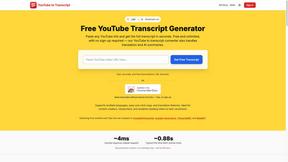
GetYouTubeTranscript
Free YouTube transcripts on the web, a Chrome extension, and an API + MCP server so AI assistants can read YouTube.




amaze.directory
Every AI tool here was opened and used on a real task before it went in. Free to submit.

Speechyou
AI transcription for voice notes, meetings, and audio files in 1,700 languages, with AI summaries and subtitle export and unlimited chat ai usage.

ProspectHalo
AI sales agent that finds qualified leads, runs outreach, follows up automatically, creates content, and helps book more meetings.

benchmark.directory
Independent AI tool listings: the cheapest usable plan, the real free-tier limit, tested integrations, and who trains on your work.