

Alternatives to SlabCalc
SlabCalc is a free suite of 34 concrete calculators plus AI tools that instantly gives you volume, bag counts, costs, and expert quote analysis for.
Explore 20 alternatives to SlabCalc . Compare features, pricing, and find the best fit for your needs.

Safe Outreach
AI-powered platform that evaluates the safety of LinkedIn automation tools and helps reduce the risk of account restrictions.


Adobe Alternatives
Explore open-source creative software by workflow, platform and development stage, with comparisons and official project links.

Uniclip
Clip pages, take full-page screenshots and batch-capture list data to Notion, Feishu, Obsidian, Markdown, CSV or JSON.

TroveKey
Search tabs, Chrome bookmarks and history, run browser commands, and save webpages and social posts locally—no account.

Todowing
Chrome extension for Todoist that shows sub-tasks nested inline in Today, Upcoming, Filter, and Label views instead of a flat list.

AppIconGenerator
Generate iOS and Android app icons from any image and export all platform sizes for free.
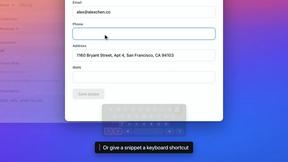

Kovnerov
Personal site of Vlad Kovnerov: analytics dashboards, web development, Telegram bots and browser tools for sellers and subscription tracking.

subtitle.im
Chrome extension for existing YouTube captions. Local OCR helps handle duplicates by your settings. Free 10-video trial; optional Pro.
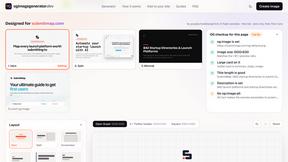
ogimagegenerator.dev
Paste a URL and AI designs on-brand Open Graph images from your page's colours, fonts and logo. Free, no sign-up.

Screen Issues
Free Online Screen Test Tool - Instantly diagnose dead pixels, lines, color issues, and flickering. Multiple test modes, no download needed.

Budgetpixel AI
Create and edit AI images, videos, music, and designs in one workspace, with multiple models, reusable characters, and API access.

HookAds
Free ad creative hub: 1,750+ prompts behind viral AI ads, 118 hook frameworks, teardowns, swipe files and 27 free AI tools.

Try OC Maker
Create OCs from text or images, customize their look, and turn them into animated videos with AI.

Riff
Free Chrome extension. Paste your rough point and Chrome's built-in AI writes a fresh reply for that post on X, LinkedIn, Facebook or Instagram.

nanobanana 21
Fast, simple image studio powered by Nano Banana 2.1. Create and edit high-quality AI images with accurate details and readable text.
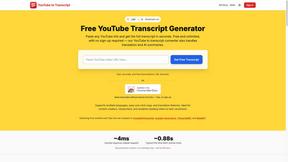
GetYouTubeTranscript
Free YouTube transcripts on the web, a Chrome extension, and an API + MCP server so AI assistants can read YouTube.
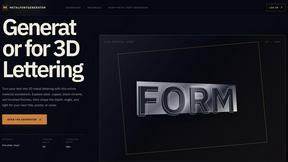
metalfontgenerator
A sleek online tool for creating bold 3D metal lettering with customizable finishes, depth, perspective, lighting, and spacing.
About SlabCalc Alternatives
SlabCalc is a free, all-in-one suite of concrete tools that sits at the intersection of design tools and real estate planning, with a handy Chrome extension to boot. It’s built for anyone who needs quick, accurate estimates for concrete projects, from a simple patio slab to complex foundation work. Users often start looking for alternatives not because SlabCalc isn’t powerful, but because they might need a different platform (like a mobile-only app), a tool that integrates with their specific accounting software, or a solution that focuses on a very niche area of construction that the general concrete calculators don’t cover. Sometimes, users simply prefer a different user interface or want a tool that offers more detailed project management features alongside the estimating. When searching for an alternative, the key is to focus on your specific project type—whether you need deep rebar detailing, complex footing calculations, or just a simple volume estimator. Also, consider the platform (web, mobile, desktop), the availability of visual tools like photo analysis, and whether you need a tool that works offline or integrates with other software you already use. The best choice will match your workflow and the complexity of your typical projects.
FAQs about SlabCalc Alternatives
What is SlabCalc?
SlabCalc is a free, no-signup suite of 34 concrete calculators combined with AI-powered tools designed for contractors, builders, and DIYers. It provides instant answers for concrete projects by calculating volume in cubic yards and meters, pre-mix bag counts, total weight, and cost estimates. Beyond basic math, it includes a Concrete Crack Analyzer and a Quote Analyzer to help you diagnose issues and evaluate bids.
Who is SlabCalc for?
SlabCalc is built for a wide range of users including professional contractors, builders, concrete finishers, and do-it-yourself homeowners. It is designed to be beginner-friendly while still offering the depth needed for complex commercial projects. Whether you are pouring a small backyard patio or planning a large commercial foundation, the tool provides the specific calculations you need.
Is SlabCalc free?
Yes, SlabCalc is completely free to use with no signup or account creation required. You can access all 34 calculators, the AI-powered crack and quote analyzers, and the expert guides without paying anything. There are no hidden fees or premium tiers for the core functionality.
What are the main features of SlabCalc?
The primary feature is a set of 34 specialized calculators for slabs, driveways, footings, foundations, walls, stairs, rebar, gravel, and more. It also includes AI tools: a Concrete Crack Analyzer that diagnoses damage from a photo and a Quote Analyzer that breaks down contractor bids. Additional features include cost-by-city pricing, a concrete glossary, embeddable widgets, and a Chrome extension for quick access.