

Explore 20 alternatives to Cosy. Compare features, pricing, and find the best fit for your needs.
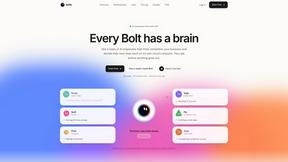
Bolts
AI employees with a brain and their own cloud computer. They think, remember your business and work 24/7.


GigUp
GigUp helps freelancers discover relevant Upwork jobs through AI matching, automated monitoring, and instant alerts.

Safe Outreach
AI-powered platform that evaluates the safety of LinkedIn automation tools and helps reduce the risk of account restrictions.

How Long How Many Tool
Timers and hourly checks to figure how out long until a certain time or how many days away.


ButterShare
Realtime peer-to-peer file transfer in the browser. Send files directly between devices, no account and no upload to a server.

Emailyy
Free email tools for signatures, subject lines, HTML previews, word counts, and email headers. Browser-based, simple to use, and no signup required.

Uniclip
Clip pages, take full-page screenshots and batch-capture list data to Notion, Feishu, Obsidian, Markdown, CSV or JSON.

TroveKey
Search tabs, Chrome bookmarks and history, run browser commands, and save webpages and social posts locally—no account.
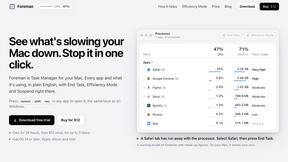
Foreman
See every app and what it's using in plain English, and end or slow down the one that's hogging your Mac.
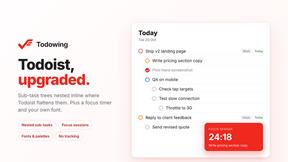
Todowing
Chrome extension for Todoist that shows sub-tasks nested inline in Today, Upcoming, Filter, and Label views instead of a flat list.
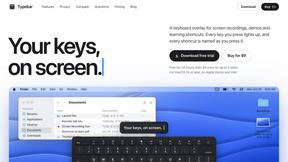
Typebar
Every key you press lights up on an on-screen keyboard, and each shortcut is named as you press it.

Notchpals
Little characters peek out of your Mac's notch to remind you to drink water, eat, sit up and get to bed. Quiet during calls. $4.99 once.

LightScreen
Free light screen tool online. Turn any display into a flashlight, ambient light, or solid-color screen. No download or sign-up.




About Cosy Alternatives
Cosy is a Slack app in the productivity and management category that automates community onboarding and member connections. It saves community managers and team leaders hours each week by handling repetitive tasks like welcome messages and introductions directly within Slack. People often look for alternatives to tools like Cosy for various reasons. This could be due to budget constraints, a need for features beyond Slack automation, or a requirement to manage communities on other platforms like Discord or Microsoft Teams. It's a normal part of finding the perfect fit for your team's unique workflow. When evaluating alternatives, focus on what matters most for your community. Key considerations include the core platforms supported, the specific automation features offered, the overall pricing and value, and how easy the tool is to set up and use. Prioritizing these elements will help you find a solution that grows with your community.
FAQs about Cosy Alternatives
What is Cosy?
Cosy is a Slack app that automates community management tasks like onboarding and member connections to save managers hours of manual work each week.
Who is Cosy for?
Cosy is built for community managers, founders, and team leaders who use Slack as their primary hub for members, customers, or internal teams.
What are the main features of Cosy?
Its main features include automating personalized welcome sequences for new members and automatically connecting opted-in members through curated introductions.
Why choose Cosy?
You would choose Cosy to effortlessly cultivate a warm, active, and connected Slack community by automating time-consuming admin tasks directly within the platform.