Wan2.7-Image
Wan 2.7 Image gives you precise control over faces, colors, and text to create professional images in one simple online workflow.
Visit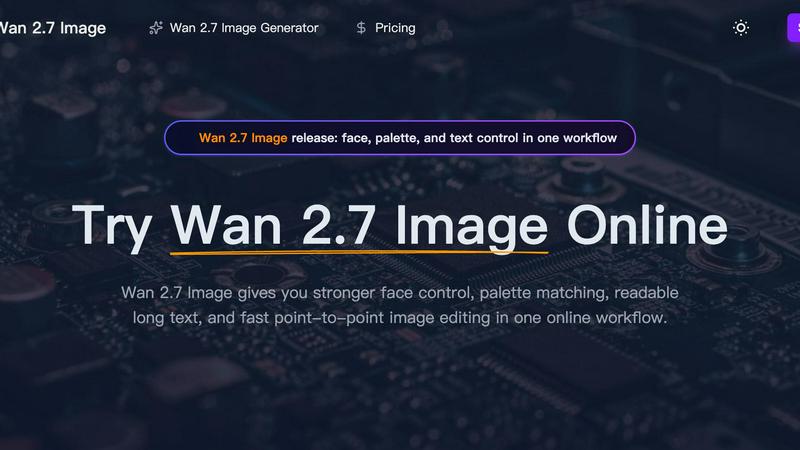
About Wan2.7-Image
Wan2.7-Image is a powerful AI image generator designed for professionals who need more than just a pretty picture. It's built for reliable, precise control over the final visual output. This tool is perfect for designers, e-commerce managers, brand strategists, and editorial teams who struggle with maintaining consistent aesthetics across projects. Unlike basic generators, Wan2.7-Image puts you in the driver's seat with advanced controls for faces, colors, and text, all within one simple online workflow. Its core value is saving you time and money by reducing the need for costly revisions and manual editing, allowing you to create high-quality, brand-aligned visuals efficiently. Whether you're crafting a product series, designing a marketing campaign, or laying out a document, Wan2.7-Image provides the tools to execute your vision with confidence and consistency.
Features of Wan2.7-Image
Precise Portrait & Face Control
This feature allows you to guide specific facial characteristics like face shape, eye depth, and skin detail. It helps you create portraits that look unique and believable, moving beyond the generic "AI look" to produce visuals suitable for character design or authentic brand representation.
Hex-Based Palette Matching
You can pull color tones directly from a reference image, like a brand board or product photo. Wan2.7-Image then applies this palette to your new generated image, ensuring your visuals stay on-brand and maintain a consistent, repeatable mood without manual recoloring work.
Readable Long Text Rendering
This feature excels at generating images with clear, legible text within them. It can handle dense layouts containing labels, bullet points, small captions, formulas, and even multilingual blocks, making it ideal for creating print-ready documents, informative charts, or detailed product labels.
Interactive Local Editing
Instead of regenerating an entire image for a small change, you can select just one area that needs adjustment. Describe the edit you want, and Wan2.7-Image will revise only that section. This saves significant time and credits, perfect for fine-tuning details in an otherwise perfect image.
Use Cases of Wan2.7-Image
E-commerce Product Visuals
Create consistent, high-quality images for your online store. Generate entire sets of product lifestyle shots that maintain the same styling, lighting, and tone across different scenes, enhancing your brand's professionalism and boosting customer engagement on any device.
Brand Identity & Marketing Assets
Ensure every visual piece for your campaign aligns perfectly. Use palette matching to apply brand colors accurately and generate a batch of coherent assets for social media, ads, and websites, building a strong, unified, and recognizable brand presence.
Editorial & Document Design
Produce complex, layout-heavy images for articles, reports, or presentations. The tool's strength in rendering readable text makes it easy to create images featuring clear labels, data visualizations, and formatted text blocks that integrate seamlessly into publications.
Sequential Art & Storyboarding
Maintain character and style consistency across a series of images. Whether you're creating comic panels, storyboard frames for a video, or a visual narrative, you can keep the same look and feel throughout the sequence, telling a cohesive visual story.
Frequently Asked Questions
What makes Wan2.7-Image different from other AI image generators?
Wan2.7-Image is specifically engineered for control and consistency, not just single impressive images. It combines advanced face shaping, precise color matching from references, and superior text rendering in one workflow, making it a practical tool for professional design and branding workflows where alignment is critical.
How does the palette matching feature work?
You can upload a reference image that contains your desired color scheme. Wan2.7-Image analyzes the colors (including specific hex values) and applies that palette to your new generated image. This ensures the new visual matches your brand guidelines or inspiration source without guesswork.
Can I edit just part of an image?
Yes! The Interactive Local Editing feature allows you to select a specific area of your generated image and provide a new text instruction for just that section. The AI will then revise only the selected part, leaving the rest of your image intact, which is great for quick fixes.
What is the "Batch Output" feature for?
This feature lets you generate multiple related images at once (up to 12). It's perfect for creating a series of product shots, social media post variants, or comic panels where you need visual coherence across the entire set, saving you time from generating each image individually.
Similar to Wan2.7-Image
Egmatic
No-code 2D game editor: visual node logic, drag-and-drop scenes, live preview. Exports to Windows, macOS, Linux, Android, iOS, Web.
SnitchFeed
SnitchFeed is an agentic social listening tool that surfaces high-intent conversations on LinkedIn, X, Hackernews, and more for GTM and product teams.

Labrynth AI
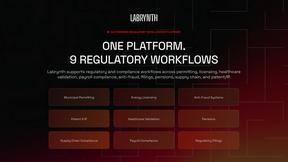
AI regulatory intelligence platform that turns complex requirements into cited, audit-ready outputs.