
Vivideo
Vivideo turns your text or images into stunning AI videos in minutes with 30+ top models, all free forever.
Visit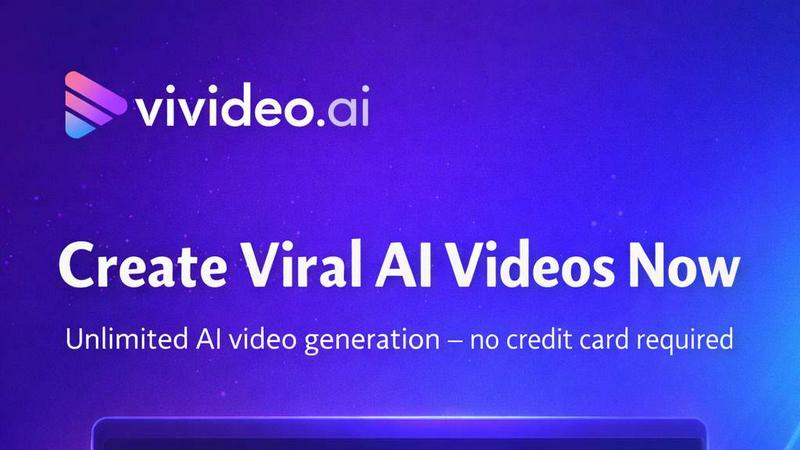
About Vivideo
Vivideo is an advanced AI video generator designed to help creators, marketers, businesses, and educators turn ideas into high-quality videos quickly. With both text-to-video and image-to-video capabilities, users can create compelling visual content simply by entering a prompt, script, article, product description, or uploading an image. The platform automatically generates visuals, voiceovers, subtitles, music, and transitions, streamlining the entire video production process. Powered by multiple AI video models and supported by millions of stock assets, Vivideo enables users to produce videos for TikTok, Instagram Reels, YouTube Shorts, marketing campaigns, product promotions, tutorials, and more. Features include multilingual AI voiceovers, automatic captions, customizable aspect ratios, HD/4K exports, and an intuitive editing workflow that makes professional video creation accessible to everyone. Vivideo is trusted by over 500,000 creators worldwide and has earned a 4.7 rating on TrustPilot. It is used by individuals at top organizations including Harvard University, Salesforce, KPMG, P&G, and Columbia University. The platform offers a free forever plan with no credit card required, making it easy for beginners to start creating professional videos immediately. With support for 30+ top AI video models from providers like Google, OpenAI, Kling, ByteDance, and Alibaba, Vivideo gives users flexibility to switch between models in a single click. Videos can be up to 10 minutes long, and users can export in resolutions up to 4K. The platform also features an AI agent powered by Claude that can plan scenes, cast avatars and voices, render, and revise videos on request. Whether you need a short social media clip or a long-form explainer video, Vivideo provides the tools to bring your ideas to life without any technical expertise.
Features of Vivideo
Multi-Model AI Video Generation
Vivideo gives you access to over 30 top AI video models from leading providers including Google, OpenAI, Kling, ByteDance, and Alibaba. You can switch between models like Veo 3.1, Sora 2, Kling V3, and WAN 2.6 with a single click. This means you are never locked into one style or technology. If one model works better for cinematic shots and another excels at animation, you can use both in the same project. This flexibility ensures you always get the best possible output for your specific video idea.
AI Agent for Automated Video Creation
Vivideo includes a powerful AI agent powered by Claude that can handle the entire video creation process from start to finish. Simply describe your idea, and the agent will plan scenes, cast avatars and voices, render the video, and even revise it based on your feedback. This feature is perfect for creating long-form videos up to 10 minutes, multi-scene stories, and complex projects like explainers, ads, and tutorials. The agent works like a personal video production team, saving you hours of manual work.
AI Avatar Video Generator and Voice Cloning
You can create a realistic AI presenter from a prompt, a photo, or a digital twin. Vivideo offers a built-in AI avatar video generator that handles lip-sync and facial expressions automatically. You can also clone yourself as an avatar by uploading a selfie or a short clip. For voiceovers, Vivideo provides a huge multilingual library of voices with different styles like warm narration, bright social, friendly ads, deep cinematic, and confident corporate. You can also clone your own voice with just a short sample, ensuring your videos sound exactly like you.
Long-Form Video Creation Up to 10 Minutes
Unlike most video AI tools that cap output at a few seconds, Vivideo allows you to generate videos up to 10 minutes long. The AI agent plans, casts, and stitches scenes into one coherent story, making it ideal for explainers, ads, tutorials, and full social episodes. You can create multi-scene stories with continuity, ensuring your long-form content feels professional and engaging. This feature works as an AI movie generator for complex narratives and as an AI short video generator when you just need a quick clip.
Use Cases of Vivideo
Social Media Content Creation
Vivideo is perfect for creating engaging videos for TikTok, Instagram Reels, and YouTube Shorts. You can turn a simple text prompt into a polished short video in under 60 seconds. The platform supports customizable aspect ratios for each platform, automatic captions, and trending music. Whether you need a fantasy explorer clip, a cartoon cat animation, or a news anchor style video, Vivideo has pre-built templates to get you started. Creators can produce consistent, high-quality content daily without hiring a video editor.
Marketing and Advertising Campaigns
Businesses can use Vivideo to create professional product promotions, brand stories, and ad campaigns quickly. Simply paste a product description or script, and the AI generates visuals, voiceovers, and transitions automatically. You can choose from styles like studio presenter, elegant model, or fashion editorial to match your brand identity. With support for 30 languages, you can localize your ads for global audiences. The ability to export in 4K resolution ensures your marketing videos look crisp and professional on any screen.
Educational and Training Videos
Educators and trainers can transform lesson plans, blog articles, and PDF documents into engaging video content. The AI agent can plan scenes, add an avatar presenter, and generate voiceovers in multiple languages. This is ideal for creating tutorials, how-to guides, corporate training materials, and online course content. Videos up to 10 minutes long allow for comprehensive explanations without rushing. Students and employees can learn at their own pace with clear visuals and synchronized subtitles.
Product Demonstrations and Explainer Videos
Businesses can quickly create product demos and explainer videos by uploading images or pasting product descriptions. The image-to-video feature turns static product photos into dynamic video clips with motion and context. You can add a voiceover that explains features and benefits, then export in HD or 4K for your website, YouTube channel, or sales presentations. The AI avatar can act as a virtual salesperson, presenting your product with realistic lip-sync and expressions, making your demonstrations more personal and effective.
Frequently Asked Questions
Is Vivideo really free to use?
Yes, Vivideo offers a 100% free forever plan with no credit card required. You can start creating AI videos immediately without any upfront payment. The free plan includes access to multiple AI models, basic features, and the ability to generate videos. There are no watermarks on your videos, and you can export in standard resolutions. For advanced features like 4K exports, longer videos, and premium voices, there are paid plans available, but you can explore the platform completely free to see if it meets your needs.
How long can my AI-generated videos be?
Vivideo supports video generation up to 10 minutes in length. This is significantly longer than most AI video tools, which typically cap at a few seconds. The AI agent helps you plan and stitch multiple scenes together to create a coherent long-form story. Whether you need a 15-second TikTok clip or a 10-minute tutorial, Vivideo can handle it. The multi-scene continuity feature ensures your video flows naturally from one scene to the next.
Can I use my own voice or create a custom avatar?
Absolutely. Vivideo allows you to clone your own voice with just a short audio sample. The AI will replicate your tone, pace, and style so your videos sound exactly like you. You can also create a custom avatar by uploading a selfie or a short video clip. The avatar will have realistic lip-sync and expressions. If you prefer, you can choose from a large library of pre-built avatars and voices in multiple languages and styles.
What AI video models does Vivideo support?
Vivideo supports over 30 top AI video models from leading providers including Google (Veo 3.1, Veo 3.1 Fast), OpenAI (Sora 2, Sora 2 Pro), Kling (Kling V3, Kling O3), ByteDance (Seedance 2.0), Alibaba (WAN 2.6), and many others like PixVerse, Lightricks, Luma AI, Pika, MiniMax, Tencent, Vidu, and Moonvalley. You can switch between models with a single click to find the best style for your project, whether you need cinematic realism, animation, or something in between.
Similar to Vivideo
GenX
All-in-one AI workspace to generate images, videos, and audio with multiple leading AI models.
Typebar
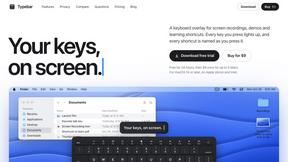
Every key you press lights up on an on-screen keyboard, and each shortcut is named as you press it.
Nano AI
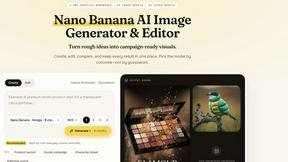
Create and edit AI images, generate videos, and compare models in one creative workbench.


Gas Station Dance AI Generator
Browser-based AI generator that recreates the viral gas station dance video from 1–3 photos.
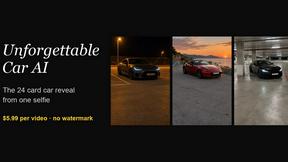
Unforgettable Car AI
Unforgettable Car AI generates the 15-second Unforgettable car trend video from a single selfie.