

Alternatives to Vivideo
Vivideo turns your text or images into stunning AI videos in minutes with 30+ top models, all free forever.
Explore 20 alternatives to Vivideo. Compare features, pricing, and find the best fit for your needs.

GenX
All-in-one AI workspace to generate images, videos, and audio with multiple leading AI models.
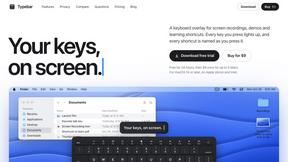
Typebar
Every key you press lights up on an on-screen keyboard, and each shortcut is named as you press it.

Nano AI
Create and edit AI images, generate videos, and compare models in one creative workbench.




Gas Station Dance AI Generator
Browser-based AI generator that recreates the viral gas station dance video from 1–3 photos.

Unforgettable Car AI
Unforgettable Car AI generates the 15-second Unforgettable car trend video from a single selfie.

Ozil Goal AI
Ozil Goal AI turns one photo into an AI remake of Mesut Özil's famous 2016 chip-and-dribble goal against Ludogorets.

Manatee
A Mac app that opens damaged video, PDFs, archives and documents and writes out everything it can still read. $9 once, no uploads.

Tip Toe AI
Upload a Dancer photo and a Partner photo and get your own AI Tip Toe barn-dance video. Free 5s preview, 12s HD from $4.90. No subscription.

Ozil Goal AI
Turn one photo into the viral Özil goal meme video: you, your dog, a toy or a drawing scores. Free 5s preview, 10s 720p from $4.90. No subscription.

Raindance AI Video Generator
Turn two photos into the Raindance AI pier video with the soundtrack included

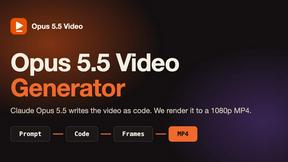
Opus 5.5 Video Generator
Turn a prompt into a 1080p motion-graphics MP4 planned and coded by Claude Opus 5.5

DanseAI - Alors on Danse AI Video Genera
Make the Alors on Danse AI meme video from two photos, soundtrack included

Rumpelstiltskin AI Video Generator
Make the viral Rumpelstiltskin tiptoe dance meme video from two photos
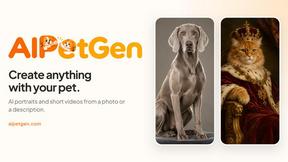
AIPetGen
AIPetGen turns a photo of your dog, cat, or other pet, or a written description, into a new picture or a short animation.
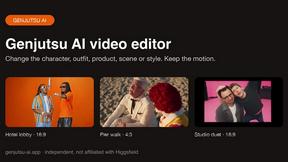

Hotel Lobby AI Video Generator
Turn two photos into a Hotel Lobby dance video in the orange A COLORS SHOW booth
About Vivideo Alternatives
Vivideo is an AI-powered video generator that falls into the video creation and editing software category. It is designed to help creators, marketers, businesses, and educators turn text or images into engaging videos quickly, using features like automatic voiceovers, subtitles, music, and transitions. While Vivideo offers a streamlined and powerful solution, many users start looking for alternatives for a variety of reasons. Some may find that the pricing structure doesn't fit their budget, especially for high-volume or long-form content, while others might need specific features not offered, such as advanced manual editing tools, unique AI models, or better support for certain languages or aspect ratios. Additionally, users might be exploring options because they want a different user interface, more control over the final output, or a platform that integrates better with their existing workflow. When choosing an alternative to Vivideo, it is important to focus on your specific needs and goals. Start by identifying the type of videos you create most often, such as social media shorts, marketing ads, or educational tutorials. Look for a tool that offers the AI models and customization options that matter most to you, like the ability to fine-tune voiceovers, adjust pacing, or choose from a wide library of stock assets. Consider the platform's ease of use, especially if you are a beginner, and check for a free trial or a generous free plan to test the features before committing. Finally, evaluate the export quality, supported resolutions, and any limitations on video length or watermarks, ensuring the tool can grow with you as your video creation needs evolve.
FAQs about Vivideo Alternatives
What is Vivideo?
Vivideo is an advanced AI video generator that uses artificial intelligence to turn text and images into high-quality videos quickly. It automates the creation of visuals, voiceovers, subtitles, music, and transitions, allowing users to produce professional-looking content without needing extensive video editing skills. The platform is designed for creating videos for platforms like TikTok, Instagram Reels, YouTube Shorts, and marketing campaigns.
Who is Vivideo for?
Vivideo is built for a wide range of users including content creators, marketers, business owners, and educators who need to produce engaging video content efficiently. It is especially helpful for beginners who want a simple, guided process to turn ideas into videos, as well as for professionals looking to scale their video production with AI automation. Whether you are making product promotions, tutorials, or social media posts, Vivideo aims to make the process accessible to everyone.
Is Vivideo free?
Based on the provided product description, Vivideo offers a platform that is accessible to users, but specific details about a free tier or pricing structure are not mentioned. Typically, AI video generators like Vivideo may offer a free trial or a limited free plan with watermarks or reduced features, with paid plans for higher quality exports, more minutes, and advanced capabilities. It is best to visit the official Vivideo website to check their current pricing and any free options available.
What are the main features of Vivideo?
Vivideo's main features include text-to-video and image-to-video generation, powered by multiple AI video models and supported by millions of stock assets. It offers multilingual AI voiceovers, automatic captions and subtitles, customizable aspect ratios for different platforms, and the ability to export in HD and 4K resolution. The platform also provides an intuitive editing workflow that streamlines the entire video production process from start to finish.