
Tagada
Tagada lets you highlight and organize key parts of your Gmail messages right on your computer, keeping everything private and local.
Visit
About Tagada
Tagada is a browser extension designed to transform how you read and reply to emails directly inside Gmail. Instead of writing your responses in colored text within the original message, Tagada parses incoming emails into clickable, selectable sentences. You can then highlight, tag, and organize these sentences by category with a single click. The extension then generates a clean reply template built around the points that matter most, helping you respond faster and more clearly.
Tagada is ideal for professionals, support teams, freelancers, consultants, and anyone managing long email threads. It cuts response time, structures your replies, and keeps your data fully private. The best part is that everything happens locally on your device. No AI, no cloud, and no third-party servers ever see your emails. You continue using Gmail exactly as you always have, with no new tool to learn. Tagada simply adds a powerful layer of organization and efficiency to your existing workflow. Whether you are handling customer support tickets, coordinating with clients, or managing complex project communications, Tagada helps you stay on top of every detail without losing context.
Features of Tagada
Instant Parsing of Emails into Selectable Sentences
Tagada automatically breaks down your incoming Gmail messages into individual, clickable sentences. This makes it easy to identify and focus on the most important parts of a long email. Instead of reading through a wall of text, you can quickly scan for key points and select exactly what matters. This feature saves you time and ensures you never miss a critical detail buried in a lengthy thread.
One-Click Highlighting and Tagging by Category
Once your email is parsed, you can highlight any sentence and assign it a category with a single click. This allows you to organize information on the fly. For example, you can tag action items, questions, deadlines, or important notes. This visual organization helps you quickly understand what needs your attention and keeps your replies structured and clear.
Auto-Generated Reply Templates from Your Selections
After you have highlighted and tagged the key sentences in an email, Tagada automatically generates a reply template based on your selections. This template is clean, organized, and built around the points you have chosen. You no longer need to manually piece together your response or worry about forgetting something important. Just review the template, add your personal touch, and send.
100% Local Processing with No Cloud or AI
Tagada processes everything directly on your computer. Your emails never leave Gmail, and no data is sent to any cloud server or third-party service. This means your sensitive information remains completely private and under your control. There is no AI involved, so you do not have to worry about your data being used for training models or stored on external servers. It is a simple, secure, and transparent solution.
Use Cases of Tagada
Managing Long Customer Support Threads
Support teams often deal with long email threads containing multiple questions and issues. Tagada helps by parsing the entire conversation into clickable sentences. You can highlight each customer concern, tag it as a specific issue, and generate a reply template that addresses every point. This ensures no customer question is overlooked and responses are thorough and professional.
Streamlining Client Communication for Freelancers
Freelancers frequently receive emails with project updates, feedback, and action items. Tagada allows you to quickly tag deadlines, revision requests, and new requirements. The auto-generated reply template helps you respond with a clear and structured message, showing clients that you have understood their needs. This builds trust and reduces back-and-forth emails.
Organizing Complex Project Coordination Emails
Project managers often juggle emails with multiple stakeholders covering timelines, budgets, and deliverables. Tagada helps you parse these complex messages and tag each section by category, such as risks, milestones, or approvals. You can then generate a reply that summarizes all the key points, making it easier to keep everyone aligned and informed.
Improving Personal Email Productivity
Even for personal use, Tagada helps you stay organized. Whether you are planning an event, coordinating with family, or managing a group project, you can highlight important dates, tasks, and requests. The reply template ensures you respond clearly and completely, saving you time and reducing the stress of managing multiple email threads.
Frequently Asked Questions
Is Tagada free?
Tagada can be used without a paid license. However, you will be limited in terms of functionality. For a better experience, we suggest you purchase a license to access the full set of features.
What data do you collect?
We only collect essential data to enhance your experience: your first name, email address, and language preference. We respect your privacy and do not collect any unnecessary information. Your emails and their contents remain entirely on your device.
Do you send our emails to your servers?
No, your emails are never sent to our servers. Everything remains local on your device. At Tagada, we make sure that your data stays private and under your control. No cloud processing or third-party servers are involved.
Some emails get broken, how can I fix it?
If your emails appear to be corrupted or disorganized, the best solution is to disable the extension, reply to your emails, and then re-enable it. Some emails may have a specific structure that the extension is unable to parse. Disabling and re-enabling the extension typically resolves the issue.
Pricing of Tagada
Tagada can be used without a paid license, but you will be limited in terms of functionality. For a better experience, we suggest you purchase a license. Please visit our website for the most current pricing plans and details.
Similar to Tagada
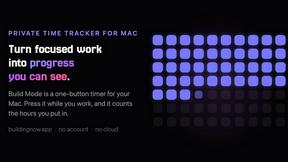
Build Mode for Mac
Build Mode is a Mac app that turns focused sessions into visible progress, so you can see the work adding up before the results arrive.

Efficienco
Efficienco is a free collection of practical online calculators for construction, materials, home improvement, engineering, trades, and business.
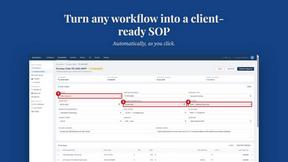
MySOP.guru
Capture any workflow in your browser and export a branded, step-by-step SOP with screenshots. €5 per document, no subscription.

PerPageFax
PerPageFax lets you send a fax online from any browser for a flat $0.50 per page — no account, no subscription, no fax machine.

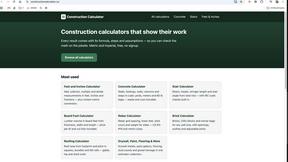
Construction Calculator
Free construction calculators with transparent formulas, steps, assumptions, and metric or imperial units.


Glanced
Follow news, blogs, newsletters, and podcasts in a free RSS reader, with AI summaries, top stories, full-text search, saved searches, and a catalog.