
StreamVox - AI Live Translator
StreamVox instantly translates any audio on your PC with AI subtitles, breaking language barriers in calls, games, and videos.
Visit
About StreamVox - AI Live Translator
StreamVox is your personal, real-time language bridge for everything you do on your Windows PC. Imagine watching a foreign film, joining an international conference call, or playing a game with global teammates and instantly understanding every word. That's the magic of StreamVox. It's a powerful desktop application that listens to any audio on your computer—be it from your system, a specific app like Zoom or Discord, or your microphone—and displays live, translated subtitles directly on your screen. Designed for gamers, remote workers, students, and content lovers, its core value is breaking down language barriers instantly and privately. With a focus on ultra-low latency, your translated conversations feel natural, and with a privacy-first promise, your audio is processed in real-time and never stored. Whether you're a beginner looking to understand more or a professional needing seamless cross-language communication, StreamVox adapts to your world.
Features of StreamVox - AI Live Translator
Smart Per-App Audio Capture
This intelligent feature lets you choose exactly which application's audio you want to translate. Instead of capturing all your PC's sound, you can isolate audio from just Zoom, Chrome, Discord, or a specific game. This automatically filters out background noise from other apps, ensuring your subtitles are clean, accurate, and only show the conversation you care about. It's perfect for multitasking without getting confused by translations from unrelated audio.
Fully Customizable Transparent Overlay
The translated text appears in a sleek, floating window that stays on top of any other application you're using. You have full control over how it looks: adjust the font size from small (12px) to very large (72px), change the text color for better visibility, and modify the window's transparency with a simple slider. This means you can make the subtitles subtle for movies or bold and clear for fast-paced gaming, and all your preferences are saved automatically.
Bidirectional Translation with Multiple Audio Modes
StreamVox doesn't just translate what you hear; it can also translate what you say. It offers three primary audio modes: capture System Audio (like from a video), use your Microphone for your speech, or employ the Per-App Capture. This bidirectional capability is ideal for two-way conversations in apps like Discord or Zoom, allowing all participants to communicate in their preferred language with live subtitles facilitating understanding.
Extensive Language Support & Privacy Focus
The app supports an impressive array of 49+ input languages and can translate them into 49+ AI-powered target languages. Furthermore, the application's own interface is available in 12 languages, making it accessible to a global audience. Crucially, all this power comes with a strong commitment to privacy. Your audio data is processed in real-time for translation and is never recorded, stored, or sent to external servers, keeping your conversations completely confidential.
Use Cases of StreamVox - AI Live Translator
International Business Meetings & Calls
Participate confidently in Zoom, Microsoft Teams, or Google Meet calls with colleagues or clients from around the world. StreamVox provides real-time subtitles in your language, allowing you to follow technical discussions, presentations, and casual conversation without missing a beat. The low latency ensures the translation keeps pace with the natural flow of dialogue.
Enjoying Foreign Media & Live Streams
Watch movies on Netflix, videos on YouTube, or live streams on Twitch that don't have subtitles in your language. Simply play the content and let StreamVox overlay live translations directly onto the video player. This means you can enjoy anime, international news, or a creator's stream immediately, without waiting for official subtitles to be released.
Cross-Language Gaming & Communication
Enhance your multiplayer gaming experience by understanding in-game voice chat from teammates who speak different languages. StreamVox can capture audio from games like Valorant or Discord chats, translating conversations in real-time so you can coordinate strategies and socialize without language being a barrier to teamwork and fun.
Translating Mobile Phone Calls on Your PC
By connecting your iPhone or Android phone to your Windows PC using Microsoft's built-in Phone Link app, you can route your mobile call audio through StreamVox. See live subtitles for your phone conversations directly on your desktop monitor, making it easier to understand important calls, whether personal or professional, without straining to hear.
Frequently Asked Questions
Is StreamVox free to use?
Yes, StreamVox offers a completely free Starter plan forever. This plan gives you 20 minutes of live translation every 24 hours, access to all 49+ languages, and the core audio capture features. It's a great way to test the app daily for short calls or videos before deciding to upgrade for more usage time.
How does the Per-App audio capture work?
Per-App capture is a smart audio isolation feature. When you select this mode, StreamVox will show you a list of all running applications that are producing sound (like Chrome, Zoom, or a game). You simply select the specific app you want to translate from, and StreamVox will only process audio from that source, ignoring all other system and application noise for clearer, more relevant subtitles.
Is my conversation audio kept private?
Absolutely. StreamVox is built with a privacy-first design. The audio from your calls, games, or videos is processed locally on your PC in real-time by the AI to generate translation. This audio data is never recorded to your hard drive, stored on any server, or sent over the internet. Once the translation is displayed, the audio data is discarded.
Can I use StreamVox with my phone?
Yes, you can! By using the free Microsoft Phone Link application that comes with Windows, you can connect your smartphone to your PC. Once connected, you can set StreamVox to capture your "System Audio," which will include the audio from your mobile phone calls, allowing you to see live subtitles for those calls right on your computer screen.
Pricing of StreamVox - AI Live Translator
StreamVox offers flexible subscription plans to suit different needs, all backed by a 14-day money-back guarantee.
- Free Starter: $0 forever. Includes 20 minutes of translation per day.
- Pro: $8.99 per month. Provides 40 hours of translation per month and includes all features with priority support.
- Pro+: $14.99 per month. For more active users with 70 hours of translation per month.
- Unlimited: $24.99 per month. Offers completely unlimited translation time with no restrictions.
Explore more in this category:
Similar to StreamVox - AI Live Translator
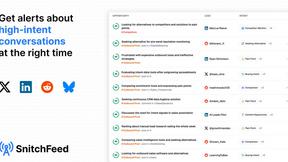
SnitchFeed
SnitchFeed is an agentic social listening tool that surfaces high-intent conversations on LinkedIn, X, Hackernews, and more for GTM and product teams.



Labrynth AI
AI regulatory intelligence platform that turns complex requirements into cited, audit-ready outputs.



Construction Calculator
Free construction calculators with transparent formulas, steps, assumptions, and metric or imperial units.