
Sprite-AI
Describe your dream pixel sprite and Sprite-AI creates it instantly, ready to drop into your game with no drawing skills needed.
Visit
About Sprite-AI
Sprite-AI is an AI-powered pixel art generator built specifically for indie game developers, hobbyists, and prototypers who need 2D assets fast. Simply describe a sprite in plain English, and the app produces a clean, game-ready pixel art image in sizes 32x32, 64x64, or 128x128, correctly sized for the role you need, whether that is icons, items, characters, or hero and boss art. Once a sprite is generated, a built-in pixel editor lets you paint, erase, fill, and color-pick to fine-tune every single pixel before exporting a transparent PNG that drops straight into Unity, Godot, GameMaker, or Unreal Engine. The platform also includes a community gallery for inspiration, prompt guides to help you write better descriptions, and a token-based pricing model so you only pay for what you generate. Whether you are a solo developer working on a game jam, a small team shipping a real game, or a hobbyist exploring pixel art for the first time, Sprite-AI removes the barrier of needing drawing skills. You just type what you imagine, and within seconds you get a sprite that is ready to animate, import, and play. No art skills required, just your ideas.
Features of Sprite-AI
AI Sprite Generation from Text
Describe any character, item, or icon in plain English, and Sprite-AI instantly generates a pixel-perfect sprite based on your words. You can specify details like colors, size, style, and role, and the AI understands context to produce clean, game-ready pixel art. This feature eliminates the need for any drawing ability, letting you focus on game design instead of art creation.
Built-in Pixel Editor for Fine-Tuning
After generation, a full-featured pixel editor opens up with tools for painting, erasing, filling areas, and color picking. You can tweak every single pixel to add personal touches, fix small details, or adjust colors to match your game's palette. The editor is designed to be simple and intuitive, feeling like magic even for beginners.
Multiple Output Sizes and Formats
Sprite-AI generates sprites in 32x32, 64x64, and 128x128 pixel sizes, perfectly scaled for different game roles such as icons, items, characters, or hero and boss art. You can export your final sprite as a transparent PNG, which works seamlessly with all major game engines including Unity, Godot, GameMaker, and Unreal Engine.
Community Gallery and Prompt Guides
Explore a growing community gallery filled with sprites created by other users, from dragons and knights to slimes and magical items. This gallery serves as both inspiration and a learning tool. Additionally, Sprite-AI provides prompt guides that teach you how to write effective descriptions, helping you get better results from the AI generator every time.
Use Cases of Sprite-AI
Rapid Prototyping for Game Jams
During a game jam, time is your most limited resource. Sprite-AI lets you generate a full set of player characters, enemies, items, and icons in minutes, not hours. You can describe exactly what you need, get a sprite instantly, and drop it into your game engine with zero friction. This speed allows you to iterate on game mechanics and level design without getting stuck on art creation.
Creating Consistent Asset Packs for Indie Games
Indie developers often struggle to maintain a consistent art style across all their game assets. With Sprite-AI, you can generate a series of sprites using similar descriptions and color schemes, ensuring your characters, items, and UI icons all feel cohesive. The pixel editor then lets you fine-tune each asset to match perfectly, building a professional-looking game without hiring an artist.
Learning Pixel Art and Game Development
Hobbyists and beginners can use Sprite-AI as a learning tool. Start by generating a sprite from your description, then open the pixel editor to study how the AI built the image. Experiment with painting, erasing, and color picking to understand pixel art fundamentals. This hands-on approach accelerates learning and builds confidence for creating your own original art.
Generating Icons and UI Elements Quickly
Game developers often need dozens of small icons for inventory systems, skill trees, menus, and status effects. Sprite-AI excels at producing clean, recognizable 16x16, 32x32, or 64x64 icons from simple text prompts. You can generate a golden coin, a magic wand, a health potion, or a shield in seconds, making it perfect for filling out your game's user interface without tedious manual pixel work.
Frequently Asked Questions
How does the AI sprite generator work?
You simply type a description of the sprite you want in plain English, such as "fire-breathing dragon with red scales" or "medieval knight with sword and shield." The AI processes your text and generates a pixel art image in seconds. You can choose the size (32x32, 64x64, or 128x128) and the role (icon, item, character, or hero/boss art) to get the perfect output for your game.
Can I edit the sprites after they are generated?
Yes, absolutely. Every sprite you generate comes with a built-in pixel editor that includes tools for painting, erasing, filling areas, and color picking. You can fine-tune every single pixel to add details, fix colors, or make adjustments. This gives you complete creative control over the final result before you export it.
What file formats and sizes are available for export?
You can export your sprites as transparent PNG files, which are compatible with all major game engines like Unity, Godot, GameMaker, and Unreal Engine. The sprites are generated in three sizes: 32x32, 64x64, and 128x128 pixels. Each size is ideal for different game roles, from small icons to large character sprites.
Is there a free trial or way to test Sprite-AI before paying?
Yes, Sprite-AI offers a free tier called Starter, which is perfect for game jams and side projects. It includes 8 game-ready sprites every month, and you can drop them straight into any game engine. You can also share your creations in the community gallery. This lets you test the service and see the quality before committing to a paid plan.
Pricing of Sprite-AI
Sprite-AI offers three pricing tiers to suit different needs, with a limited-time launch discount of 38% off the Creator and Studio plans. Only 386 out of 500 spots remain, and locking in now guarantees the price forever, as it will increase at full release.
The Starter plan, called Hobby, costs $5 per month. It includes 8 game-ready sprites every month, the ability to drop sprites into any game engine, and sharing in the community gallery. You can cancel anytime.
The Creator plan, called Creator, is normally $13 per month but is currently $8 per month with the 38% launch discount. It includes everything in Hobby, plus 20 unique sprites every month, PNG and SVG exports ready for Unity or Godot, private asset storage, and uncensored generations. A full refund is offered if the sprites are not game-ready.
The Studio plan, called Studio, is normally $39 per month but is currently $24 per month with the 38% launch discount. It includes everything in Creator, plus 75 sprites per month for full production work. This plan is designed for teams and serious production needs.
Similar to Sprite-AI
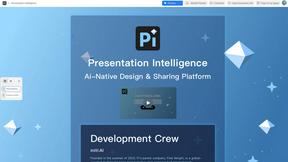
Presentation Intelligence
AI-native presentation and visual content platform that turns prompts, documents, images, videos, and data into polished, shareable decks.

Try This Skill
One-click AI photo stylization for e-commerce & portraits
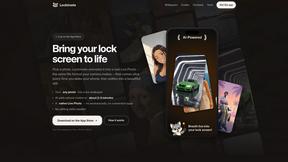
Lockimate - AI Live Wallpapers
Turn any photo into a real Apple Live Photo that animates when you wake your iPhone. Restyle it and choose the motion — customizable.
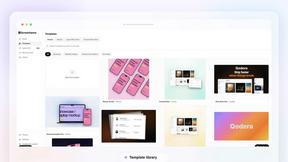


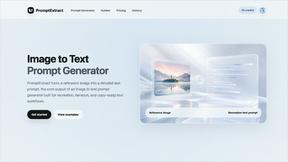
PromptExtract
PromptExtract converts a reference image into a detailed, structured AI image prompt that creators can edit and reuse.
StopScroll
StopScroll is an AI thumbnail maker that generates, compares, and helps creators pick stronger cover images before publishing.