
MindMap AI
MindMap AI transforms your ideas and files into clear, editable mind maps, sparking creativity and enhancing.
Visit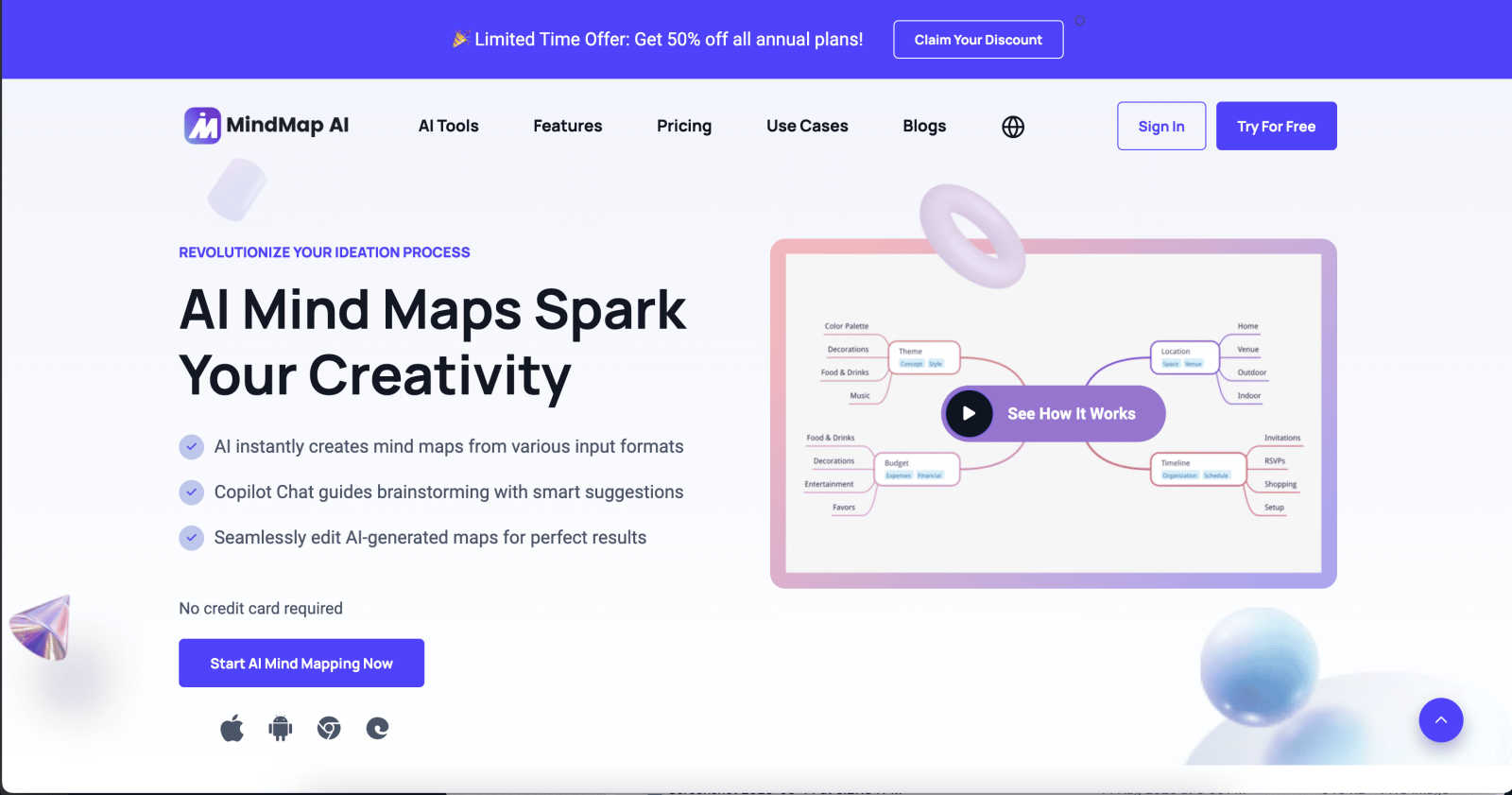
About MindMap AI
MindMap AI is an innovative mind mapping software designed to help individuals and teams transform their scattered thoughts and complex information into clear, actionable visual plans. Whether you are a professional, student, or researcher, MindMap AI serves as your intelligent partner in the creative process, instantly converting raw materials—like text notes, PDFs, meeting recordings, images, and videos—into beautifully structured mind maps within seconds. This powerful tool not only saves hours of manual effort but also empowers users to dive straight into the strategic part of thinking. The AI acts as a co-pilot, allowing users to interact with their mind maps by asking questions, summarizing sections, or expanding on ideas, creating a dynamic workspace that fosters exploration and collaboration. With features that support effective brainstorming, project planning, and knowledge organization, MindMap AI is the ultimate solution for anyone looking to enhance productivity and clarity in their thinking processes.
Features of MindMap AI
AI Thinking Mode for Accuracy
MindMap AI employs a step-by-step reasoning engine that comprehensively understands context, hierarchy, and relationships in your ideas. This ensures that every mind map generated is not just a random collection of branches but a structured, meaningful representation of your thoughts from the very first attempt.
File-to-Map Conversion
With MindMap AI, you can easily transform any content type—be it text, PDFs, images, audio, or video—into a clean and visually appealing mind map instantly. This feature eliminates the need for manual formatting, allowing you to focus on thinking, planning, and creating right away.
Multi-Language Support
MindMap AI supports the creation and editing of mind maps in over 25 languages, maintaining the same level of accuracy and structural integrity. This feature ensures that language barriers do not break the flow of your ideas, making it accessible to a global audience.
Continuous Editing
This feature allows you to build and refine your mind map exactly how you envision it. Whether you prefer manual editing or AI-assisted co-creation, MindMap AI gives you the flexibility to expand, summarize, and reorganize your map with ease, while maintaining full control over your design.
Use Cases of MindMap AI
Brainstorming Sessions
MindMap AI is ideal for brainstorming sessions, enabling teams to collectively visualize their ideas in real-time. By creating a structured mind map, teams can capture thoughts and concepts more effectively, facilitating more productive discussions and decision-making.
Project Planning
When managing a project, MindMap AI helps in outlining tasks, deadlines, and responsibilities in a clear visual format. This not only aids in organization but also allows team members to understand their roles and how they contribute to the project's success.
Knowledge Management
For researchers and students, MindMap AI serves as a powerful tool for organizing and summarizing information from various sources. By creating mind maps from articles, lectures, or notes, users can distill complex topics into digestible formats that enhance understanding and retention.
Strategic Planning
MindMap AI assists in forming and visualizing strategic plans by breaking down complex strategies into manageable components. This clarity helps organizations align their goals and initiatives while ensuring that everyone is on the same page regarding the overall vision.
Frequently Asked Questions
How does MindMap AI work?
MindMap AI uses advanced AI algorithms to convert various forms of content into structured mind maps. Users can input text, PDFs, images, and more, and the tool automatically organizes this information into a cohesive visual format.
Can I edit my mind maps after they are created?
Yes, MindMap AI allows for continuous editing. You can manually adjust, expand, and reformat your mind maps at any time, ensuring that your ideas evolve without losing the original structure.
Is MindMap AI suitable for collaborative work?
Absolutely! MindMap AI is designed to facilitate collaboration, allowing multiple users to work on a mind map simultaneously. The AI co-editing feature respects individual contributions while enhancing the overall output.
What types of content can be converted into mind maps?
MindMap AI can convert a wide range of content types, including text notes, PDFs, images, audio recordings, videos, and even Markdown or CSV files. This versatility makes it an invaluable tool for various users across different fields.
Explore more in this category:
Similar to MindMap AI

Build Mode for Mac
Build Mode is a Mac app that turns focused sessions into visible progress, so you can see the work adding up before the results arrive.

Efficienco
Efficienco is a free collection of practical online calculators for construction, materials, home improvement, engineering, trades, and business.
MySOP.guru
Capture any workflow in your browser and export a branded, step-by-step SOP with screenshots. €5 per document, no subscription.

PerPageFax
PerPageFax lets you send a fax online from any browser for a flat $0.50 per page — no account, no subscription, no fax machine.
Delta Report
Free, Live 3D Satellite, Space Weather & Climate Tracker in real time on an interactive globe alongside articles and insights.

The French Corner
Learn French through visual stories told by a native speaker. Words you meet come back on their own, right before you'd forget them.

Construction Calculator
Free construction calculators with transparent formulas, steps, assumptions, and metric or imperial units.