
File Studio
Effortlessly convert, edit, and manage files and PDFs offline, keeping your sensitive data secure on your device.
Visit
About File Studio
File Studio is a powerful desktop application tailored for users who need to manage PDFs and images while prioritizing their privacy. This application is particularly beneficial for photographers, freelancers, and remote workers who often handle sensitive documents like passports, IDs, and contracts. By operating entirely offline, File Studio ensures that your files remain secure and do not get uploaded to the cloud. Its impressive array of tools allows users to merge, split, reorder, and rotate PDFs, as well as password-protect these files. Furthermore, it supports converting files across more than 20 formats, including HEIC, WebP, AVIF, and various RAW types. With a one-time purchase model and compatibility with both Mac and Windows, File Studio offers a reliable solution without the burden of subscriptions or accounts. Enjoy a seamless and secure experience with File Studio as you take control of your file management needs.
Features of File Studio
Comprehensive Offline Processing
File Studio operates entirely offline, meaning your sensitive documents never leave your device. This feature is essential for users concerned about privacy, ensuring that your files are processed locally on your Mac or Windows PC without any risk of data exposure.
Versatile PDF Management
With File Studio, you can manage PDFs effortlessly. The tool allows you to merge multiple PDFs, split documents into individual pages, reorder and rotate pages, and even remove passwords. This comprehensive PDF toolkit provides all the essential functions needed for effective PDF management without needing to connect to the internet.
Extensive Image Handling
File Studio supports over 20 image formats, including HEIC, WebP, and various RAW types. You can convert, resize, crop, compress, and even add watermarks to your images. This versatility makes it a perfect choice for photographers and designers who need robust image editing tools at their fingertips.
Batch Processing Capabilities
Efficiency is key in file management, and File Studio understands that. With its batch processing feature, you can handle hundreds of files simultaneously, whether converting, resizing, or compressing. This saves you time and effort, allowing for maximum productivity while managing your documents.
Use Cases of File Studio
Secure Document Management
File Studio is ideal for professionals handling sensitive information, such as legal contracts or personal identification. By keeping all processing offline, users can confidently manage their documents without the worry of unauthorized access or data breaches.
Image Conversion for Photographers
Photographers often need to convert images to various formats for different applications. File Studio allows you to convert HEIC files from your iPhone to JPG quickly, making your photos compatible with any software or website without compromising quality.
Simplified PDF Editing for Freelancers
Freelancers handling multiple contracts and agreements can benefit from File Studio's robust PDF tools. Easily merge multiple documents into a single PDF, reorder pages, or split files as needed, all while ensuring that your data stays private.
Efficient File Compression for Storage
For users looking to optimize storage space, File Studio's image compressor is a game-changer. It allows you to shrink image sizes without losing quality, making it easier to store and share files via email or online platforms without any hassles.
Frequently Asked Questions
Is my data ever uploaded?
No. File Studio processes everything locally on your device. Your files never leave your computer, ensuring 100% offline processing and complete privacy for your sensitive documents.
Do you offer a free trial?
Yes. File Studio provides a free trial, allowing users to explore its features and functionalities before committing to a purchase. This way, you can determine if it meets your needs without any financial obligation.
What file formats does File Studio support?
File Studio supports over 20 file formats, including popular image formats like HEIC, WebP, AVIF, and various RAW types, as well as comprehensive PDF management capabilities. This wide range ensures that users can work with their files seamlessly.
Is File Studio easy to use for beginners?
Absolutely! File Studio is designed with a user-friendly interface, making it accessible for beginners. With straightforward drag-and-drop functionality and intuitive tools, anyone can get started quickly, regardless of their technical expertise.
Explore more in this category:
Similar to File Studio

Build Mode for Mac
Build Mode is a Mac app that turns focused sessions into visible progress, so you can see the work adding up before the results arrive.

Efficienco
Efficienco is a free collection of practical online calculators for construction, materials, home improvement, engineering, trades, and business.
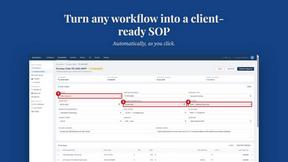
MySOP.guru
Capture any workflow in your browser and export a branded, step-by-step SOP with screenshots. €5 per document, no subscription.

PerPageFax
PerPageFax lets you send a fax online from any browser for a flat $0.50 per page — no account, no subscription, no fax machine.


Construction Calculator
Free construction calculators with transparent formulas, steps, assumptions, and metric or imperial units.


Glanced
Follow news, blogs, newsletters, and podcasts in a free RSS reader, with AI summaries, top stories, full-text search, saved searches, and a catalog.