
CodaOne AI
CodaOne AI offers over 101 free, private browser tools to humanize AI text, check for AI, and edit PDFs without any signup required.
Visit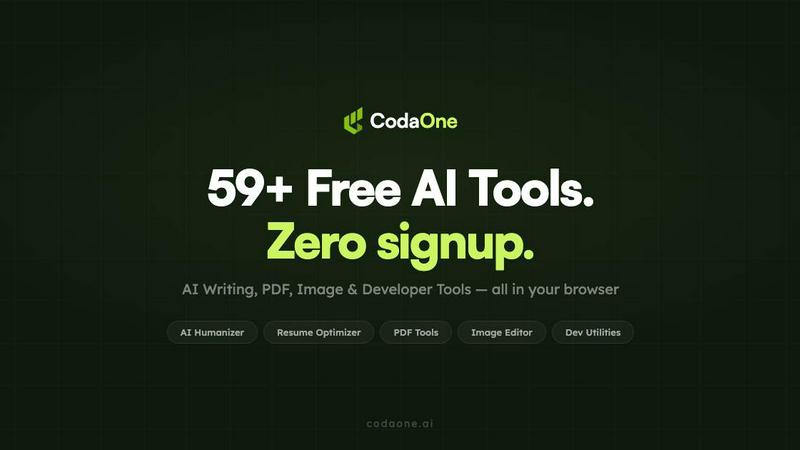
About CodaOne AI
CodaOne AI is your all-in-one digital toolkit designed to simplify your online work. It brings together over 101 free tools across five essential categories: AI Writing, PDF, Image, Video, and Developer utilities. The core idea is simple: stop juggling multiple websites for different tasks. Whether you're a student, content creator, professional, or developer, CodaOne provides a unified, private, and user-friendly platform. Its main value proposition is powerful, browser-based processing that respects your privacy. Your files for PDF and image tasks are processed directly in your web browser using WebAssembly, meaning your data never leaves your computer. With a generous free tier that requires no sign-up or credit card, you can start being more productive immediately. From humanizing AI text to merging PDFs and testing code, CodaOne AI is built to be the only toolkit you need.
Features of CodaOne AI
AI Humanizer
The flagship AI Humanizer tool transforms robotic, AI-generated text into natural, human-sounding writing. It's designed to help your content bypass AI detection software. You can choose from nine different writing modes—like Standard, Academic, Blog, Formal, and Simple—to perfectly match the tone and context of your project. It works by changing how the text sounds while carefully preserving the original meaning, ensuring your message stays intact but becomes undetectable.
Free & Unlimited AI Detector
This tool allows you to check any piece of text for signs of AI generation, and it's completely free with no limits. There's no need to create an account or worry about daily quotas. It uses a statistical model to provide instant results, helping you understand the "AI fingerprint" in your writing. It's the perfect companion to the Humanizer, enabling a smooth workflow where you can write, check for AI patterns, and then refine your text until it reads as human-written.
100% Browser-Based PDF & Image Tools
All PDF and image tools operate entirely within your browser. When you merge, split, compress, or convert a file, the processing happens locally on your device via WebAssembly technology. This means your sensitive documents and images are never uploaded to any external server, guaranteeing maximum privacy and security. You get unlimited use of these tools without watermarks or frustrating daily limits.
Comprehensive All-in-One Toolkit
CodaOne AI consolidates over 101 specialized tools into one convenient dashboard. Instead of visiting separate sites for writing help, PDF editing, image manipulation, and developer tasks, you can do it all here. This includes everything from an AI Rewriter and Grammar Checker to a PDF Merger, Background Remover, JWT Decoder, and Regex Tester. It's designed to save you time and streamline your digital workflow in a single, cohesive environment.
Use Cases of CodaOne AI
Students Writing Essays and Reports
Students can use the AI Humanizer to refine AI-assisted drafts for assignments, ensuring their work sounds original and personal. The AI Detector helps them check their writing before submission. They can also compress large research PDFs, convert lecture slides to different formats, and use the grammar checker—all without compromising their privacy or hitting paywalls.
Content Creators and Bloggers
Bloggers and social media managers can generate ideas with AI and then use the Humanizer to give the content a unique, engaging voice suited for their audience (like the "Blog" mode). They can create custom images, remove backgrounds for graphics, and summarize long articles for research, all within the same platform to maintain a consistent and efficient content creation pipeline.
Professionals Handling Documents
Office professionals, freelancers, and administrators can use the suite of PDF tools daily. They can securely merge multiple contracts, split a large report into chapters, compress files for email, and convert PDFs to editable Word documents—all processed locally on their computer to keep confidential business information safe.
Developers and Tech Enthusiasts
Developers can utilize the dev tools for quick, everyday tasks without leaving their workflow. They can format and validate JSON, decode JWT tokens for API debugging, test regular expressions, and encode/decode in Base64. This turns CodaOne into a handy Swiss Army knife for coding, troubleshooting, and data manipulation.
Frequently Asked Questions
Is CodaOne AI really free to use?
Yes, CodaOne AI offers a very generous free tier. All PDF, Image, Video, and Developer tools are completely free and unlimited. For the AI Writing tools, you get 3 free uses per day without needing to sign up or provide a credit card. The AI Detector is always free and unlimited. You only need to upgrade to a paid plan if you require more frequent AI writing usage.
How does the browser-based processing work for PDFs?
The browser-based processing uses a technology called WebAssembly. When you use a tool like PDF Merge, the tool's code runs directly inside your web browser on your own computer. Your file is loaded locally, processed locally, and the output is saved from your browser. At no point is your file uploaded to CodaOne's servers, ensuring complete privacy and often faster processing.
What does the AI Humanizer do?
The AI Humanizer rewrites text that was generated by AI (like from ChatGPT) to make it sound like it was written by a human. It changes the sentence structure, word choice, and flow to remove the predictable patterns that AI detectors look for. You can select different modes (e.g., Formal, Blog, Simple) to get output that fits your specific needs, whether it's an academic paper or a casual blog post.
Do I need to install software or an extension?
No installation is required to use the core tools on the CodaOne website. You can access and use all 101+ tools directly from your web browser. However, there is an optional Chrome extension available. This extension adds convenience by letting you right-click on text on any website to quickly humanize, detect AI, or translate it without visiting the main site.
Pricing of CodaOne AI
CodaOne AI offers simple and transparent pricing. All PDF, image, and developer tools are free forever. For the AI Writing tools, there is a free plan that includes 3 uses per day. Paid plans start at $9.99 per month (Starter plan) for individual creators, providing 30,000 words per month. The most popular Pro plan is $19.99/month for 100,000 words and unlimited words per process. For teams and agencies, the Business plan is $39.99/month for 500,000 words and includes API access. You can start with the free plan without any sign-up required.
Similar to CodaOne AI
SnitchFeed
SnitchFeed is an agentic social listening tool that surfaces high-intent conversations on LinkedIn, X, Hackernews, and more for GTM and product teams.



Labrynth AI
AI regulatory intelligence platform that turns complex requirements into cited, audit-ready outputs.

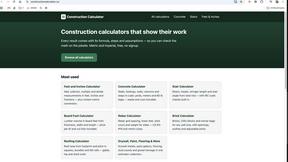
Construction Calculator
Free construction calculators with transparent formulas, steps, assumptions, and metric or imperial units.