
Browser Notes
Browser Notes saves your notes, sticky notes, and mind maps locally in your browser with no signup or cloud needed.
Visit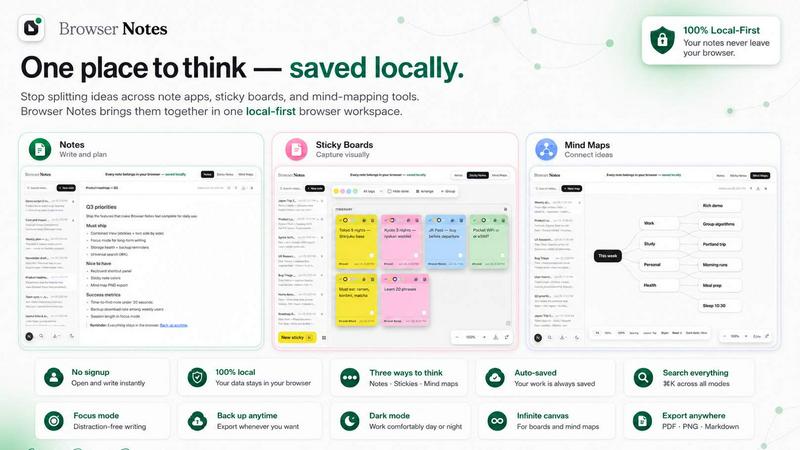
About Browser Notes
Do you ever feel like your ideas are scattered everywhere? Maybe you have a brilliant thought in a writing app, a quick reminder on a sticky board, and a project plan in a mind-mapping tool. On top of that, many of these services push your private ideas to the cloud, leaving you wondering who else might have access. Browser Notes is here to change all of that. It is a simple, powerful, and private workspace that lives right inside your browser. With Browser Notes, you can write formatted notes, brainstorm on a free canvas with sticky notes, and create beautiful mind maps — all without ever needing to create an account. There is no tracking, no forced sync, and no data uploaded to a server you don't control. Everything you create is stored locally in your browser. This means you can work offline, keep your thoughts completely private, and back up your data whenever you feel like it. Browser Notes is perfect for students who want to organize study notes, professionals who need to map out project ideas, or anyone who values their privacy and wants a clutter-free way to capture their thoughts. It is beginner-friendly, so you do not need any technical skills to get started. Just open the extension, choose your tool, and start creating. Your notes belong in your browser, saved locally, and under your control.
Features of Browser Notes
Three Ways to Think: Notes, Sticky Notes, and Mind Maps
Browser Notes gives you three distinct tools to capture and organize your ideas, all in one place. You can choose the format that best fits your task. First, you can write and format notes using markdown, which is a simple way to add headings, lists, bold text, and more. Second, you can use sticky notes on a free, open canvas for brainstorming, where you can move ideas around freely. Third, you can create mind maps that branch out from a central idea, perfect for planning projects or studying complex topics. You can even start from a template to save time. Everything you create stays in your browser, so you can switch between tools without losing your flow.
Local-First Privacy with No Account Required
Your privacy is at the heart of Browser Notes. Unlike many note-taking apps that require you to sign up and sync your data to the cloud, Browser Notes works completely offline and stores everything locally in your browser. There is no account to create, no email to provide, and no tracking of your activity. Your ideas are yours alone. This means you can jot down sensitive information, personal plans, or creative ideas without worrying about data breaches or third-party access. You have full control over your data, and you can back it up manually anytime you want. It is a safe, private space for your thoughts.
Works Offline and Stores Data in Your Browser
One of the best features of Browser Notes is that it works perfectly even when you are not connected to the internet. Since all your notes, sticky notes, and mind maps are saved directly in your browser's local storage, you can access and edit them anytime, anywhere. Whether you are on a plane, in a coffee shop with spotty Wi-Fi, or simply want to disconnect, your workspace is always available. You never have to worry about losing your work because of a lost connection. And because there is no forced sync, you decide when and how to back up your data. It is reliable, fast, and always ready when you are.
Easy Backup and Import Functionality
While your data is safely stored in your browser, Browser Notes also gives you the power to back up your work whenever you want. You can export your entire workspace as a backup file and save it to your computer or an external drive. This gives you an extra layer of security and control. If you ever need to restore your notes on a different device or after clearing your browser data, you can simply use the Import Backup feature. This makes it easy to move your workspace or keep a copy for safekeeping. It is a simple, straightforward process that puts you in charge of your data.
Use Cases of Browser Notes
Organizing Study Notes for Students
Students often have to manage a lot of information from different classes. With Browser Notes, you can create detailed, formatted notes for each subject using markdown. You can use headings to separate topics, lists for key points, and bold text for important terms. When you need to brainstorm ideas for a group project, you can open a sticky note canvas and write down all your thoughts freely. For complex subjects like history or science, you can create a mind map to connect main ideas with supporting details. Everything is saved locally, so you can study offline without distractions. It is a complete study toolkit in your browser.
Planning Projects and Brainstorming Ideas
Professionals and creatives can use Browser Notes to plan projects from start to finish. Start by creating a mind map with your main project goal in the center. Then, branch out to add tasks, deadlines, team members, and resources. Use the sticky note canvas for brainstorming sessions, where you can move ideas around and group them into categories. For detailed documentation, write step-by-step notes with markdown formatting. Since everything is local and private, you can work on confidential business plans without fear of data leaks. The ability to work offline also means you can brainstorm during a commute or in a meeting room without internet access.
Capturing Personal Ideas and Journaling
Browser Notes is a wonderful tool for personal use, like keeping a private journal or capturing random ideas. You can write daily entries in a simple note, using markdown to add dates and headings. If you have a sudden idea for a story or a new hobby, quickly add it to a sticky note on a canvas. For planning a vacation or a personal goal, create a mind map to outline all the steps. Because no account is needed and your data never leaves your browser, you can be completely honest and free in your writing. It is your private digital notebook, always accessible and always secure.
Managing Quick Reminders and To-Do Lists
Instead of using sticky notes on your desk or a separate app, you can manage all your reminders and to-do lists directly in Browser Notes. Use the sticky note canvas to create a visual board of tasks, moving them from "To Do" to "Done" as you complete them. For more detailed lists, write a note with checkboxes using markdown. You can even create a mind map to break down a large goal into smaller, actionable steps. Since Browser Notes is always in your browser, you can quickly open it to check your tasks or add a new reminder. It is a simple, effective way to stay organized without cluttering your desktop or relying on a cloud service.
Frequently Asked Questions
Do I need to create an account to use Browser Notes?
No, you do not need to create an account. Browser Notes is designed to be completely private and local. You can start using it right away by installing the Chrome Extension. There is no sign-up, no email required, and no personal information collected. Your data stays in your browser, and no one else can access it.
Is my data safe and private?
Yes, your data is very safe and private. Browser Notes stores all your notes, sticky notes, and mind maps locally in your browser's storage. There is no account, no tracking, and no data is sent to any server or cloud. You have full control over your information. You can also back up your data manually to your computer for extra security.
Can I use Browser Notes offline?
Absolutely. Since everything is stored locally in your browser, you can use Browser Notes without an internet connection. You can create, edit, and organize your notes, sticky notes, and mind maps offline. This makes it perfect for travel, areas with poor connectivity, or anytime you want to work without being online.
How do I back up my notes?
Backing up your notes is simple. Browser Notes includes an export feature that lets you save your entire workspace as a backup file to your computer. You can do this anytime you want. If you need to restore your notes later, you can use the Import Backup feature to load that file back into the extension. This gives you full control over your data.
What if I want to use Browser Notes on a different computer?
Since your data is stored locally in your browser, it does not automatically sync between computers. However, you can easily transfer your workspace. First, back up your data on your current computer using the export feature. Then, install Browser Notes on your new computer and use the Import Backup feature to load your file. This manual process ensures that you, and only you, control your data.
Can I start from a template?
Yes, Browser Notes offers templates to help you get started quickly. Whether you want to write a note, create a sticky note board, or design a mind map, you can choose from pre-made templates. This is especially helpful if you are new to mind mapping or want a structured starting point for your project.
Explore more in this category:
Similar to Browser Notes

Panzoe
Panzoe is an all-in-one AI platform for personal productivity, business automation, AI assistants, content creation, and custom AI solutions.
AI Email Filter
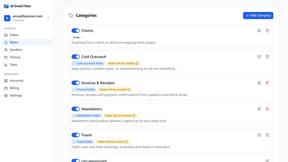
AI Email Filter sorts incoming mail into folders using plain-language prompts you write. Works with any IMAP mailbox; bring your own LLM if you want.
Egmatic
No-code 2D game editor: visual node logic, drag-and-drop scenes, live preview. Exports to Windows, macOS, Linux, Android, iOS, Web.
Kody Tools
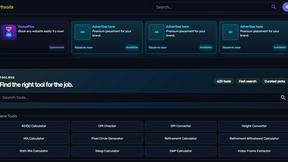
Free collection of online developer utilities, code formatters, and digital converters designed to streamline your daily workflow.
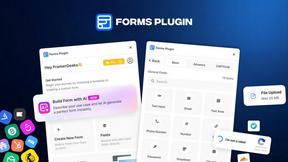
Forms Plugin
The #1 Native Form Builder Plugin for Framer - No Code, No Embeds, No External Platforms.
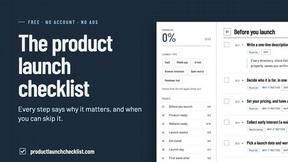
Product Launch Checklist
A free launch checklist for SaaS, apps, AI tools and more. Every step says why it matters and when you can skip it.
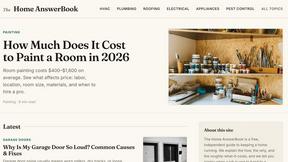
HomeAnswerBook
Practical, independent guides to home repairs, maintenance, costs, troubleshooting, and everyday fixes.
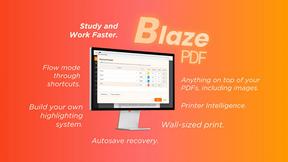
BlazePDF
Highlight faster. Study in flow with custom shortcuts and a workflow built around you. Print smarter, or turn any page into a tiled poster.