
BoltShot
Turn any URL into a perfect screenshot with BoltShot's simple API, no browser setup required.
Visit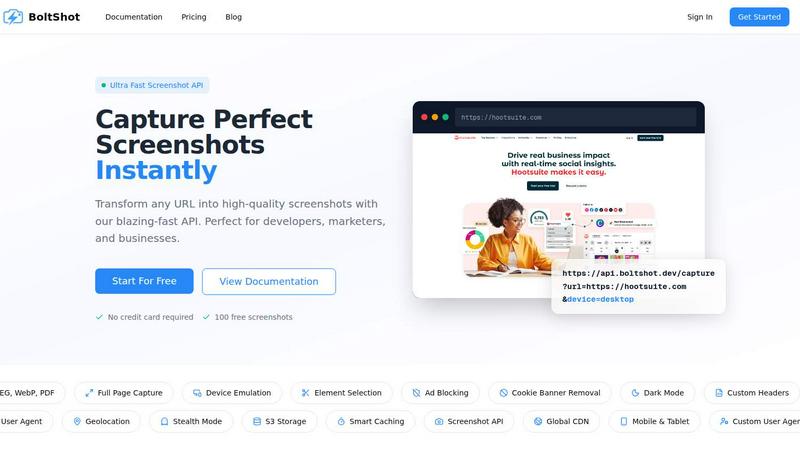
About BoltShot
BoltShot is a powerful and easy-to-use website screenshot API designed to help developers, marketers, and businesses capture high-quality screenshots of any URL with just a simple API request. If you have ever needed to take a picture of a webpage for a report, a preview for an e-commerce site, or a visual record for testing, BoltShot makes that process incredibly fast and straightforward. Instead of spending hours setting up and managing complex browser automation tools like Puppeteer or maintaining your own server infrastructure, you can simply send a request to BoltShot and get back a perfect screenshot in formats like PNG, JPEG, WebP, or even PDF. The API supports full-page captures, meaning it can scroll through an entire webpage and stitch everything together, as well as device emulation for mobile, tablet, and desktop views. You can also target specific elements on a page using CSS selectors, so if you only need a picture of a product image or a chart, BoltShot can grab just that part. Built-in features like ad blocking, cookie banner removal, and smart caching help you capture clean, distraction-free screenshots every time. For more advanced needs, BoltShot offers S3 uploads with CDN delivery, custom user agents, geolocation emulation, and stealth mode to avoid detection. Whether you are building an automated reporting system, monitoring competitor websites, archiving web pages, or creating visual previews for social media, BoltShot integrates seamlessly into your workflow without the headache of managing browser clusters or infrastructure. The best part? You can get started for free with 100 screenshots and no credit card required.
Features of BoltShot
Multiple Output Formats and Full Page Capture
BoltShot supports a variety of output formats including PNG, JPEG, WebP, and PDF, giving you the flexibility to use screenshots exactly how you need them. The full page capture feature automatically scrolls through the entire webpage and stitches together a complete image, so you never miss content that appears below the fold. This is perfect for capturing long articles, product listings, or any page where the full context matters. You simply specify the format in your API request, and BoltShot handles the rest, delivering a high-resolution screenshot that is ready to use.
Device Emulation and Custom Viewport Settings
With BoltShot, you can emulate different devices like mobile phones, tablets, and desktops to see exactly how your website looks on various screen sizes. This is incredibly useful for responsive design testing and ensuring a consistent user experience across platforms. You can also set custom viewport dimensions, so if you need a very specific screen size for a presentation or a report, you have full control. The API makes it easy to switch between presets or define your own, all with a single parameter in your request.
Clean Capture with Ad Blocking and Cookie Banner Removal
One of the most frustrating parts of taking website screenshots is dealing with distracting ads, annoying cookie consent popups, and intrusive overlays. BoltShot automatically blocks advertisements and removes cookie banners, so your screenshots are clean, professional, and focused on the content that matters. This feature saves you from having to manually edit images after capture and ensures that your screenshots look polished and presentable, whether you are using them for client reports, compliance monitoring, or social media sharing.
Advanced Capabilities: S3 Storage, Stealth Mode, and Geolocation
For power users, BoltShot offers advanced features that take screenshot capture to the next level. You can automatically upload screenshots to your own S3 bucket with CDN delivery for fast, global access. The stealth mode helps you avoid detection by websites that might block automated screenshots, and geolocation emulation lets you see how a page appears from different parts of the world. Custom user agents and headers give you even more control over how your requests are handled, making BoltShot a versatile tool for complex workflows like competitive analysis and web scraping.
Use Cases of BoltShot
Automated Reporting and Monitoring
Businesses and developers can use BoltShot to automatically capture screenshots of dashboards, analytics pages, or competitor websites on a schedule. Instead of manually checking and saving images every day, you can set up a script that sends API requests at regular intervals and stores the screenshots in your cloud storage. This is ideal for generating visual reports, tracking website changes over time, or monitoring compliance with design standards. BoltShot handles the heavy lifting, so you can focus on analyzing the results.
E-commerce Product Previews and Social Sharing
Online stores can leverage BoltShot to generate high-quality preview images of product pages, category listings, or promotional banners. These screenshots can be used for social media posts, email newsletters, or affiliate marketing materials. Because BoltShot supports device emulation, you can create previews that look exactly like they would on a mobile device or a desktop, ensuring your marketing visuals are accurate and engaging. The clean capture features also remove any distracting ads or popups, giving you a pristine image every time.
Web Archiving and Compliance Monitoring
Organizations that need to maintain records of web pages for legal, regulatory, or historical purposes can rely on BoltShot for reliable and consistent screenshots. The API can capture full-page images with timestamps and store them securely in your own S3 bucket. This is particularly useful for industries like finance, healthcare, or e-commerce where compliance with data retention policies is critical. With BoltShot, you can automate the archiving process and have a verifiable visual record of any webpage at any point in time.
Responsive Design Testing and Quality Assurance
Developers and QA teams can use BoltShot to quickly test how their websites render across different devices and viewport sizes. Instead of manually resizing browser windows or using multiple physical devices, you can send a series of API requests with different device parameters and compare the resulting screenshots. This speeds up the testing process and helps catch layout issues, broken elements, or responsiveness problems before they reach users. BoltShot's element targeting feature also allows you to focus on specific components, like a navigation bar or a form, for detailed inspection.
Frequently Asked Questions
What output formats does BoltShot support?
BoltShot supports four popular output formats: PNG, JPEG, WebP, and PDF. You can specify the format you need in your API request. PNG is great for high-quality images with transparency, JPEG is best for smaller file sizes, WebP offers modern compression, and PDF is perfect for documents or printable reports. This flexibility ensures you can use screenshots in any application.
Do I need to manage my own browser infrastructure?
No, that is the main benefit of BoltShot. You do not need to set up, maintain, or scale any browser clusters or headless Chrome instances. BoltShot handles all the browser management behind the scenes. You simply send an API request with the URL and your desired parameters, and BoltShot returns the screenshot. This saves you time, money, and the headache of dealing with infrastructure issues.
How does the free trial work?
You can get started with BoltShot completely free. The free plan gives you 100 screenshots with no credit card required. This allows you to test the API, integrate it into your workflow, and see if it meets your needs before committing to a paid plan. Simply sign up on the BoltShot website, get your API key, and start capturing screenshots right away.
Can I capture only a specific part of a webpage?
Yes, BoltShot allows you to capture specific elements on a page using CSS selectors. For example, if you only want a screenshot of a product image, a chart, or a specific section of text, you can pass a CSS selector in your API request. BoltShot will then render only that element, giving you a precise and focused screenshot without any surrounding content.
Pricing of BoltShot
BoltShot offers a straightforward pricing model designed to scale with your needs. You can start with a free plan that includes 100 screenshots, perfect for testing and small projects. For higher volume usage, BoltShot provides paid plans that offer more screenshots, priority support, and access to advanced features like S3 storage and custom caching. Pricing is based on the number of API requests you make, so you only pay for what you use. Visit the BoltShot pricing page on their website for the most up-to-date information on plans and costs.
Similar to BoltShot
Egmatic
No-code 2D game editor: visual node logic, drag-and-drop scenes, live preview. Exports to Windows, macOS, Linux, Android, iOS, Web.
laya.tools
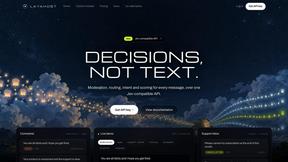
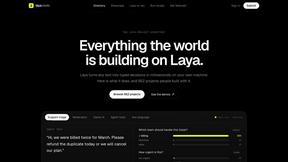
Free directory of 950+ projects built on Laya, the open-source model that turns text into typed decisions. Ports, SDKs, agents and demos.

stackledge
Discover vetted SaaS apps, practical AI tools, and custom n8n workflows on a human-curated platform free from bot-scraped spam and dead links.
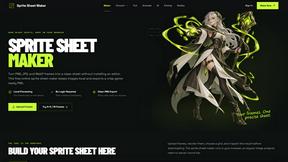
Sprite Sheet Maker
A free browser-based toolkit for creating, cutting, converting, and previewing sprite sheet animations.
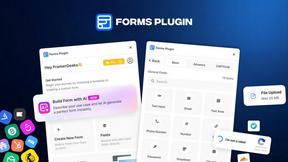
Forms Plugin
The #1 Native Form Builder Plugin for Framer - No Code, No Embeds, No External Platforms.

