

Alternatives to BoltShot
Turn any URL into a perfect screenshot with BoltShot's simple API, no browser setup required.
Explore 20 alternatives to BoltShot. Compare features, pricing, and find the best fit for your needs.
Egmatic
No-code 2D game editor: visual node logic, drag-and-drop scenes, live preview. Exports to Windows, macOS, Linux, Android, iOS, Web.
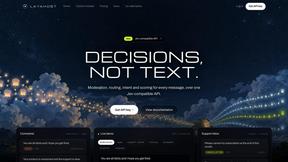
layahost
Moderation, routing, intent and scoring for any text over one Jev-compatible API, hosted in the EU.
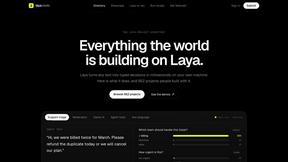
laya.tools
Free directory of 950+ projects built on Laya, the open-source model that turns text into typed decisions. Ports, SDKs, agents and demos.

stackledge
Discover vetted SaaS apps, practical AI tools, and custom n8n workflows on a human-curated platform free from bot-scraped spam and dead links.
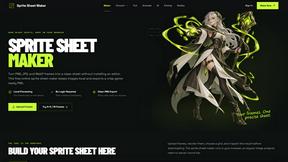
Sprite Sheet Maker
A free browser-based toolkit for creating, cutting, converting, and previewing sprite sheet animations.
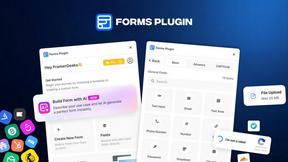
Forms Plugin
The #1 Native Form Builder Plugin for Framer - No Code, No Embeds, No External Platforms.


AkraLabs
Where modern software products get discovered, launched, and distributed. Explore verified AI tools, SaaS startups, and developer software.

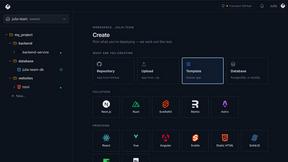
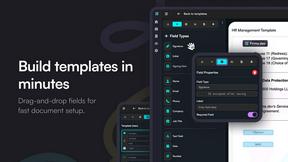
Firma.dev
Pay-as-you-go e-signature API and no-code sending. €0.049 per envelope, no monthly minimums, legally valid in 55+ countries.
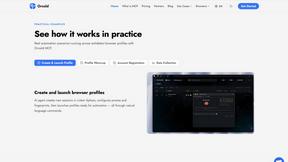
Ornold
Ornold MCP lets AI agents control Chromium and antidetect browsers: click, type, read screens, record workflows, replay profiles without scripts.
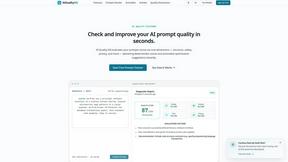
AIQualityHQ
AIQualityHQ helps you write better AI prompts instantly by checking for structure, safety, and privacy risks in your browser for free.
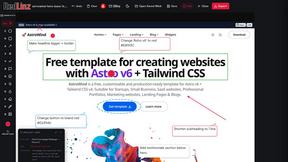
RedLinz
RedLinz turns screenshots into AI prompts by letting you circle and annotate exactly what you want an LLM to change.
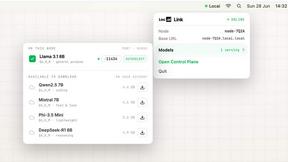
Locai
Locai lets you run powerful AI models on your own hardware, keeping data private and cutting cloud costs.
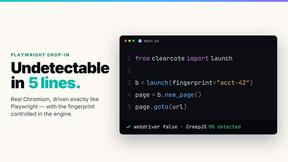
Clearcote
Clearcote is an open-source, de-Googled Chromium drop-in for Playwright and Puppeteer that gives you engine-level fingerprint control for a single.
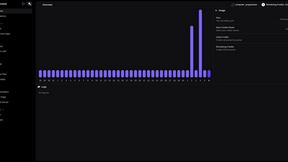
Supervisor
Supervisor uses AI to read the intent behind messages, catching harmful content like hate speech and scams that simple keyword filters miss.
About BoltShot Alternatives
BoltShot is a developer-focused tool that turns any URL into a high-quality screenshot through a simple API request, placing it squarely in the Dev Tools and productivity category. Instead of requiring you to manage a browser or infrastructure, you just send a link and get back a clean image or PDF, making it ideal for automating tasks like e-commerce previews, compliance monitoring, and web archiving. Users often start looking for alternatives for a few common reasons: they might find the pricing structure doesn't fit their budget for high-volume projects, they need specific features that aren't included in their current plan, or they require a different level of support or integration with their existing tech stack. When evaluating other options, focus on what matters most for your specific workflow. Look for clear, transparent pricing that scales with your usage, and check whether the alternative supports the output formats you need, like PNG, JPEG, or PDF. Also consider if it offers essential features such as full-page capture, device emulation for mobile and desktop views, and smart caching to save you time and money. Finally, make sure the API documentation is beginner-friendly and that the tool can handle your volume without requiring you to manage complex infrastructure on your own.
FAQs about BoltShot Alternatives
What is BoltShot?
BoltShot is a simple API for taking website screenshots that does not require you to manage any browser operations. You send a URL to the API, and it returns a high-quality screenshot in formats like PNG, JPEG, WebP, or PDF. It is designed to handle tasks such as full-page capture, device emulation for mobile and tablet, and even specific element selection using CSS selectors.
Who is BoltShot for?
BoltShot is designed for developers and businesses who need to integrate website screenshot capabilities into their workflows without the overhead of managing browser clusters. It is particularly useful for teams working on e-commerce previews, automated reporting, web archiving, testing, and compliance monitoring. The tool is built to be seamless for both technical and non-technical users who want a straightforward API solution.
What are the main features of BoltShot?
BoltShot offers a range of features including full-page capture, device emulation for mobile, tablet, and desktop, and custom viewport settings. It also supports capturing specific page elements using CSS selectors, ad blocking, cookie banner removal, and smart caching. Advanced capabilities include S3 uploads with CDN delivery, custom user agents, geolocation emulation, stealth mode, and custom headers.
Is BoltShot secure?
BoltShot is built with security in mind, offering features like stealth mode and custom headers to help protect your requests and data. The platform allows for secure integrations through API requests, and its support for S3 uploads with CDN delivery ensures that your captured screenshots are stored and delivered safely. For developers and businesses handling sensitive compliance monitoring or testing, these security features help maintain data integrity and privacy.