

Alternatives to Unifyca
Unifyca helps you organize, maintain, and back up every client WordPress site from one simple dashboard.
Explore 12 alternatives to Unifyca. Compare features, pricing, and find the best fit for your needs.
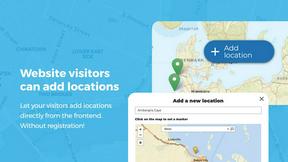
Open User Map
Open User Map lets you easily create a WordPress map where visitors can add and edit locations without any coding.

Shadcn Examples
Discover ready-to-use Shadcn UI blocks and examples to quickly build beautiful React and Tailwind web apps.
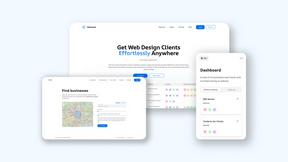
Webleadr
Webleadr instantly finds businesses without websites so you can contact them and get new web design clients in just a few clicks.
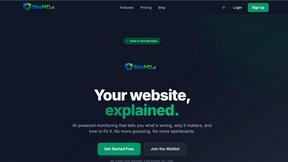
SiteMd
SiteMD scans your website in 60 seconds, providing instant insights on SEO, performance, and security to fix issues quickly and easily.

Idearium
Idearium crafts memorable websites that drive growth and engage users, helping your business thrive online.

FilexHost
Easily host and share any file in seconds with drag-and-drop simplicity and a secure, shareable link.


Best Boilerplates
Discover and compare ready-made SaaS templates to launch your app quickly and effortlessly with Best Boilerplates.
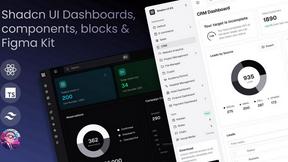
Shadcn UI Kit
Build your next project faster with ready-made Shadcn UI components, templates, and dashboards.

Clio Websites
Clio Websites builds custom sites that attract customers and grow your business.
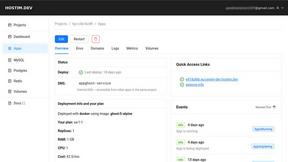
Hostim.dev
Hostim.dev simplifies deploying Docker apps with managed databases in the EU, ensuring speed and clear pricing.

About Unifyca Alternatives
If you manage multiple WordPress websites for clients, you have likely come across a tool like Unifyca. Unifyca is a centralized WordPress website management platform designed specifically for agencies, freelancers, and IT professionals. It falls into the category of WordPress maintenance and management software, helping you run audits, update plugins, monitor uptime, and store client documentation all from one dashboard instead of logging into dozens of separate sites. Many users begin looking for alternatives to Unifyca for a variety of common reasons. You might be searching for a different pricing structure that fits your budget, or perhaps you need a specific feature that is not fully covered by the platform. Some users prefer a tool with a simpler interface, while others want deeper integration with their existing workflow or reporting tools. When choosing an alternative, look for a solution that offers reliable backups, clear uptime monitoring, and easy client documentation storage. It is also important to consider how well the tool scales with your agency, whether it provides white-label reporting for your clients, and if the support team is responsive to your needs.
FAQs about Unifyca Alternatives
What is Unifyca?
Unifyca is a WordPress website management platform built for agencies, freelancers, and IT professionals who maintain multiple client websites. Instead of logging into dozens of WordPress dashboards individually, Unifyca allows you to manage everything from one centralized workspace. The platform helps you run WordPress audits, detect outdated plugins and themes, apply maintenance fixes, and create backups.
Who is Unifyca for?
Unifyca is designed specifically for agencies, freelancers, and IT professionals who manage multiple client websites. It is ideal for users who need to streamline their maintenance workflows and reduce manual work. The platform is also helpful for teams that require centralized documentation for hosting accounts, domains, credentials, and brand assets across all their client sites.
What are the main features of Unifyca?
Unifyca offers a range of features including WordPress audits, detection of outdated plugins, themes, and core versions, and the ability to apply maintenance fixes. It also provides manual or scheduled backups, uptime monitoring, and white-label maintenance reports. Beyond maintenance, the platform centralizes website documentation such as hosting accounts, FTP access, email settings, SSL certificates, and project notes.
Is Unifyca secure?
Unifyca is built with security in mind, as it handles sensitive client information like hosting credentials, FTP access, and SSL certificates. The platform centralizes this data in a secure workspace, reducing the risk of scattered and unprotected records. By keeping all documentation and maintenance activities in one controlled environment, it helps agencies maintain consistent security practices across their client websites.