

Alternatives to EditTextImage
EditTextInImage lets you replace text in any image online in 30 seconds while keeping the original font, color, and style perfectly intact.
Explore 20 alternatives to EditTextImage. Compare features, pricing, and find the best fit for your needs.
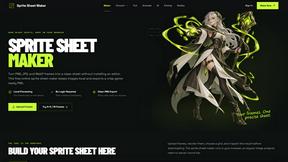
Sprite Sheet Maker
A free browser-based toolkit for creating, cutting, converting, and previewing sprite sheet animations.

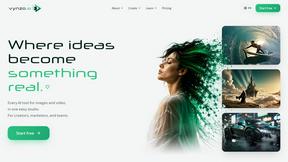
Vynzo
AI image and video studio. Generate from a prompt, animate stills, swap faces, restyle clips and edit — one credit pool, no subscription.


Lockimate - AI Live Wallpapers
Turn any photo into a real Apple Live Photo that animates when you wake your iPhone. Restyle it and choose the motion — customizable.
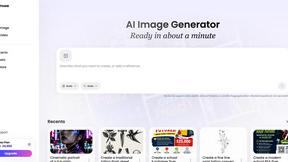
Vismuse
Create polished AI images and videos from prompts or references for social posts, ads, flyers, album covers, and campaigns.
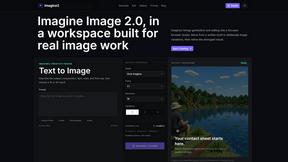
Imagine2
Private browser-based AI image generation and editing with text-to-image, targeted edits, and multi-image references.

Kogashitsuka AI
An online AI image tool that enhances photos and illustrations at their original size or upscales them by 2x or 4x.
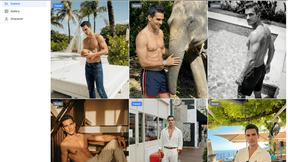
Trushot AI
TruShot creates ultra-realistic AI dating photos from just 4 selfies. Generate natural-looking, verification-friendly profile pictures for Tinder, Hin
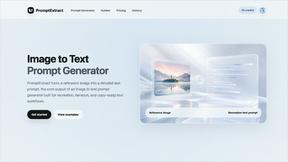
PromptExtract
PromptExtract converts a reference image into a detailed, structured AI image prompt that creators can edit and reuse.
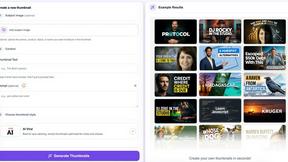
StopScroll
StopScroll is an AI thumbnail maker that generates, compares, and helps creators pick stronger cover images before publishing.

HubVanta
HubVanta is a free AI creative toolkit for generating images, videos, voices, and visual edits from one browser workspace.

Headshot.ltd AI Headshot Generator
Turn a few phone selfies into professional headshots in ~5 minutes. 200+ backgrounds, one-time payment starting from $8.

Modellix
Start creating stunning images, videos, and audio with one simple API key, transparent pricing, and full usage logs to help you learn and scale.
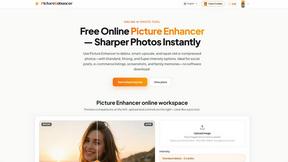
Picture Enhancer
Picture Enhancer lets you deblur, upscale, and restore photos free in your browser with no software install needed.
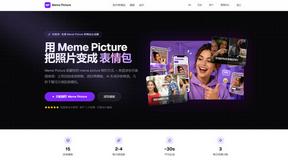
Meme Picture
Meme Picture turns your selfies and pet photos into funny classic memes with AI, no login needed, and lets you download and share in seconds.
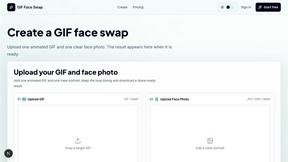
GIF Face Swap
Swap your face into any GIF using just one photo and a short animation, no editing skills needed.

HiAPI
HiAPI lets you easily call leading AI image, video, and audio models through one simple API with persistent storage.
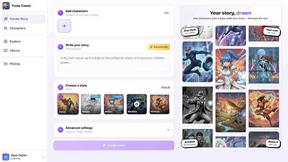
Yume Comic
Turn your story ideas into full comic pages in minutes with Yume Comic's AI, no drawing skills needed.
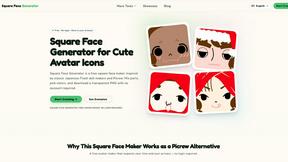
Square Face Generator
Create cute square avatars for free in your browser with no login required, just pick parts, colors, and download a transparent PNG.
About EditTextImage Alternatives
If you have ever needed to change a single word on a finished poster, a product screenshot, or a social media graphic but realized the original design file was long gone, you have likely run into the exact problem that EditTextImage solves. This tool falls into the category of AI-powered image generation and editing, specifically focused on text replacement within existing images. It works by sampling the typography, color, and effects directly from the pixels of your uploaded image, allowing you to swap out text without needing to match fonts manually or recreate the entire design from scratch. While this is incredibly useful, you might be searching for an alternative if the one-time payment model does not fit your budget, if you need a free tier with more than one trial edit, or if you require a tool that integrates directly into a larger workflow like a full design suite or a mobile app. Some users also look for alternatives because they want to edit text in bulk across many images, or they prefer a subscription-based service that offers unlimited edits rather than a pay-per-use credit system. When looking for the right alternative to a tool like EditTextImage, you should focus on a few key factors to make sure you get the results you need. First, consider the output quality: the best tools will preserve the original font style, color, shading, and perspective just as accurately, especially for complex backgrounds or hand-lettered typefaces. Next, look at the ease of use; you want a solution that still works in under a minute without requiring you to install fonts or learn complicated software. Pricing is another major factor, so decide whether you prefer a one-time purchase, a monthly subscription, or a completely free tool that might have watermarks or lower resolution. Finally, think about file format support and resolution; if you need high-resolution outputs for print or professional use, make sure the alternative can deliver at least 2K quality. By keeping these points in mind, you can find a text replacement tool that fits your specific project needs and budget.
FAQs about EditTextImage Alternatives
What is EditTextImage?
EditTextImage is an online AI-powered tool that allows you to edit or replace text inside an existing image without needing the original design file. It works by analyzing the pixels of your image to sample the typeface, color, drop shadow, and perspective, then seamlessly renders the new text in the same style. The entire process usually takes about 10 seconds and outputs a high-resolution 2K image.
Who is EditTextImage for?
EditTextImage is designed for anyone who needs to make quick text changes on finished images, such as marketers, social media managers, small business owners, and designers. It is especially useful if you have lost the source design file for a poster, screenshot, product photo, or advertisement and need to fix a typo, swap a date, or A/B test a headline. You do not need any design experience, Photoshop skills, or installed fonts to use it.
Is EditTextImage free?
EditTextImage offers a free trial that allows you to edit one image without requiring a credit card. After your first free edit, the tool operates on a one-time payment model of $9.90 for 30 edits. There are no recurring subscriptions or monthly fees, making it a cost-effective option for occasional use.
What are the main features of EditTextImage?
The main features of EditTextImage include AI-driven text replacement that preserves the original font, color, layout, and visual effects like drop shadows and perspective directly from the image pixels. It works with any typeface, including paid fonts and hand-lettering, without needing you to install them. The tool is completely online, requires no software downloads, and delivers a high-resolution 2K output in about 10 seconds per edit.