

Alternatives to Easymotion - AI Motion Graphic Generator
Turn your static images, data, or ideas into professional motion graphics and map animations in minutes by simply chatting with AI.
Explore 20 alternatives to Easymotion - AI Motion Graphic Generator. Compare features, pricing, and find the best fit for your needs.
Nano AI
Create and edit AI images, generate videos, and compare models in one creative workbench.



Gas Station Dance AI Generator
Browser-based AI generator that recreates the viral gas station dance video from 1–3 photos.

Unforgettable Car AI
Unforgettable Car AI generates the 15-second Unforgettable car trend video from a single selfie.

Ozil Goal AI
Ozil Goal AI turns one photo into an AI remake of Mesut Özil's famous 2016 chip-and-dribble goal against Ludogorets.
Manatee
A Mac app that opens damaged video, PDFs, archives and documents and writes out everything it can still read. $9 once, no uploads.
ogimagegenerator.dev
Paste a URL and AI designs on-brand Open Graph images from your page's colours, fonts and logo. Free, no sign-up.
Screen Issues
Free Online Screen Test Tool - Instantly diagnose dead pixels, lines, color issues, and flickering. Multiple test modes, no download needed.
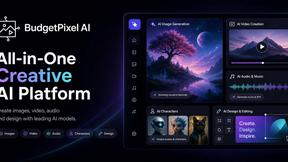
Budgetpixel AI
Create and edit AI images, videos, music, and designs in one workspace, with multiple models, reusable characters, and API access.

Tip Toe AI
Upload a Dancer photo and a Partner photo and get your own AI Tip Toe barn-dance video. Free 5s preview, 12s HD from $4.90. No subscription.
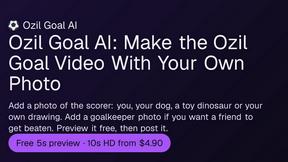
Ozil Goal AI
Turn one photo into the viral Özil goal meme video: you, your dog, a toy or a drawing scores. Free 5s preview, 10s 720p from $4.90. No subscription.

FreeVideoGenerator
Turn text prompts and photos into AI video clips with Sora 2, Veo 3.1, Wan and more. Get free starter credits and watermark-free downloads.

ChatterAPI
One API key and one credit balance for Reddit and X data. REST endpoints and a hosted MCP server, so your code and your agents call the same tools.
BacklinkBot
AI SEO agent that finds pages ranking for your keywords, pitches the people behind them from your inbox, and follows up. You approve every send.
HearBuyers
AI social listening agent: finds people on Reddit and X describing your problem, scores buying intent and drafts a reply you approve.
HookAds
Free ad creative hub: 1,750+ prompts behind viral AI ads, 118 hook frameworks, teardowns, swipe files and 27 free AI tools.
Try OC Maker
Create OCs from text or images, customize their look, and turn them into animated videos with AI.

About Easymotion - AI Motion Graphic Generator Alternatives
Easymotion - AI Motion Graphic Generator is a browser-based tool designed to help content creators, editors, founders, and marketers produce animated videos without needing complex timeline editing software. It falls under the categories of AI Assistants, Content Creation, Design Tools, and Video, offering a streamlined way to turn ideas, static visuals, or data into polished motion graphics and map animations. Users often look for alternatives due to factors like pricing tiers, the need for specific export formats, or a desire for different template libraries. Some may also seek tools that integrate more closely with their existing workflow or offer unique animation styles not covered by Easymotion’s current feature set. When choosing an alternative, it is important to consider ease of use, the range of supported animation types such as flowcharts or geographic maps, and the flexibility of customization options. Look for platforms that allow you to start from a prompt or upload files like PDFs and spreadsheets, and check that they offer the export resolutions and aspect ratios you need for your social media, presentations, or client work. The best choice will balance affordability with the specific motion graphics capabilities your projects require.
FAQs about Easymotion - AI Motion Graphic Generator Alternatives
What is Easymotion - AI Motion Graphic Generator?
Easymotion is an AI-powered motion graphics generator and map animation platform built for content creators, editors, founders, and marketers. It helps users turn ideas, files, and static visuals into polished animated videos without relying on complex timeline editing. The platform supports a variety of formats including SaaS product promos, flowcharts, animated charts, UI explainers, quizzes, and geographic storytelling visuals. You can start from a prompt or convert images, spreadsheets, and PDFs into animation-ready scenes.
Who is Easymotion - AI Motion Graphic Generator for?
Easymotion is designed for content creators, video editors, startup founders, and marketers who need to produce professional motion graphics and map animations quickly. It is ideal for users who want to avoid the steep learning curve of traditional video editing software. The tool is especially helpful for those creating social media content, product marketing videos, presentations, and client deliverables. It also serves educators and storytellers who need animated geographic visuals like flight routes or location pins.
Is Easymotion - AI Motion Graphic Generator free?
Based on the provided information, Easymotion is a premium platform that likely offers a paid subscription or usage-based pricing model, though specific free tier details are not mentioned. It includes a premium template library and export options for MP4 and MOV files, which are typically part of a paid service. Users should check the official website for the most current pricing and any free trial availability. The tool is built for professionals who need a faster way to create reusable video assets directly in the browser.
What are the main features of Easymotion - AI Motion Graphic Generator?
Easymotion offers AI-driven generation of motion graphics and map animations from prompts, images, spreadsheets, and PDFs. Users can edit animations by chatting with the AI to adjust colors, pacing, labels, layout, and visual style. It includes a premium template library for starting with proven layouts and supports exports as MP4 or MOV, including videos with transparent backgrounds. The platform also supports multiple aspect ratios including 16:9 for YouTube, 9:16 for TikTok and Reels, 1:1 for square posts, and 4:5 for vertical feed-friendly formats.