

Alternatives to Bg Eraser
Bg Eraser lets you remove backgrounds from up to 20 photos at once with no signup needed and automatic privacy protection.
Explore 20 alternatives to Bg Eraser. Compare features, pricing, and find the best fit for your needs.

Emailyy
Free email tools for signatures, subject lines, HTML previews, word counts, and email headers. Browser-based, simple to use, and no signup required.

Uniclip
Clip pages, take full-page screenshots and batch-capture list data to Notion, Feishu, Obsidian, Markdown, CSV or JSON.
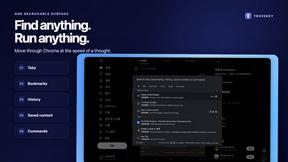
TroveKey
Search tabs, Chrome bookmarks and history, run browser commands, and save webpages and social posts locally—no account.
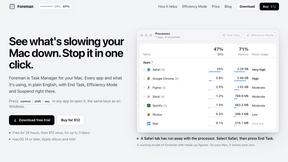
Foreman
See every app and what it's using in plain English, and end or slow down the one that's hogging your Mac.

Todowing
Chrome extension for Todoist that shows sub-tasks nested inline in Today, Upcoming, Filter, and Label views instead of a flat list.
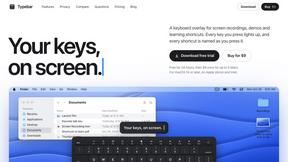
Typebar
Every key you press lights up on an on-screen keyboard, and each shortcut is named as you press it.

Notchpals
Little characters peek out of your Mac's notch to remind you to drink water, eat, sit up and get to bed. Quiet during calls. $4.99 once.

LightScreen
Free light screen tool online. Turn any display into a flashlight, ambient light, or solid-color screen. No download or sign-up.


Kovnerov
Personal site of Vlad Kovnerov: analytics dashboards, web development, Telegram bots and browser tools for sellers and subscription tracking.
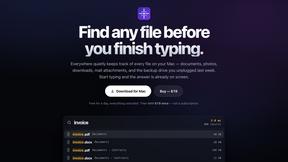
Everywhere
Fast file search for the Mac. Results as you type, files inside Mail and Photos, works with Wi-Fi off. $19 once.
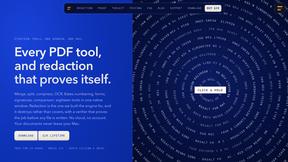
Basalt
Eighteen PDF tools in one native Mac window: merge, split, compress, OCR, Bates numbering, forms, signing and redaction. Offline. $29 once.
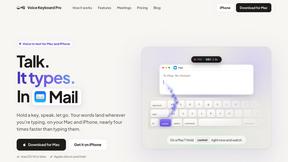
Voice Keyboard Pro
Hold a key, say what you mean, let go. Clean, punctuated text lands at the cursor in any app on your Mac or iPhone.
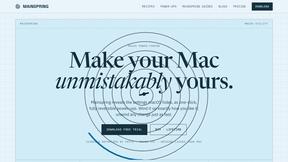
Mainspring
Mainspring turns the settings macOS hides into 90+ one-click, fully reversible power-ups for Finder, Dock, screenshots and more. $29 once.
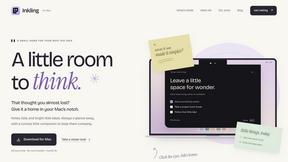
Inkling
Catch a thought without leaving what you are doing. Notes, checklists and a little companion in your Mac's notch. $12 once.

Context Board
Context Board brings your numbers, docs, clients, content and day into one workspace that Claude and Codex can read and update.

HookAds
Free ad creative hub: 1,750+ prompts behind viral AI ads, 118 hook frameworks, teardowns, swipe files and 27 free AI tools.

@fuck.it - email with attitude
Private email. Pure. Secure. Exclusive. No ads, no tracking, no data selling. GDPR compliant, EU-hosted.

About Bg Eraser Alternatives
Bg Eraser is a handy online tool designed to help you remove backgrounds from photos quickly and efficiently. It fits into the Productivity & Management category, making it a go-to solution for e-commerce sellers, graphic designers, and content creators who need clean, transparent images without the hassle of complex software. While it offers great features like batch processing up to 20 images and automatic privacy protection, users often look for alternatives due to specific needs. You might find yourself searching for other options if you require more advanced editing features, different pricing structures, or a tool that works better on mobile devices. Some users also seek alternatives if they need higher resolution outputs or more control over the fine details of the background removal process. When choosing an alternative to Bg Eraser, focus on what matters most for your workflow. Start by considering the volume of images you process and whether you need batch editing or just single-image edits. Look for tools that offer a free trial or a straightforward pricing plan that fits your budget, especially if you plan to use it regularly. It is also important to check for platform compatibility, such as whether the tool works on your preferred browser or device, and to ensure it provides the same level of privacy and security, like automatic file deletion. Finally, think about the output quality and whether the tool can handle tricky edges, like hair or fur, to give you professional-looking results every time.
FAQs about Bg Eraser Alternatives
What is Bg Eraser?
Bg Eraser is a powerful and user-friendly online tool that quickly removes backgrounds from images. It uses advanced AI technology to produce clean, transparent PNG files, making it ideal for creating professional visuals for websites, online stores, and marketing materials. The tool requires no signup or software installation, allowing you to start editing immediately.
Who is Bg Eraser for?
Bg Eraser is designed for a wide range of users, including e-commerce sellers, graphic designers, photographers, and content creators. Anyone who needs to remove backgrounds from images quickly and efficiently can benefit from this tool. It is especially helpful for those who process multiple images at once, as it supports batch editing of up to 20 images simultaneously.
Is Bg Eraser free?
Based on the provided product content, Bg Eraser is described as a tool that offers a fast and convenient solution with no registration required. However, the specific pricing details, such as whether it is entirely free or offers a free tier, are not explicitly stated in the content. You would need to visit the official website for the most accurate and current pricing information.
Is Bg Eraser secure?
Yes, Bg Eraser prioritizes your privacy and security. All uploaded files are automatically deleted within two hours of processing, ensuring that your images are not stored permanently. This automatic privacy protection gives you peace of mind, especially when working with sensitive or confidential visual content.