
ytskim
ytskim lets you easily turn any YouTube video into a clear text summary and full transcript to save time and capture key points.
Visit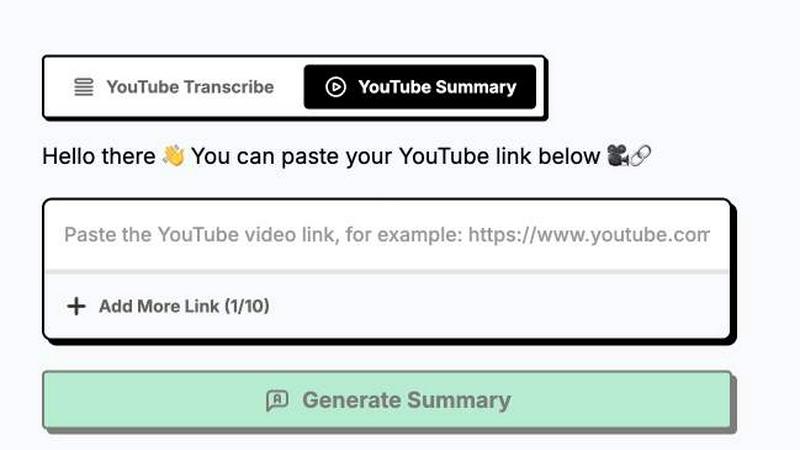
About ytskim
ytskim is a powerful AI tool designed to help you get accurate transcripts and structured summaries from any YouTube video in seconds. Whether you are a student, researcher, content creator, or professional who needs to quickly digest video content, ytskim eliminates the need to watch entire videos or manually take notes. The tool uses advanced AI models to listen to the audio from any YouTube video and convert it into a clean, readable text transcript. But it does not stop there. ytskim goes a step further by analyzing that transcript and generating a structured summary that highlights the key points, main ideas, and important details. This means you can understand the core message of a long video in just a few moments. The tool is designed to be beginner-friendly, so you do not need any technical skills to use it. Simply paste a YouTube link, and within seconds, you will have both the full transcript and a well-organized summary. ytskim is perfect for anyone who wants to save time, improve their research efficiency, or repurpose video content for blogs, social media, or study notes. Its main value proposition is speed, accuracy, and simplicity, making video content more accessible and actionable for everyone.
Features of ytskim
Instant Transcript Generation
ytskim processes any YouTube video link you provide and returns a complete, accurate transcript of the spoken content within seconds. The AI is trained to handle various accents, speech speeds, and background noise levels, ensuring you get a reliable text version of the video. This feature saves you from manually transcribing or rewatching sections, letting you quickly search for specific quotes or topics within the video.
Structured AI Summaries
Beyond just providing raw text, ytskim uses intelligent algorithms to analyze the transcript and create a structured summary. This summary breaks down the video into key sections, main points, and important conclusions. Instead of reading through pages of dialogue, you get a concise overview that captures the essence of the video. This is especially helpful for long educational videos, lectures, or meetings.
Easy One-Click Workflow
The entire process is designed to be as simple as possible. You do not need to create an account or install any software. Just copy the YouTube video link, paste it into ytskim, and click a single button. The tool handles everything from fetching the video to processing the audio and delivering the results. This streamlined workflow makes it accessible for beginners and efficient for power users.
Copy and Export Options
Once ytskim generates your transcript and summary, you can easily copy the text to your clipboard or export it for further use. This feature is perfect for integrating the content into your notes, documents, or blog posts. You can also share the structured summary with colleagues or classmates without needing to share the entire video link. This flexibility ensures the information is portable and ready for your workflow.
Use Cases of ytskim
Academic Research and Study
Students and researchers can use ytskim to quickly get the main points from educational YouTube videos, lectures, and tutorials. Instead of watching a 30-minute lecture multiple times, you can get a structured summary in seconds. This helps you review key concepts, prepare for exams, and gather citations for your papers. The transcript also allows you to quote the speaker accurately in your assignments.
Content Repurposing for Creators
Content creators, bloggers, and social media managers can use ytskim to turn YouTube videos into written content. You can use the transcript to write blog posts, create social media captions, or develop newsletter articles based on the video's content. The structured summary helps you identify the most shareable points, saving you hours of manual note-taking and rewriting.
Professional Meeting and Webinar Notes
Professionals who attend webinars, training sessions, or internal meetings recorded on YouTube can use ytskim to capture key takeaways. Instead of taking notes during a live event, you can review the summary afterward. This ensures you never miss important action items or decisions. The transcript also serves as a permanent record of the discussion for future reference.
Language Learning and Accessibility
Language learners can use ytskim to get transcripts of videos in their target language, helping them read along while listening. This improves comprehension and vocabulary retention. Additionally, the tool makes video content more accessible for individuals who are deaf or hard of hearing, providing a text alternative to the audio. The structured summary also helps learners focus on the main ideas.
Frequently Asked Questions
How do I get a transcript from a YouTube video using ytskim?
Getting a transcript is very simple. First, go to YouTube and open the video you want to transcribe. Copy the full video URL from your browser's address bar. Then, go to the ytskim website and paste that link into the input field provided. Click the button to start processing. Within seconds, ytskim will display the full transcript and a structured summary of the video for you to read or copy.
Is ytskim free to use?
The provided context does not mention any specific pricing or subscription plans. Based on the available information, ytskim appears to offer its core functionality for generating transcripts and summaries. For detailed information about any free tiers, usage limits, or premium features, you should visit the official ytskim website or contact their support team directly.
Can I use ytskim for any YouTube video?
ytskim is designed to work with most public YouTube videos that have clear audio. It can process videos in multiple languages, though accuracy may vary depending on the language and audio quality. Videos that are private, age-restricted, or have very poor audio quality may not work as well. The tool is optimized for videos where speech is the primary content.
What is the difference between the transcript and the summary?
The transcript is a complete, word-for-word text version of everything spoken in the YouTube video. It includes all dialogue, pauses, and filler words. The summary, on the other hand, is a shorter, structured overview that highlights the main points, key ideas, and conclusions from the video. The summary is generated by AI analysis of the transcript, so it is more concise and easier to scan quickly.
Similar to ytskim
Novastart
Apps and files on an infinite canvas where people and AI agents work together.

Panzoe
Panzoe is an all-in-one AI platform for personal productivity, business automation, AI assistants, content creation, and custom AI solutions.
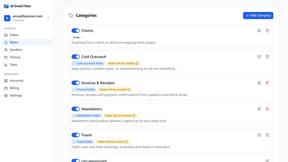
AI Email Filter
AI Email Filter sorts incoming mail into folders using plain-language prompts you write. Works with any IMAP mailbox; bring your own LLM if you want.
Egmatic
No-code 2D game editor: visual node logic, drag-and-drop scenes, live preview. Exports to Windows, macOS, Linux, Android, iOS, Web.
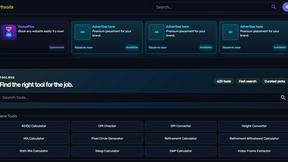
Kody Tools
Free collection of online developer utilities, code formatters, and digital converters designed to streamline your daily workflow.
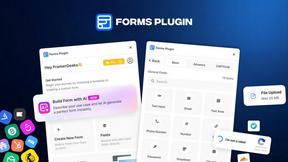
Forms Plugin
The #1 Native Form Builder Plugin for Framer - No Code, No Embeds, No External Platforms.
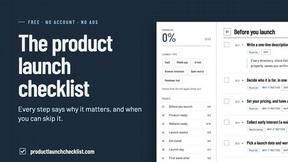
Product Launch Checklist
A free launch checklist for SaaS, apps, AI tools and more. Every step says why it matters and when you can skip it.

HomeAnswerBook
Practical, independent guides to home repairs, maintenance, costs, troubleshooting, and everyday fixes.