
Veo 4 video generator
Veo 4 turns your text, images, or existing clips into stunning, studio-quality videos in seconds with simple step-by-step prompts.
Visit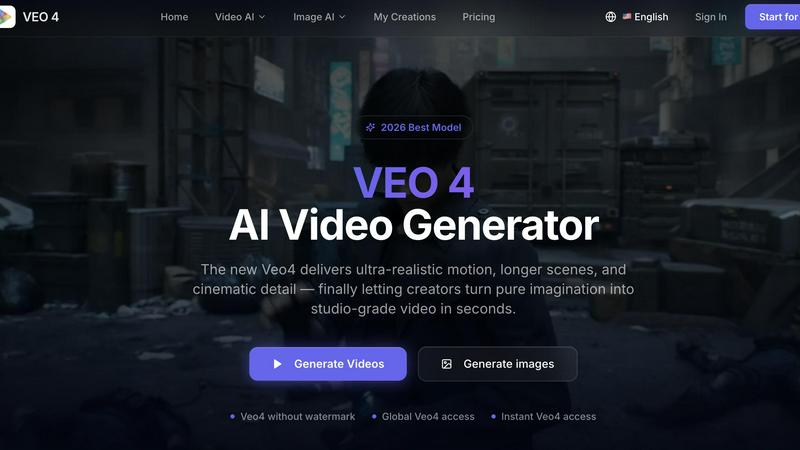
About Veo 4 video generator
Veo 4 is a next-generation AI video generator designed specifically for creators, brands, and marketing teams who need to turn ideas into studio-grade video content in seconds. Unlike other AI tools that feel like research demos, Veo 4 is a practical, workflow-focused platform that helps you produce usable clips for real projects. Whether you are a solo creator experimenting with new concepts or a marketing team working on tight deadlines, Veo 4 gives you the power to generate ultra-realistic motion, longer scenes, and cinematic detail from simple text prompts, images, or even existing video footage. The main value proposition is speed and clarity. You can start with a rough idea, a still photo, or a clip that needs improvement, and Veo 4 will turn it into polished output that is ready for ads, social media, landing pages, and product storytelling. The platform supports three core creation paths: text to video for exploring concepts, image to video for animating visuals, and video to video for restyling or extending existing footage. Veo 4 is built for teams that need to iterate fast, compare variations, and shorten the gap between concept and publishable media. With features like stronger motion control, cleaner framing, and longer clip exports, Veo 4 is the practical choice for anyone who wants to create believable, commercial-grade video without a slow production process.
Features of Veo 4 video generator
Text, Image, and Video to Video Creation
Veo 4 gives you three flexible ways to start your video project. You can begin with a text prompt when you want to explore a new concept or idea from scratch. You can upload an image when you need visual direction and want Veo 4 to animate a still photo into a moving scene. You can also start from an existing video clip when you need to restyle, extend, or improve the footage without rebuilding it from the ground up. This versatility means you are never stuck waiting for the right starting point. Whether you are brainstorming, working with existing assets, or refining rough cuts, Veo 4 provides a clear path to a polished first draft.
Superior Motion, Framing, and Scene Control
One of the standout features of Veo 4 is its ability to produce smoother motion and more intentional framing compared to earlier AI video tools. The model is designed to understand how objects move, how scenes should be composed, and how to maintain visual consistency across longer clips. This results in videos that feel more believable and cinematic, with fewer jarring transitions or unnatural movements. For creators and marketers, this means your ad creative, product demonstrations, and branded storytelling will look more professional and engaging. You get stronger control over the final output, making it easier to match your brand's visual standards.
Longer Clips with Cleaner Exports
Veo 4 is built to handle longer narrative sequences, campaign concepts, and product explainers without sacrificing quality. The platform allows you to create extended clips that maintain clarity and detail from start to finish. Cleaner exports mean the video files are ready to be dropped directly into your editing software, landing pages, or ad workflows without additional processing or cleanup. This saves you valuable time and reduces friction in your production pipeline. Whether you are creating a 30-second ad or a longer brand story, Veo 4 delivers output that is production-ready.
Designed for Commercial and Marketing Workflows
Veo 4 is not just a creative toy. It is a practical tool built for the demands of marketing and creative teams. The platform is optimized for common commercial jobs such as product launches, paid social videos, branded storytelling, and short-form content testing. You can generate first drafts faster, compare multiple variations of a concept, and iterate based on feedback without starting over. The interface is straightforward, with options to set aspect ratio, motion direction, and visual style so every video matches your specific ad, product, or brand goal. This focus on real-world usability makes Veo 4 a valuable addition to any team's content creation toolkit.
Use Cases of Veo 4 video generator
Creating Ad Concepts and Social Media Videos
Marketing teams can use Veo 4 to quickly generate ad concepts for product launches, paid social campaigns, and branded storytelling. Instead of spending days on storyboards and rough cuts, you can input a text prompt or an image and get a polished video in seconds. This allows you to test multiple creative directions, compare variations, and choose the strongest option before committing to full production. The result is faster turnaround times and more effective ads that resonate with your audience.
Animating Still Images for Product Demos
If you have product photos or lifestyle images, Veo 4 can bring them to life by animating the visuals into short video clips. This is perfect for e-commerce brands that want to show a product in use, or for creators who want to add motion to their portfolio. Simply upload your image, set the desired motion and style, and Veo 4 will generate a video that highlights the product's features in a dynamic way. This use case saves you the cost and time of a full video shoot while still delivering engaging content.
Restyling and Extending Existing Video Footage
Video to video workflow is one of Veo 4's most practical features. If you already have footage, rough cuts, or source material that needs a new look, stronger pacing, or cleaner motion, you can feed it into Veo 4 for restyling. This is especially useful for teams that have archived content or B-roll that could be repurposed for a new campaign. Instead of reshooting or manually editing, you can use Veo 4 to transform the existing clip into something fresh and on-brand.
Rapid Prototyping for Creative Teams
Creative agencies and in-house design teams can use Veo 4 to rapidly prototype video concepts for client presentations or internal reviews. Instead of creating detailed animatics or spending hours on editing, you can generate multiple video drafts from text prompts or images in minutes. This allows you to present a range of visual ideas, get feedback early, and iterate quickly. The speed of Veo 4 helps you move from concept to approval faster, keeping projects on schedule and within budget.
Frequently Asked Questions
What is Veo 4 and how does it work?
Veo 4 is an AI video generator that turns text prompts, images, or existing video clips into realistic, cinematic videos. You simply enter a description of what you want to see, upload a starting image or video, and adjust settings like aspect ratio and motion style. The AI model then processes your input and generates a polished video output that you can download and use in your projects. It is designed to be fast and intuitive, making video creation accessible to everyone from beginners to professionals.
Can I use Veo 4 for commercial projects?
Yes, Veo 4 is built specifically for commercial use. It is designed for marketing teams, agencies, and brands that need to create ads, social media content, product demos, and branded storytelling. The output is clean and production-ready, so you can use it directly in your campaigns, landing pages, and ad workflows. The platform is optimized for speed and iteration, helping you produce professional-grade video content for your business needs.
What are the main creation paths in Veo 4?
Veo 4 supports three main creation paths. Text to video lets you start with a written prompt to explore a concept from scratch. Image to video lets you upload a still photo and animate it into a moving scene. Video to video lets you take existing footage and restyle, extend, or improve it. This flexibility means you can work with whatever starting material you have, whether it is an idea, a photo, or a rough clip, and turn it into a polished final video.
Is there a watermark on videos created with Veo 4?
Veo 4 offers the option to generate videos without a watermark. This is ideal for creators and brands who want to use the output directly in their marketing materials, social posts, or client presentations without any branding overlays. The platform provides global access and instant generation, so you can get clean, professional videos quickly. Check the specific plan details for watermark-free options.
Similar to Veo 4 video generator

Raindance AI Video Generator
Turn two photos into the Raindance AI pier video with the soundtrack included
Opus 5.5 Video Generator
Turn a prompt into a 1080p motion-graphics MP4 planned and coded by Claude Opus 5.5
DanseAI - Alors on Danse AI Video Genera
Make the Alors on Danse AI meme video from two photos, soundtrack included

Rumpelstiltskin AI Video Generator
Make the viral Rumpelstiltskin tiptoe dance meme video from two photos
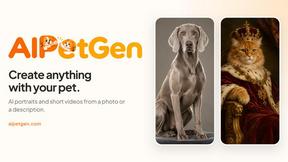
AIPetGen
AIPetGen turns a photo of your dog, cat, or other pet, or a written description, into a new picture or a short animation.
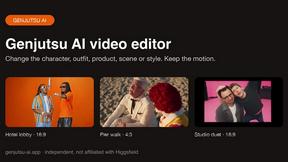

Hotel Lobby AI Video Generator
Turn two photos into a Hotel Lobby dance video in the orange A COLORS SHOW booth