

Alternatives to Veo 4 video generator
Veo 4 turns your text, images, or existing clips into stunning, studio-quality videos in seconds with simple step-by-step prompts.
Explore 20 alternatives to Veo 4 video generator. Compare features, pricing, and find the best fit for your needs.

Raindance AI Video Generator
Turn two photos into the Raindance AI pier video with the soundtrack included

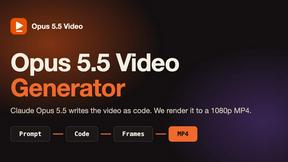
Opus 5.5 Video Generator
Turn a prompt into a 1080p motion-graphics MP4 planned and coded by Claude Opus 5.5

DanseAI - Alors on Danse AI Video Genera
Make the Alors on Danse AI meme video from two photos, soundtrack included

Rumpelstiltskin AI Video Generator
Make the viral Rumpelstiltskin tiptoe dance meme video from two photos

AIPetGen
AIPetGen turns a photo of your dog, cat, or other pet, or a written description, into a new picture or a short animation.


Hotel Lobby AI Video Generator
Turn two photos into a Hotel Lobby dance video in the orange A COLORS SHOW booth


ZombieTrend AI
Turn two photos into a cinematic zombie love story video. One becomes a zombie, the other chooses love, ending in a warm memory.

raindance ai
Raindance AI turns one portrait into a cinematic five-second seaside video for TikTok, Instagram Reels, and Shorts.

Genjutsu AI
Genjutsu AI turns your ideas into cinematic videos, product ads, social media shorts, and high-quality images in minutes.


GetYouTubeTranscript
Free YouTube transcripts on the web, a Chrome extension, and an API + MCP server so AI assistants can read YouTube.

Seedance 2.5 Free
Create polished AI videos from text or images online with Seedance 2.5 Free.

Pixo
Pixo is an AI video director that turns a prompt or script into a storyboard, consistent scenes, voiceover, and an edited final cut.

Seedance 2.5
Seedance 2.5 is a multimodal AI video generator by ByteDance for 30-second, high-fidelity cinematic video creation and AI video editing.


VideoAny BR
Create AI videos from text or images, generate images and audio in one online studio.

VideoAny BE
Create AI videos from text or images, generate images and audio in one online studio.
About Veo 4 video generator Alternatives
So, you've been hearing about the Veo 4 video generator, the next-generation AI tool that promises ultra-realistic motion and cinematic detail. It sits firmly in the AI video generation category, designed to help creators and brands turn their imagination into studio-grade video content. While Veo 4 is incredibly powerful, with its focus on longer scenes and stronger motion control, it might not be the perfect fit for everyone. You might be looking for alternatives because of specific pricing structures, a need for different platform integrations, or perhaps you want a tool that offers a unique feature set, like different artistic styles or a simpler interface for beginners. When you start searching for an alternative, it helps to know exactly what you need. Begin by thinking about the type of videos you want to create. Do you need hyper-realistic scenes like Veo 4 offers, or are you more interested in stylized animation or abstract visuals? Next, consider your budget and workflow. Some tools work on a subscription model, while others offer pay-as-you-go credits. You should also look at the learning curve; a beginner-friendly platform with lots of step-by-step guidance might be more valuable than a complex tool with every bell and whistle. Finally, check the output resolution and scene length limits, as these can vary greatly and will affect the final quality of your projects.
FAQs about Veo 4 video generator Alternatives
What is Veo 4 video generator?
Veo 4 is a next-generation AI video generator crafted specifically for creators and brands. It is designed to transform text prompts or simple ideas into highly realistic, cinematic video content. The tool is known for producing ultra-realistic motion, intricate detail, and longer, more cohesive scenes than many of its predecessors.
Who is Veo 4 video generator for?
Veo 4 is built for a wide range of users, from individual content creators and filmmakers to marketing teams and established brands. If you are looking to produce studio-grade video without the need for expensive cameras, actors, or sets, this tool is designed for you. It aims to empower anyone who wants to turn their imagination into compelling visual stories, regardless of their technical video production experience.
Is Veo 4 video generator free?
The specific pricing model for Veo 4 can vary depending on access tiers and platform partnerships, as it is a premium, professional-grade tool. While there may be limited free trials or credits offered for initial exploration, full access to its high-resolution, longer scene generation capabilities typically requires a paid subscription or usage plan. It is best to check the official platform for the most current pricing and free trial availability.
What are the main features of Veo 4 video generator?
The core features of Veo 4 include its ability to generate ultra-realistic motion and cinematic detail, setting it apart from simpler AI video tools. It excels at creating longer scenes with strong narrative coherence, and it provides creators with enhanced scene control. This allows for a higher degree of precision in bringing the creator's original vision to life, making it a powerful tool for professional and brand-level content.