
Square Face Generator
Create cute square avatars for free in your browser with no login required, just pick parts, colors, and download a transparent PNG.
Visit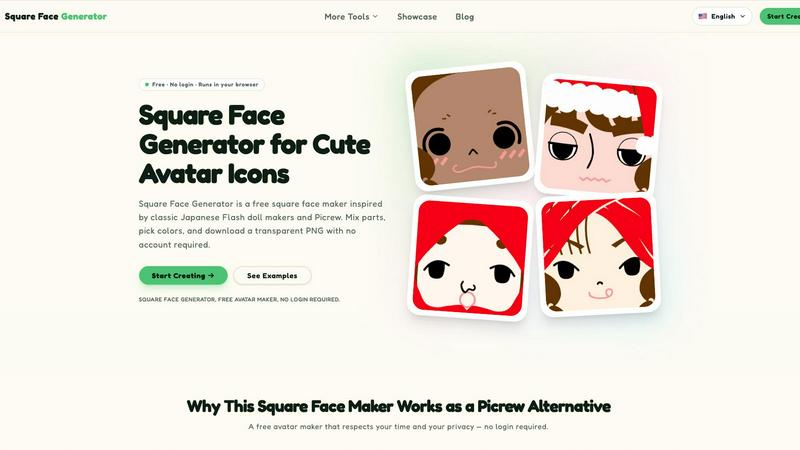
About Square Face Generator
Square Face Generator is a free, browser-based avatar maker that lets anyone create charming square-faced characters in minutes. Inspired by classic Japanese Flash doll makers and modern Picrew-style tools, this application brings the joy of character creation directly to your device without any downloads, logins, or complicated setup. With 12 distinct categories and over 200 customizable parts, you can mix and match skin tones, hairstyles, facial features, accessories, and outfits to generate millions of unique combinations. The tool is designed for everyone from social media users looking for a fresh profile picture to game developers needing quick character assets. Every part and color option is completely free with no paywalls or watermarks. Once you finish designing, you can download a transparent 256x256 PNG image with a single click, ready for use on any platform. The entire process runs locally in your browser, meaning your creative data never leaves your device. The interface is responsive and touch-friendly, working seamlessly on desktop computers, tablets, and smartphones. Whether you are a complete beginner or an experienced creator, Square Face Generator offers an intuitive, fun, and private way to build custom avatars that stand out.
Features of Square Face Generator
Extensive Customization Library
Choose from 12 categories and over 200 individual parts to create your perfect square face avatar. Categories include skin tones, bangs, side hair, eyes, nose, mouth, brows, lashes, blush, glasses, hats, and outfits. Each category offers multiple options, allowing you to combine elements in countless ways. This deep library ensures that every avatar you create feels unique and personal, whether you want a realistic look or a more stylized, cartoonish design.
Live Preview and Color Picker
As you select different parts and adjust colors, the avatar updates instantly in a live preview window. This real-time feedback lets you see exactly how your choices work together before finalizing your design. The built-in color picker supports fine-tuning for skin tones, hair colors, and outfits, including HEX input for precise color matching. You can experiment freely without worrying about losing your progress, making the creative process smooth and enjoyable.
Instant Transparent PNG Export
Once your avatar is complete, you can download it as a transparent 256x256 pixel PNG file with a single click. This format is perfect for profile pictures on social media, game assets, or any project requiring a clean, background-free image. There are no watermarks, no compression artifacts, and no hidden fees. The download happens instantly, so you can start using your new avatar right away across Discord, Twitter, Instagram, TikTok, and more.
Privacy-First Local Processing
Everything in Square Face Generator runs entirely within your browser using modern web technologies. No images, data, or personal information are ever sent to external servers. Your creations stay on your device from start to finish. This approach respects your privacy and eliminates the need for account creation or data sharing. You can design and download as many avatars as you want without ever worrying about your creative work being stored or tracked online.
Use Cases of Square Face Generator
Social Media Profile Pictures
Create a unique and memorable avatar for your social media accounts on platforms like Discord, X/Twitter, Instagram, and TikTok. Instead of using a generic photo or a common meme, you can design a custom square face that reflects your personality, interests, or mood. The transparent PNG format ensures your avatar looks clean and professional on any background, helping you stand out in crowded feeds and chat channels.
Game Development and Prototyping
Indie game developers can use Square Face Generator to quickly produce NPC portraits, player avatar placeholders, or character concept art. The tool provides a consistent artistic style across all generated faces, which is ideal for maintaining visual cohesion in early development stages. With over a million possible combinations, you can create diverse characters without spending hours on manual design or hiring an artist for placeholder assets.
Team and Community Branding
Guilds, clubs, classes, and online communities can use Square Face Generator to establish a unified visual identity while allowing individual expression. Each member can create their own avatar using the same base style, resulting in a cohesive group aesthetic with room for personal touches. This works well for Discord servers, gaming clans, student groups, or any organization that wants recognizable and fun member icons.
Creative Projects and Digital Art
Artists, content creators, and hobbyists can incorporate Square Face Generator avatars into slides, posters, stickers, school projects, zines, or social media graphics. The transparent background makes it easy to place avatars into any design software. You can use the tool to generate inspiration for character design, create consistent mascots for your brand, or simply enjoy the relaxing process of mixing and matching parts to see what emerges.
Frequently Asked Questions
Is it really free?
Yes, Square Face Generator is completely free to use. Every part, every color option, and every download is available without any cost. There are no paywalls, no watermarks, and no hidden fees. You do not need to create an account or provide any personal information to access any feature of the tool.
What size are the exports?
All exported images are 256x256 pixels in PNG format with a transparent background. This size is ideal for profile pictures on most social media platforms, game avatars, and digital projects. The resolution provides a good balance between visual clarity and file size for quick uploads and downloads.
Can I use my icon commercially?
You can use avatars created with Square Face Generator for both personal and commercial projects. This includes using them in games, on merchandise, in marketing materials, or any other commercial application. The tool does not place any restrictions on how you use the images you create. However, you cannot resell the tool itself or claim ownership of the individual parts.
Do I need to install anything?
No installation is required. Square Face Generator runs entirely in your web browser on desktop, tablet, and phone. There are no plugins, software downloads, or app installations needed. Simply open the website and start creating. The tool works with modern browsers like Chrome, Firefox, Safari, and Edge.
Explore more in this category:
Similar to Square Face Generator
YIX
AI image and video generation, photo editing, restoration and product visuals in one browser studio.

Design.com AI Image Generator
Turn text prompts into polished, copyright-safe visuals that plug directly into branded templates
Nano AI
Create and edit AI images, generate videos, and compare models in one creative workbench.
Screen Issues
Free Online Screen Test Tool - Instantly diagnose dead pixels, lines, color issues, and flickering. Multiple test modes, no download needed.

Tip Toe AI
Upload a Dancer photo and a Partner photo and get your own AI Tip Toe barn-dance video. Free 5s preview, 12s HD from $4.90. No subscription.
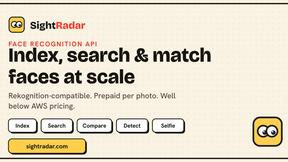
SightRadar
Face recognition API, a drop-in replacement for AWS Rekognition. Index, search, compare and detect faces, billed per photo with no subscription.
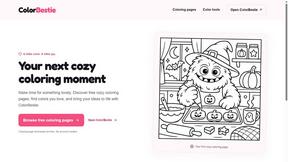
ColorBestie
AI color previews and marker color suggestions for coloring pages.
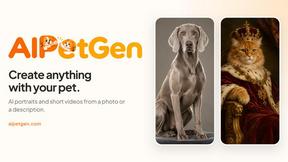
AIPetGen
AIPetGen turns a photo of your dog, cat, or other pet, or a written description, into a new picture or a short animation.