
SideKik
SideKik helps you turn more enquiries into customers by organizing your CRM, follow-ups, tasks, and growth tools in one simple place.
Visit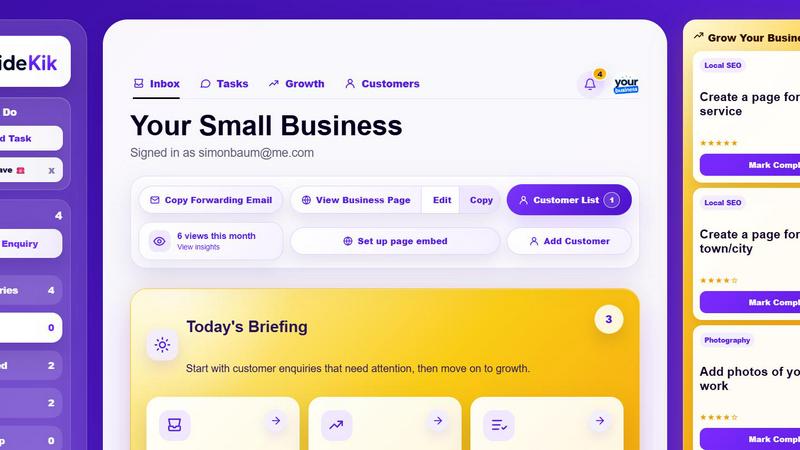
About SideKik
SideKik is a simple, easy-to-use CRM built specifically for small businesses and sole traders who want to win more customers without the complexity of traditional business software. Unlike heavy, expensive CRMs designed for large corporations, SideKik focuses on what small business owners actually need: a straightforward way to capture every enquiry, stay organized, and build better customer relationships. From the moment a new enquiry arrives through email, WhatsApp, your website, or social media, SideKik brings everything into one clean dashboard. You can track leads, manage customers, create tasks, set follow-up reminders, and see your daily workload at a glance so no opportunity slips through the cracks. SideKik is designed for electricians, plumbers, builders, cleaners, landscapers, photographers, estate agents, salon owners, dog groomers, mechanics, personal trainers, freelancers, consultants, and any other small business owner who wants to respond faster, follow up consistently, and turn more enquiries into paying customers. It removes the need for messy spreadsheets and scattered notes, giving you more time to focus on growing your business. SideKik also includes a ready-to-share mini website with your own branding and simple daily growth tasks to help more customers discover your business online. Start with a free 30-day trial with no credit card needed and see how easy customer management can be.
Features of SideKik
All-in-One Enquiry Dashboard
Every customer enquiry from email, WhatsApp, website forms, social media, or manual entry lands in one simple dashboard. You can instantly see who needs a reply, who needs a follow-up, and what stage each opportunity is in. This eliminates the chaos of checking multiple inboxes and helps you respond faster, which is critical for winning more customers. The dashboard gives you a clear view of recent enquiries, quoted customers, and won deals so you always know where your business stands.
Daily Tasks and Reminders
Create tasks in seconds and set optional due dates to keep your day organized. SideKik shows you exactly what needs doing today, tomorrow, or later, so you never miss an important follow-up or customer call. Whether you need to call a customer back, send a quote, or check on a job, the task system keeps everything visible and easy to manage. This simple structure helps busy business owners stay on top of their workload without feeling overwhelmed.
Ready-to-Share Mini Website
SideKik gives you a professional, branded mini website that showcases your services, service areas, and contact details. This page includes a built-in enquiry form that sends every new lead straight into your SideKik dashboard. You can share this page on social media, in emails, or on your business cards. It is a simple but powerful way to present your business professionally and capture more enquiries without needing a full website.
Simple Daily Growth Tasks
SideKik provides three simple growth tasks each day to help you improve your online presence and attract new customers. These tasks are practical and take only minutes to complete, such as creating your Google Business Profile, asking for reviews, or improving your website. This feature builds steady marketing habits that help you win more customers over time, without requiring advanced marketing skills or a big budget.
Use Cases of SideKik
Managing Customer Enquiries for a Plumbing Business
A plumber receives enquiries from multiple sources: phone calls, website forms, and social media messages. With SideKik, all these enquiries flow into one dashboard. The plumber can see which jobs need quotes, which customers are waiting for a callback, and which jobs have been won. They can create tasks to follow up on quotes and set reminders to check in with past customers for maintenance work. This organized approach helps the plumber respond faster and win more jobs without missing opportunities.
Organizing Follow-Ups for a Cleaning Service
A cleaning business owner gets enquiries daily but often forgets to follow up with potential clients. SideKik shows all pending enquiries and their statuses. The owner can set tasks to call back leads within 24 hours, send quotes, and follow up after a week. The daily briefing highlights which enquiries need attention, so nothing falls through the cracks. This consistent follow-up habit turns more enquiries into booked cleaning appointments and builds a reliable customer base.
Building Online Presence for a Personal Trainer
A personal trainer wants to attract more local clients but struggles with marketing. SideKik's daily growth tasks guide them to create a Google Business Profile, ask current clients for reviews, and share their mini website on social media. Over time, these small actions improve their online visibility and bring in more enquiries. The trainer can then manage those new enquiries in SideKik, track follow-ups, and schedule sessions, all from one simple tool.
Tracking Quotes and Jobs for an Electrician
An electrician juggles multiple quotes and jobs every week. With SideKik, they can track each enquiry from initial contact to quoted to won. They can add notes about customer preferences, job details, and pricing. Tasks remind them to send follow-up quotes or check if a customer is ready to book. This system prevents double-booking, ensures every quote is followed up, and helps the electrician manage their workload efficiently, leading to more completed jobs and happier customers.
Frequently Asked Questions
Is SideKik suitable for a sole trader with no previous CRM experience?
Yes, SideKik is built specifically for sole traders and small business owners who have never used a CRM before. The interface is clean and simple, with no complicated settings or steep learning curve. You can start capturing enquiries, creating tasks, and following up with customers in minutes. The daily growth tasks are designed to be easy to understand and complete, even if you are not tech-savvy. SideKik replaces messy spreadsheets and scattered notes with a single, organized system.
How does SideKik help me get more customers?
SideKik helps you win more customers in two main ways. First, it keeps every enquiry organized so you can respond faster and follow up consistently, which directly increases your conversion rate. Second, it provides simple daily growth tasks that improve your online presence, such as creating a Google Business Profile, asking for reviews, and sharing your mini website. These small actions help more customers discover your business online. Together, these features help you capture and convert more leads without working more hours.
Can I import my existing customer data into SideKik?
Yes, SideKik allows you to add customers manually or bring in data from other sources. You can add new customers one by one or enter details from your existing spreadsheets or notes. The system is designed to be flexible and easy to set up, so you can start using it right away without a long data migration process. Once your customers are in SideKik, you can view them all in one list and manage every interaction from there.
What happens after the 30-day free trial?
After your free 30-day trial, you can choose to continue using SideKik by selecting a paid plan that fits your business. The trial requires no credit card, so you can explore all features risk-free. If you decide not to continue, you can simply stop using the tool. Your data remains accessible for a period after the trial ends. SideKik's pricing is designed to be affordable for small businesses, and you can upgrade or downgrade your plan as your needs change.
Similar to SideKik

Panzoe
Panzoe is an all-in-one AI platform for personal productivity, business automation, AI assistants, content creation, and custom AI solutions.
AI Email Filter
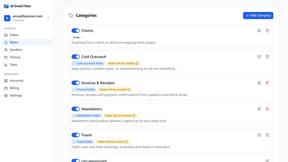
AI Email Filter sorts incoming mail into folders using plain-language prompts you write. Works with any IMAP mailbox; bring your own LLM if you want.

Egmatic
No-code 2D game editor: visual node logic, drag-and-drop scenes, live preview. Exports to Windows, macOS, Linux, Android, iOS, Web.
Kody Tools
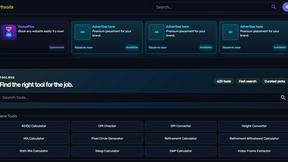
Free collection of online developer utilities, code formatters, and digital converters designed to streamline your daily workflow.
Forms Plugin
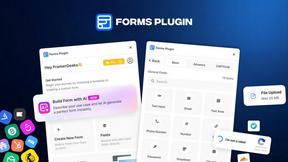
The #1 Native Form Builder Plugin for Framer - No Code, No Embeds, No External Platforms.
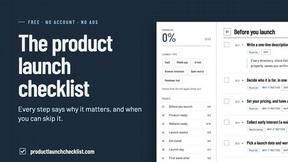
Product Launch Checklist
A free launch checklist for SaaS, apps, AI tools and more. Every step says why it matters and when you can skip it.

HomeAnswerBook
Practical, independent guides to home repairs, maintenance, costs, troubleshooting, and everyday fixes.
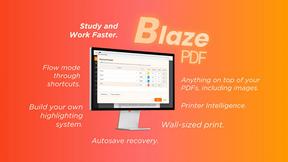
BlazePDF
Highlight faster. Study in flow with custom shortcuts and a workflow built around you. Print smarter, or turn any page into a tiled poster.