
SeeCalc
SeeCalc offers 56 free calculators covering marketing, health, finance, and more, with step-by-step explanations and instant, private results.
Visit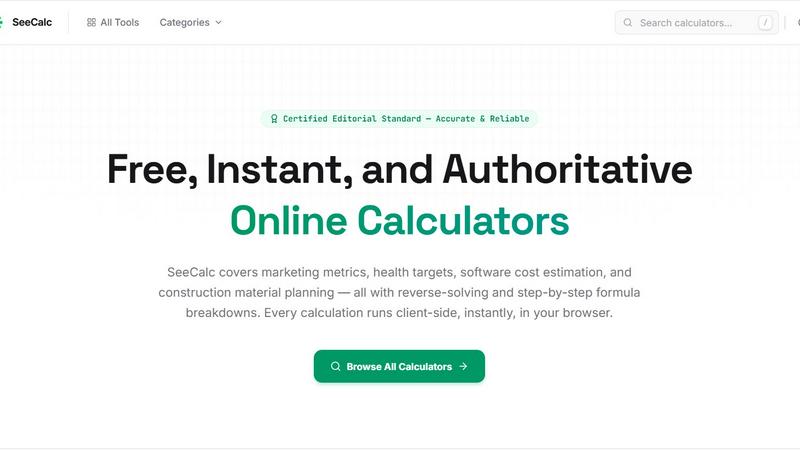
About SeeCalc
SeeCalc is a powerful, free online calculator platform built and maintained by a single passionate developer who believes that essential calculations should be fast, transparent, and accessible to everyone. Whether you are a marketing professional trying to optimize campaign budgets, a health-conscious individual tracking daily hydration, a small business owner estimating project costs, or a construction planner calculating material needs, SeeCalc provides authoritative, client-side tools that deliver instant results without compromising your privacy. The platform currently hosts over 56 free calculators spanning 12 specialist domains including marketing metrics, health targets, software cost estimation, construction material planning, finance, logistics, electrical engineering, and more. What makes SeeCalc truly special is its commitment to transparency every calculation includes a step-by-step formula breakdown so you can understand exactly how results are derived. Each tool offers between two to four solving modes, meaning you can enter different known values and reverse-solve for the unknown variable. For example, in the CPM calculator, you can calculate cost per mille from ad spend and impressions, or work backwards to find the required budget for a desired CPM. All calculations run entirely in your browser with zero data sent to any server, ensuring 100 percent client-side privacy. SeeCalc is designed for beginners who want clear guidance and for professionals who need reliable, industry-standard formulas. Every tool is certified under an editorial standard for accuracy, making SeeCalc a trustworthy resource for anyone who needs quick, authoritative answers without complicated software or hidden fees.
Features of SeeCalc
Reverse-Solving Capability
Each calculator on SeeCalc is designed with multiple solving modes that allow you to work forwards or backwards through any formula. Instead of being limited to one direction of calculation, you can enter any known variables and instantly solve for the unknown value. For instance, in the Business Valuation Calculator, you can input the seller's discretionary earnings and industry multiple to estimate business value, or you can start with a target valuation and reverse-solve for the required earnings. This flexibility makes SeeCalc incredibly practical for real-world scenarios where you often have different pieces of information available at different times. Beginners appreciate not having to rearrange formulas manually, and professionals love the time saved when exploring what-if scenarios.
Step-by-Step Formula Transparency
Every calculation on SeeCalc includes a clear, visible formula breakdown that shows you exactly how the result was computed. Instead of presenting a mysterious final number, each tool displays the industry-standard formula being used, the values you entered, and the step-by-step arithmetic that leads to the answer. This transparency builds trust and helps you learn the underlying math. For example, the Water Intake Calculator shows the formula Daily Water (fl oz) equals Body Weight (lbs) multiplied by 0.67, then walks you through the multiplication. Whether you are a student learning new concepts or a professional verifying results, this feature ensures you never have to wonder where a number came from.
100 Percent Client-Side Privacy
All calculations on SeeCalc run entirely within your browser using JavaScript. No data is ever sent to a server, stored, or shared with any third party. This means sensitive information like your body weight, business financials, or project budgets never leave your computer. You can use the tools with complete peace of mind, knowing that your privacy is fully protected. The instant processing also means you get results immediately without waiting for page reloads or server responses. This architecture is especially valuable for professionals in finance, healthcare, and other fields where data confidentiality is critical.
Wide Range of Specialist Domains
SeeCalc covers 12 distinct categories with over 56 calculators, each designed around industry-standard formulas and real-world use cases. From marketing metrics like CPM, CPA, and ROI to health calculators for hydration and nutrition, from software development cost estimation to construction material planning, and from logistics freight classification to electrical engineering formulas, the platform serves a remarkably diverse audience. Each domain hub includes worked examples and frequently asked questions to help you get started quickly. New tools are added regularly by the single developer, ensuring the platform stays current with evolving industry needs.
Use Cases of SeeCalc
Planning a Digital Advertising Campaign
Marketing professionals and small business owners can use the Marketing Calculators hub to plan and optimize their advertising spend. Start with the CPM calculator to determine the cost per thousand impressions for a display campaign, or use the CPA calculator to find the cost per acquisition based on total spend and conversions. The reverse-solving feature lets you work backwards from a target CPM to find the required budget or expected impression volume. You can also calculate ROI and compare different media buying strategies instantly. All formulas are industry-standard, so your numbers will align with what agencies and publishers use.
Setting Daily Hydration Goals
Health-conscious individuals can use the Water Intake Calculator to determine their personalized daily hydration target based on body weight. Simply enter your weight in pounds or kilograms, and the tool applies the clinically recognized formula of 0.67 fluid ounces per pound. Results are displayed in fluid ounces, liters, milliliters, and glasses, making it easy to track your intake throughout the day. The calculator also offers reverse-solving modes, allowing you to determine what weight a specific water intake level would correspond to. This is a simple, evidence-based way to support overall health and wellness.
Estimating Software Development Costs
Entrepreneurs, product managers, and startup founders can use the Dev Cost Calculators to estimate the budget for building a mobile app, website, or IT project. The App Development Cost calculator uses the formula Cost equals Hours multiplied by Rate multiplied by (1 plus Buffer divided by 100). You can estimate costs from hours and hourly rate, from feature count, or work backwards from a fixed budget to find the maximum development scope. This helps you make informed decisions before approaching development agencies or hiring freelancers, and ensures you have realistic budget expectations.
Calculating Construction Material Needs
Contractors, builders, and DIY enthusiasts can use the Construction Calculators to plan masonry projects accurately. The brick count calculator helps you determine exactly how many bricks you need for a wall based on dimensions, while the wall coverage area tool calculates material quantities for plastering or painting. The material cost estimation feature combines quantities with current prices to give you a complete budget. These tools save time and prevent costly over-ordering or under-ordering of materials. All formulas follow standard construction industry practices, ensuring your estimates are reliable for project planning and supplier quotes.
Frequently Asked Questions
Are the calculations on SeeCalc really free to use?
Yes, every single calculator on SeeCalc is completely free to use with no hidden fees, subscriptions, or paywalls. The platform is built and maintained by a single passionate developer who believes that essential calculations should be accessible to everyone. There are no limits on how many calculations you can perform, and you do not need to create an account or provide any personal information. The developer funds the platform independently to keep it free for all users.
How does the reverse-solving feature work?
Reverse-solving means you can enter different combinations of known values to find the unknown variable in any formula. For example, in the CPM calculator, you can enter ad spend and impressions to calculate CPM, or you can enter CPM and impressions to find the required ad spend. Each calculator clearly labels which values you need to input and which result will be calculated. The tool automatically rearranges the formula for you, so no manual algebra is required. This feature is available in most calculators and typically offers between two to four solving modes per tool.
Is my data safe when I use SeeCalc?
Absolutely. All calculations run entirely on your device using client-side JavaScript. No data you enter is ever sent to any server, stored in any database, or shared with any third party. Your weight, financial figures, project details, and any other information remain completely private on your own computer. This is a core design principle of SeeCalc and is clearly stated as 100 percent client-side privacy. You can verify this by using the tools while disconnected from the internet after the page has loaded.
How often are new calculators added to the platform?
New calculators are added regularly by the single developer who maintains SeeCalc. The platform currently offers over 56 free calculators across 12 specialist domains, and the developer continues to expand based on user feedback and emerging needs. You can check the All Tools page or individual category hubs to see the latest additions. If you have a suggestion for a new calculator, you can typically reach out through the website, and the developer considers all reasonable requests for new tools.
Explore more in this category:
Similar to SeeCalc

SnitchFeed
SnitchFeed is an agentic social listening tool that surfaces high-intent conversations on LinkedIn, X, Hackernews, and more for GTM and product teams.

Forms Plugin
The #1 Native Form Builder Plugin for Framer - No Code, No Embeds, No External Platforms.

Product Launch Checklist
A free launch checklist for SaaS, apps, AI tools and more. Every step says why it matters and when you can skip it.

HomeAnswerBook
Practical, independent guides to home repairs, maintenance, costs, troubleshooting, and everyday fixes.
BlazePDF
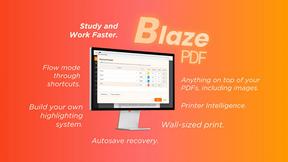
Highlight faster. Study in flow with custom shortcuts and a workflow built around you. Print smarter, or turn any page into a tiled poster.


ContextBolt SEO
Research keywords, competitors, backlinks and AI visibility inside Claude or Codex, with findings saved to your SEO dashboard.

Build Mode for Mac
Build Mode is a Mac app that turns focused sessions into visible progress, so you can see the work adding up before the results arrive.