
Quickfix AI
Quickfix AI instantly diagnoses your computer's health and provides clear, actionable insights for better performance.
Visit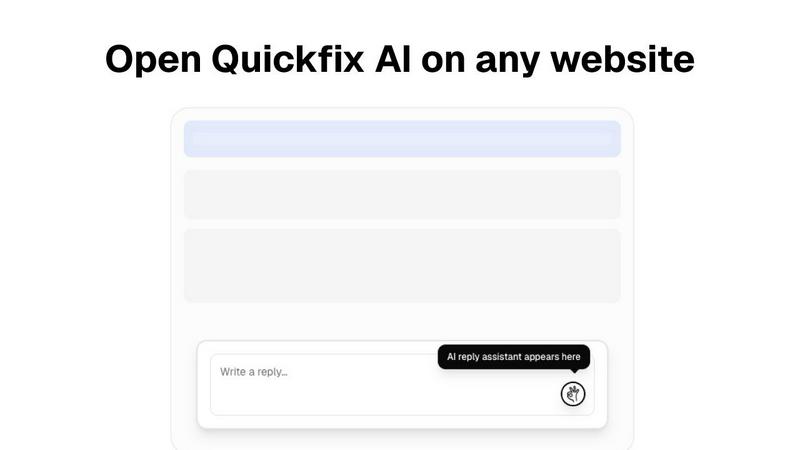
About Quickfix AI
Quickfix AI is a versatile digital companion designed to simplify two crucial tasks in your online life: communication and system diagnostics. As a powerful browser extension, it instantly generates tailored replies for various online platforms, whether you are responding to emails, interacting on social media, or addressing customer inquiries. This feature eliminates the frustration of writer's block, allowing you to respond quickly and effectively, saving you countless hours each week. Beyond communication, Quickfix AI also functions as a desktop application that provides comprehensive system diagnostics. In under a minute, it delivers a clear and straightforward report on your computer's health, performance, and security. Quickfix AI is ideal for professionals needing swift communication, everyday users seeking ease, and IT support teams wanting to troubleshoot efficiently. Its core value lies in its simplicity and power, placing advanced AI assistance at your fingertips to enhance your digital experience and productivity.
Features of Quickfix AI
Intelligent Reply Generation
This feature allows Quickfix AI to analyze the context of any online text box and produce thoughtful, relevant replies with just one click. No more stress over what to say; AI takes care of it for you.
Comprehensive System Diagnostics
Quickfix AI scans your computer and provides a detailed report on performance metrics, including CPU usage, memory pressure, and storage health. This feature ensures that you can monitor your system's health effortlessly.
User-Friendly Interface
Designed for everyone, Quickfix AI features an intuitive interface that simplifies complex diagnostics. Users can easily navigate reports and understand the information without needing technical expertise.
Instant AI Consultation
With Quickfix AI, users can ask questions about their diagnostic reports and receive clear, straightforward answers. This feature empowers you to make informed decisions about your system's performance and necessary actions.
Use Cases of Quickfix AI
Troubleshooting Computer Issues
When your computer is acting up, Quickfix AI can identify problems quickly and provide recommendations. It takes the guesswork out of troubleshooting, making it easy even for those without technical backgrounds.
Enhancing Workplace Communication
In a fast-paced work environment, Quickfix AI helps you draft quick, effective replies to emails and messages. This saves time and ensures your communication is always professional and relevant.
Supporting IT Teams
IT support can use Quickfix AI as a diagnostic tool to assist users. By generating sharing codes, IT professionals can quickly assess issues remotely, streamlining the support process.
Assisting Non-Tech Users
Quickfix AI is perfect for everyday users who may be intimidated by technology. With its simple diagnostics and easy-to-understand language, it empowers anyone to manage their system health confidently.
Frequently Asked Questions
Is Quickfix AI free?
Quickfix AI offers a free version with essential features. For advanced functionality, you may explore premium options available on their website.
Is my data secure?
Yes, Quickfix AI prioritizes user privacy and data security. It adheres to strict data protection protocols to ensure your information remains confidential.
Do I need technical knowledge to use Quickfix AI?
No, Quickfix AI is designed for users of all technical levels. Its intuitive interface and plain language explanations make it accessible to everyone.
How long does a scan take?
A system scan with Quickfix AI takes less than a minute, providing you with instant insights into your computer's performance and health.
Explore more in this category:
Similar to Quickfix AI
Kody Tools
Free collection of online developer utilities, code formatters, and digital converters designed to streamline your daily workflow.


laya.tools
Free directory of 950+ projects built on Laya, the open-source model that turns text into typed decisions. Ports, SDKs, agents and demos.

Sprite Sheet Maker
A free browser-based toolkit for creating, cutting, converting, and previewing sprite sheet animations.

Forms Plugin
The #1 Native Form Builder Plugin for Framer - No Code, No Embeds, No External Platforms.

Product Launch Checklist
A free launch checklist for SaaS, apps, AI tools and more. Every step says why it matters and when you can skip it.

HomeAnswerBook
Practical, independent guides to home repairs, maintenance, costs, troubleshooting, and everyday fixes.
