
Push My App
Push My App helps you write, design, and submit your app store listing in one dashboard so you can skip the busywork and get back to coding.
Visit
About Push My App
Push My App is an all-in-one platform designed specifically for indie developers and small studios who want to ship their iOS and Android apps to the App Store and Google Play Store without the usual launch-week grind. Instead of spending days writing metadata, resizing screenshots, translating listings, and worrying about rejections, you can handle everything from a single dashboard in just a single afternoon. The platform uses artificial intelligence to generate your app name, keywords, description, and release notes, all optimized for App Store Optimization (ASO) in seconds. It also includes a Pre-Flight Rejection Scanner that checks your build and listing against more than 80 known Apple and Google rejection reasons before you even hit submit. You can upload one set of screenshots and automatically resize them into every required device size for both stores. The app translator converts your full listing into 14 languages with keywords re-optimized per locale. Simply drop your .ipa, .apk, or .aab file, and Push My App extracts the bundle ID, version, and icon, validates compliance, and submits directly to App Store Connect and Google Play with one click. You can even generate a website and get a support mailbox for your app using your metadata and screenshots. What used to take days by hand now takes minutes, letting you ship your next release five times faster.
Features of Push My App
AI-Generated ASO Metadata
This feature writes your app name, subtitle, keywords, description, and release notes optimized for discoverability on both the App Store and Play Store. The AI generates these elements in seconds, scoring them against best practices so you know your title and keywords are strong. You can review, edit, and approve the suggestions before moving forward, saving you hours of manual research and writing.
Pre-Flight Rejection Scanner
Before you submit your app, this tool scans your build and listing against more than 80 known rejection reasons from Apple and Google. It flags potential blockers, such as missing privacy manifests or incorrect metadata, so you can fix them ahead of time. This proactive check dramatically reduces the chance of your app being rejected, saving you from frustrating resubmission cycles.
App Translator and Screenshot Resizer
The app translator converts your full listing into 14 languages, including Spanish, German, French, Japanese, and Portuguese, with keywords re-optimized for each locale. The screenshot resizer lets you upload one set of screenshots and automatically generates every required device size for both stores, so you never have to manually crop or resize images again.
Direct Submission and App File Scanner
Drop your .ipa, .apk, or .aab file into the platform, and the app file scanner automatically extracts your bundle ID, version, and icon while validating compliance. From there, you can submit directly to App Store Connect and Google Play Console with a single click, complete with pre-submission validation that checks for common errors before the upload begins.
Use Cases of Push My App
Indie Developer Launching Their First App
If you are a solo developer building your first mobile app, the entire submission process can feel overwhelming. Push My App guides you step by step, from generating optimized metadata to resizing screenshots and checking for rejection risks. You can go from a finished build to a live listing in one afternoon, without needing to learn the intricacies of each store's requirements.
Small Studio Managing Multiple App Versions
For a small studio with several apps or frequent updates, manually updating metadata, screenshots, and translations for each release is a major time drain. Push My App centralizes all your app profiles, tracks version history automatically, and lets you submit updates to both stores simultaneously. This keeps your team focused on coding rather than repetitive listing tasks.
Developer Needing Multilingual App Listings
When you want to launch your app in international markets, translating your listing into multiple languages and optimizing keywords per region is essential but tedious. Push My App translates your full listing into 14 languages and re-optimizes keywords for each locale, helping you reach a global audience without hiring translators or doing manual research.
Team Using CI/CD Pipelines for Deployment
If your team uses tools like Xcode, Android Studio, Expo, Fastlane, or GitHub Actions, you can integrate Push My App into your existing workflow. The platform accepts your build files directly and handles the store submission, so your continuous integration pipeline can trigger automated releases without manual intervention. This streamlines your deployment process and reduces human error.
Frequently Asked Questions
Do I need any prior experience with App Store Connect or Google Play Console to use Push My App?
No, you do not need deep experience. Push My App is designed to be beginner-friendly and guides you through each step, from generating metadata to submitting your build. The platform handles many of the technical details, like resizing screenshots and checking for rejection reasons, so you can focus on your app.
What file types does Push My App accept for upload?
The platform accepts .ipa files for iOS apps and .apk or .aab files for Android apps. When you drop your file, the app file scanner automatically extracts your bundle ID, version number, and app icon, and validates compliance with store requirements before submission.
How many rejection reasons does the Pre-Flight Scanner check for?
The Pre-Flight Rejection Scanner checks your build and listing against more than 80 known rejection reasons from both Apple and Google. This includes common issues like missing privacy manifests, incorrect metadata, and compatibility problems, helping you catch and fix problems before you submit.
Can I use Push My App to update an existing app already on the store?
Yes, absolutely. Push My App is built for both new launches and updates to existing apps. You can import your current app metadata, track version history automatically, and submit new builds and listing changes directly to both stores with a single click.
Pricing of Push My App
Push My App offers a free Starter plan that requires no credit card and includes basic features to get you started. For more advanced capabilities, there is a 30-day free trial of the Growth plan, which unlocks additional tools like unlimited translations, priority support, and advanced analytics. You can see full pricing details on the Push My App website by visiting the Pricing page.
Similar to Push My App
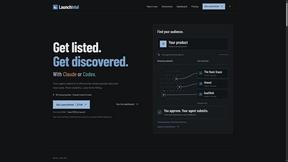
LaunchIntel
Your AI agent picks relevant directories, submits your product in your browser and tracks every step. One-time purchase.
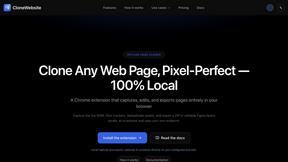
CloneWebsite
Clone any webpage pixel-perfect, export HTML/CSS/ZIP or React/Vue components.
ogimagegenerator.dev
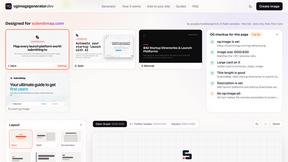
Paste a URL and AI designs on-brand Open Graph images from your page's colours, fonts and logo. Free, no sign-up.
Screen Issues
Free Online Screen Test Tool - Instantly diagnose dead pixels, lines, color issues, and flickering. Multiple test modes, no download needed.
ChatterAPI
One API key and one credit balance for Reddit and X data. REST endpoints and a hosted MCP server, so your code and your agents call the same tools.