
Opal
Opal is a visual workspace that organizes all your projects and notes for instant access, eliminating the hassle of searching.
Visit
About Opal
Opal is a revolutionary visual knowledge and project management workspace tailored for individuals who think spatially. It addresses the frustrations of traditional note-taking applications where ideas often get lost in nested folders or buried under layers of documents. With Opal, you have an infinite digital canvas that allows you to drag and drop notes, documents, files, and links, organizing them in a way that is intuitive and visually appealing, just like a physical desk. This unique spatial memory approach enhances recall by allowing you to remember where information is located rather than just what it is. Built for solopreneurs, consultants, agency owners, writers, and anyone who relies on detailed conversations and commitments, Opal keeps your active projects, client information, and creative ideas in clear view. This means you can focus on your work without the constant distraction of searching for lost notes or ideas, enabling you to be more productive and creative.
Features of Opal
Infinite Digital Canvas
Opal provides users with an infinite digital canvas where they can arrange their notes, documents, and ideas freely. This flexibility allows for a more organic organization that mimics the way your brain works.
Visual Organization
With Opal, you can visually organize your workspace by dragging and dropping items exactly where you want them. This feature helps create a personalized layout that enhances accessibility and reduces the time spent searching for information.
Instant Retrieval
The spatial memory approach of Opal ensures that users can instantly retrieve information based on its location, rather than its title. This leads to a more intuitive experience, as your brain naturally maps out where everything is stored.
Collaborative Workspace
Opal is designed for both individual and team use, allowing multiple users to access the same workspace. This means that you can collaborate seamlessly, sharing ideas and projects without the hassle of miscommunication or lost files.
Use Cases of Opal
Freelance Project Management
Freelancers can utilize Opal to manage multiple client projects simultaneously. By visually organizing tasks, notes, and deadlines, they can maintain clarity and efficiency without getting overwhelmed.
Content Creation and Strategy
Writers and marketers can use Opal to outline content strategies, brainstorm ideas, and keep track of submissions. The visual layout allows for easy adjustments and updates as projects evolve.
Client Relationship Management
Consultants and agency owners can keep all client-related information in one place. This includes meeting notes, project timelines, and important documents, ensuring that no details are lost in the shuffle.
Creative Brainstorming
For teams engaged in creative work, Opal offers a space for brainstorming sessions where ideas can be visually laid out. This fosters collaboration and innovation by allowing everyone to contribute and see the bigger picture.
Frequently Asked Questions
How does Opal enhance my productivity?
Opal enhances productivity by providing a visual workspace that keeps all your notes and projects in sight. This reduces the time spent searching for information, allowing you to focus more on completing tasks.
Can I use Opal for team collaborations?
Yes, Opal is designed for collaborative use, enabling multiple users to access and contribute to the same workspace. This feature facilitates teamwork and ensures everyone is on the same page.
Is Opal suitable for large projects?
Absolutely! Opal's infinite canvas and visual organization make it ideal for managing large projects that involve multiple components, such as tasks, notes, and documents.
How does Opal differ from traditional note-taking apps?
Unlike traditional note-taking apps that often rely on folders and hierarchies, Opal allows you to organize information visually. This spatial approach helps you remember where things are located, making retrieval faster and easier.
Similar to Opal
Novastart
Apps and files on an infinite canvas where people and AI agents work together.

Panzoe
Panzoe is an all-in-one AI platform for personal productivity, business automation, AI assistants, content creation, and custom AI solutions.
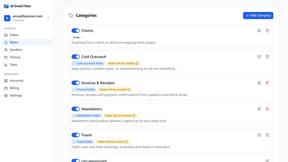
AI Email Filter
AI Email Filter sorts incoming mail into folders using plain-language prompts you write. Works with any IMAP mailbox; bring your own LLM if you want.
Egmatic
No-code 2D game editor: visual node logic, drag-and-drop scenes, live preview. Exports to Windows, macOS, Linux, Android, iOS, Web.
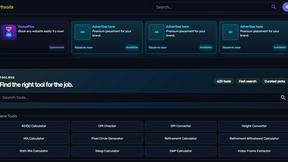
Kody Tools
Free collection of online developer utilities, code formatters, and digital converters designed to streamline your daily workflow.
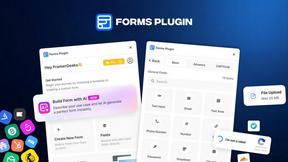
Forms Plugin
The #1 Native Form Builder Plugin for Framer - No Code, No Embeds, No External Platforms.
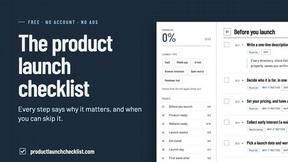
Product Launch Checklist
A free launch checklist for SaaS, apps, AI tools and more. Every step says why it matters and when you can skip it.

HomeAnswerBook
Practical, independent guides to home repairs, maintenance, costs, troubleshooting, and everyday fixes.