
MCPize
MCPize helps you discover and install 1000 premium MCP servers with one API key, while publishers earn 80% revenue.
Visit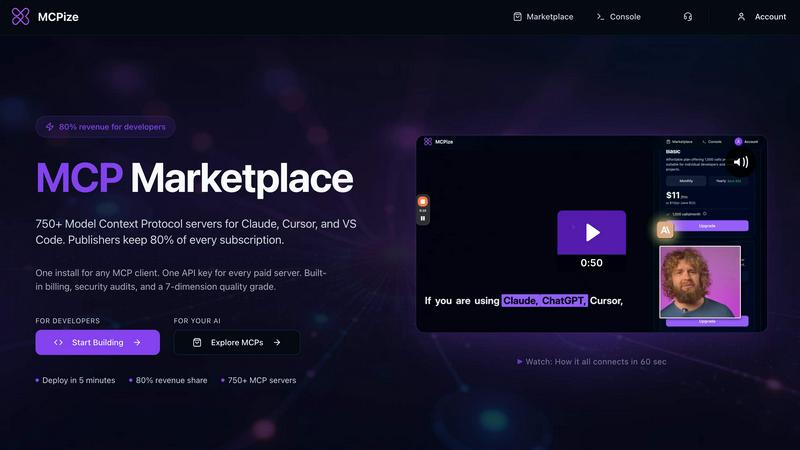
About MCPize
MCPize is a complete platform for Model Context Protocol (MCP) servers, designed to bridge the gap between AI agents and the tools they need to be truly useful. Think of it as the App Store for AI, but purpose-built for the new world of agentic workflows. At its core, MCPize is a vibrant marketplace featuring over 1,000 vetted MCP servers that integrate seamlessly with popular AI tools like Claude, Cursor, VS Code, Windsurf, and ChatGPT. Every single server on the platform undergoes a rigorous 7-dimension quality audit that checks for protocol compliance, OAuth security, reliability, and safety, so you never have to worry about plugging in a shady or broken tool. For developers, MCPize is a launchpad. You can publish and deploy a new MCP server in about 30 seconds using GitHub auto-deploy, and you get to keep 80 percent of every subscription dollar you earn. For users, it is a dream of simplicity. Instead of juggling a dozen different API keys and billing accounts, you get one unified API key, one consolidated bill, and one dashboard to track usage, costs, and set alerts. There is even a generous free tier that gives you 25,000 requests per month with no credit card required. Whether you are a solo developer building a niche tool or a large team looking to supercharge your AI workflows, MCPize provides the infrastructure, the audience, and the trust layer to make it all work.
Features of MCPize
Vetted Marketplace with 1,000+ Servers
MCPize hosts over 1,000 Model Context Protocol servers, each one carefully vetted through a 7-dimension quality audit. This audit checks for protocol compliance, OAuth security, reliability, and safety, ensuring that every server you install is trustworthy and functional. You can browse servers by category, see their quality grades, and read reviews from other developers before installing anything.
One Unified API Key and Billing
Say goodbye to managing a dozen different API keys and separate billing accounts. With MCPize, you get one unified API key that works across every paid server on the platform. You also receive one consolidated bill at the end of each month, making it easy to track your spending. The dashboard gives you a clear overview of your usage, costs, and allows you to set alerts to avoid surprises.
Fast Deploy and 80% Revenue Share for Developers
Developers can publish and deploy a new MCP server in about 30 seconds using GitHub auto-deploy. MCPize handles the infrastructure, hosting, and billing, so you can focus on building your tool. As a publisher, you keep 80 percent of every subscription dollar you earn. The platform has already paid over $200,000 to vendors, showing a real and growing ecosystem.
Generous Free Tier and Usage Tracking
MCPize offers a generous free tier that gives you 25,000 requests per month with no credit card required. This is perfect for trying out servers, building small projects, or getting started with AI agents. The dashboard also provides detailed usage tracking, so you can monitor how many requests each server is using, set cost alerts, and adjust your subscriptions as needed.
Use Cases of MCPize
Supercharging Your AI Coding Assistant
Developers using tools like Claude, Cursor, or VS Code can install MCP servers to give their AI coding assistant superpowers. For example, you can install a server that automates CI/CD pipelines, manages GitHub workflows, or generates architecture diagrams from Mermaid code. Instead of manually switching between tools, your AI agent can handle these tasks directly, saving you hours of repetitive work.
Integrating Local Payment Gateways
If you are building an e-commerce or fintech app for a specific market, MCPize has servers that handle local payment integrations. For instance, the Bangladesh Payment Orchestrator server provides programmatic access to bKash and Nagad mobile financial services. You can initiate transactions, check statuses, and manage payouts all through your AI agent, without needing to write complex API integration code yourself.
Automating Digital Marketing Workflows
Marketing teams can use MCPize to automate content creation, paid advertising, SEO optimization, and social media management. Servers like Behemoth offer over 100 professional marketing tools that your AI agent can call upon. You can generate SEO-optimized blog posts, create high-converting ad copy, schedule social media posts, and analyze campaign performance, all from a single chat interface.
Research and Lead Generation
For sales and research professionals, MCPize offers servers that can search viral content on X/Twitter, analyze any account, find trending topics by country, and discover niche leaders. The prospector-mcp-email-finder server helps you find and verify B2B email addresses without needing a paid API subscription. Your AI agent can conduct market research, build lead lists, and gather competitive intelligence in minutes.
Frequently Asked Questions
What is Model Context Protocol (MCP) and why do I need it?
Model Context Protocol (MCP) is a standard way for AI agents like Claude, ChatGPT, and Cursor to connect with external tools and data sources. Think of it as an API specifically designed for AI agents. Instead of each AI tool having its own way of connecting to services, MCP provides a universal language. You need it because it allows your AI agent to perform real-world actions, like sending emails, querying databases, or generating images, directly from your chat interface.
How do I install an MCP server from MCPize?
Installing an MCP server is simple. First, browse the marketplace and find a server you like. Click the install button, and MCPize will provide you with a one-line configuration or a simple setup command. You then add this configuration to your AI client, such as Claude, Cursor, or VS Code. Once added, your AI agent can immediately start using the server's tools. You only need one API key for all paid servers.
Is MCPize safe to use? How do you ensure server quality?
Yes, MCPize is designed with safety as a top priority. Every server on the platform undergoes a rigorous 7-dimension quality audit before it is listed. This audit checks for protocol compliance, OAuth security, reliability, safety, and more. Each server receives a quality grade that you can see before installing. This process ensures that you are only connecting to vetted, trustworthy, and functional tools, protecting you from broken or malicious servers.
Do I need a credit card to start using MCPize?
No, you do not need a credit card to get started. MCPize offers a generous free tier that gives you 25,000 requests per month completely free. This allows you to explore the marketplace, test different servers, and build small projects without any financial commitment. If you need more requests or want to use premium servers, you can upgrade to a paid plan later, and you will only pay for what you use.
Similar to MCPize

LaunchIntel
Your AI agent picks relevant directories, submits your product in your browser and tracks every step. One-time purchase.

CloneWebsite
Clone any webpage pixel-perfect, export HTML/CSS/ZIP or React/Vue components.
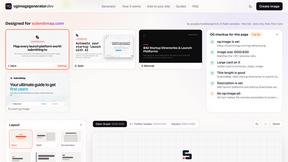
ogimagegenerator.dev
Paste a URL and AI designs on-brand Open Graph images from your page's colours, fonts and logo. Free, no sign-up.
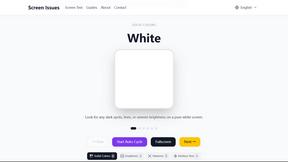
Screen Issues
Free Online Screen Test Tool - Instantly diagnose dead pixels, lines, color issues, and flickering. Multiple test modes, no download needed.
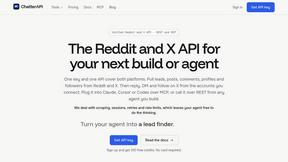
ChatterAPI
One API key and one credit balance for Reddit and X data. REST endpoints and a hosted MCP server, so your code and your agents call the same tools.