
JustPDF
JustPDF is a privacy-first toolkit offering 17 free, browser-based tools to manage your PDFs effortlessly and securely.
Visit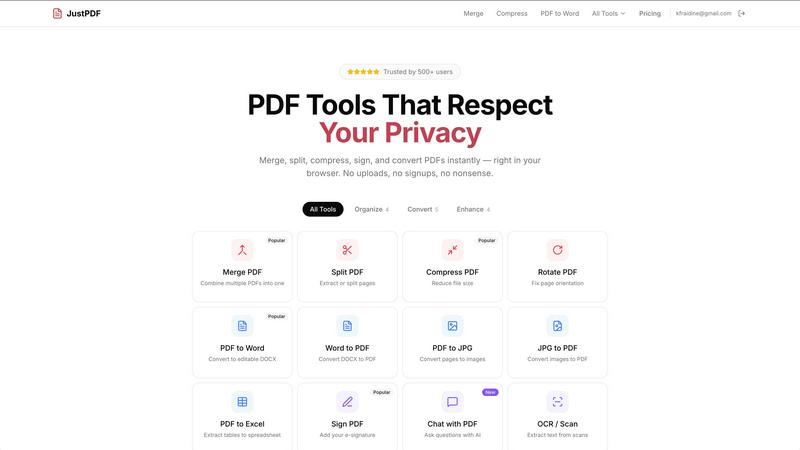
About JustPDF
JustPDF is an innovative online tool designed to simplify the management of PDF files with a suite of 17 professional-grade features. It operates entirely within your web browser, ensuring that your files remain private and secure as they never leave your device. Unlike other online PDF services like Smallpdf and iLovePDF, JustPDF utilizes advanced technologies such as JavaScript and WebAssembly, allowing all processing to occur locally. This makes it particularly appealing for users who prioritize security and data privacy.
Whether you are a student, educator, business professional, or anyone who regularly interacts with PDF documents, JustPDF offers a solution tailored to your needs. You can easily merge, compress, convert, and manipulate PDF files without needing to create an account or upload sensitive documents to external servers. With a free tier that allows three operations per day, JustPDF is accessible to everyone, making it a valuable resource for quick and efficient PDF management.
Features of JustPDF
100% Browser-Based Processing
One of the standout features of JustPDF is its 100% browser-based operation. This means that all PDF processing occurs directly in your web browser without uploading files to remote servers. This guarantees that your documents stay private and secure, as you can verify by checking the Network tab in your browser's Developer Tools.
Multiple PDF Tools
JustPDF provides a comprehensive suite of tools, including Merge PDF, Split PDF, Compress PDF, Rotate PDF, and more. Each tool serves a specific purpose, allowing users to easily manipulate their PDF files according to their needs. Whether you want to combine several documents into one or extract certain pages, JustPDF has a tool for it.
No Signup Required
With JustPDF, you can start using the available tools immediately without the hassle of signing up for an account. This means you can get your PDF tasks done quickly, making it perfect for users who need a fast and efficient solution without the complications of creating and managing an account.
Affordable Pro Plan
JustPDF offers an affordable Pro plan starting at just $4 per month, which provides unlimited access to all tools. This plan is ideal for heavy users who require more than the free tier limit of three operations per day. The Pro version is packed with additional features that cater to both casual users and professionals alike.
Use Cases of JustPDF
Students Handling Assignments
Students often deal with various PDF documents for assignments, lecture notes, and research papers. JustPDF allows them to easily convert files from Word to PDF, merge multiple notes into one document, and even compress files to meet submission requirements—all without leaving their browser.
Educators Preparing Course Materials
Educators can utilize JustPDF to prepare and distribute course materials efficiently. By merging multiple resources into one PDF or converting image files to PDF for handouts, they can streamline their workflow and ensure students have access to all necessary materials in a single document.
Business Professionals Managing Reports
Business professionals frequently handle reports and presentations in PDF format. With JustPDF, they can quickly convert Excel sheets to PDF, sign documents electronically, and even extract specific pages for presentations—making it a versatile tool for any business setting.
Individuals Seeking PDF Privacy
For users concerned about privacy, JustPDF provides a valuable solution by processing files locally in the browser. This feature is particularly appealing for those who handle sensitive information and do not wish to risk uploading their files to third-party servers.
Frequently Asked Questions
Is JustPDF really free to use?
Yes, JustPDF offers a free tier that allows users to perform up to three operations per day without any signup required. This makes it accessible for occasional users.
How does JustPDF ensure my files are secure?
JustPDF processes all files directly in your browser using JavaScript and WebAssembly, meaning your documents never leave your device. You can verify this by checking the Network tab in your browser's Developer Tools.
What types of files can I convert with JustPDF?
JustPDF supports various conversion options, including PDF to Word, Word to PDF, PDF to JPG, JPG to PDF, PDF to Excel, and more. This allows for versatile document management.
What is the Pro plan and how much does it cost?
The Pro plan allows for unlimited access to all tools and starts at just $4 per month. It is ideal for users who require more extensive PDF management capabilities.
Similar to JustPDF

Panzoe
Panzoe is an all-in-one AI platform for personal productivity, business automation, AI assistants, content creation, and custom AI solutions.
AI Email Filter
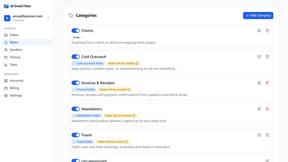
AI Email Filter sorts incoming mail into folders using plain-language prompts you write. Works with any IMAP mailbox; bring your own LLM if you want.

Egmatic
No-code 2D game editor: visual node logic, drag-and-drop scenes, live preview. Exports to Windows, macOS, Linux, Android, iOS, Web.

Kody Tools
Free collection of online developer utilities, code formatters, and digital converters designed to streamline your daily workflow.
Forms Plugin
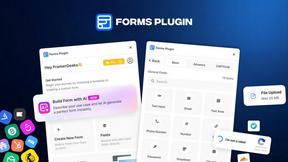
The #1 Native Form Builder Plugin for Framer - No Code, No Embeds, No External Platforms.

Product Launch Checklist
A free launch checklist for SaaS, apps, AI tools and more. Every step says why it matters and when you can skip it.

HomeAnswerBook
Practical, independent guides to home repairs, maintenance, costs, troubleshooting, and everyday fixes.
BlazePDF
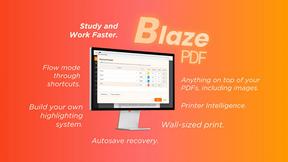
Highlight faster. Study in flow with custom shortcuts and a workflow built around you. Print smarter, or turn any page into a tiled poster.