Image3D AI
Easily convert any 2D image into high-quality 3D models in minutes, perfect for printing and gaming.
Visit
About Image3D AI
Image3D AI is an innovative software tool that transforms static 2D images into impressive 3D models within seconds. Utilizing Tencent's advanced Hunyuan 3D engine, this tool makes the complex art of 3D modeling accessible to a wide range of users, from enthusiastic hobbyists to seasoned professionals. Whether you are a 3D printing aficionado looking for high-quality meshes or a game developer aiming to produce engaging assets swiftly, Image3D AI is tailored to enhance your creative workflow. The intuitive interface allows users to generate intricate 3D assets from single or multiple images with ease. This means that your creative visions can quickly become tangible results, streamlining your projects without the need for extensive 3D modeling skills. Experience the power of AI-driven technology and elevate your design capabilities effortlessly with Image3D AI.
Features of Image3D AI
Rapid Mode
Rapid Mode allows users to convert a single image into a 3D model quickly. This feature is ideal for those who need immediate results and is perfect for generating quick prototypes or visual concepts without compromising on quality.
Pro Mode
Pro Mode is designed for users seeking high precision in their 3D models. By utilizing multi-view images, this feature generates detailed and accurate 3D assets, making it an excellent choice for professionals working on complex designs or requiring high fidelity.
Supported File Formats
Image3D AI supports a variety of file formats for your 3D models, including STL, OBJ, and GLB. This flexibility ensures that users can easily integrate their models into various applications, whether for 3D printing, game development, or online showcases.
User-Friendly Interface
The software boasts an intuitive user interface that simplifies the conversion process. Users can easily upload images, select generation modes, and manage advanced parameters without needing extensive technical knowledge, making 3D modeling accessible to everyone.
Use Cases of Image3D AI
For Game Developers
Game developers can utilize Image3D AI to quickly create assets for their games. The tool supports PBR material, allowing developers to import their 3D models directly into popular game engines like Unity or Unreal Engine, significantly speeding up their workflow.
For E-commerce
E-commerce businesses can transform product images into interactive 3D models suitable for augmented reality previews or online showcases. This capability enhances customer engagement and helps showcase products in a more dynamic format.
For 3D Printing
Image3D AI's powerful image to STL conversion features enable 3D printing enthusiasts to produce high-precision, print-ready files. This functionality simplifies the process of turning digital designs into physical objects, making it easier to bring creative ideas to life.
For Architecture & Design
Architects and designers can leverage Image3D AI to generate architectural models rapidly. This tool saves significant modeling time, allowing professionals to focus on creativity and design rather than time-consuming manual modeling tasks.
Frequently Asked Questions
What types of images work best for conversion?
Images with clear outlines and simple backgrounds yield the best results. High-contrast images that avoid blurriness or occlusion are recommended for optimal performance in generating 3D models.
How long does it take to generate a 3D model?
The processing speed for generating a 3D model using Image3D AI is approximately 60 seconds, allowing users to quickly iterate on their designs and make necessary adjustments without delays.
Can I use Image3D AI for 3D printing?
Absolutely! Image3D AI is equipped with an image to STL conversion feature that delivers high-precision files ready for 3D printing. This functionality is perfect for hobbyists and professionals alike.
Is any special software required to use Image3D AI?
No special software is needed to use Image3D AI. The platform is designed to be user-friendly and accessible from any device with internet access, allowing users to generate 3D models directly through their web browser.
Similar to Image3D AI
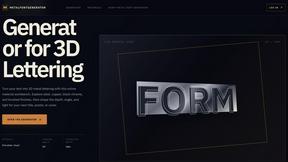
metalfontgenerator
A sleek online tool for creating bold 3D metal lettering with customizable finishes, depth, perspective, lighting, and spacing.
Seedance 2.5 Free
Create polished AI videos from text or images online with Seedance 2.5 Free.
Presentation Intelligence
AI-native presentation and visual content platform that turns prompts, documents, images, videos, and data into polished, shareable decks.

Try This Skill
One-click AI photo stylization for e-commerce & portraits

Lockimate - AI Live Wallpapers
Turn any photo into a real Apple Live Photo that animates when you wake your iPhone. Restyle it and choose the motion — customizable.