
HypeShare
Send files up to 10GB instantly with end-to-end encryption, no signup required, and full control over your transfers.
Visit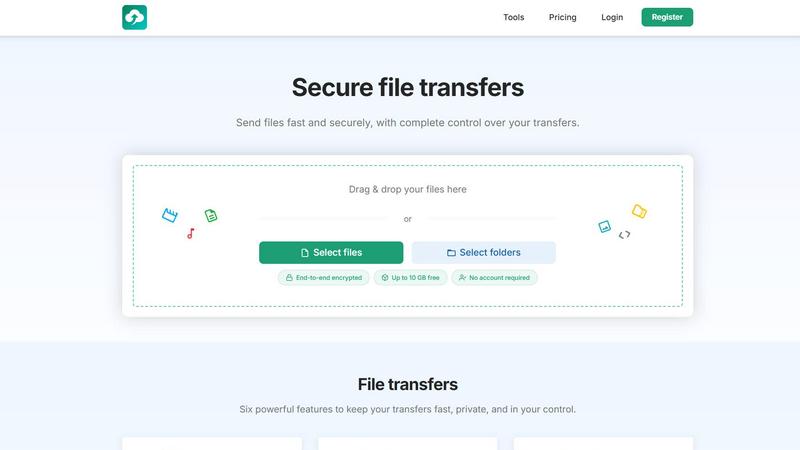
About HypeShare
HypeShare is a secure file transfer platform designed to make sending large files fast, private, and hassle-free. Whether you need to share a 10GB video project with a client or collect photos from a wedding, HypeShare lets you do it without creating an account or dealing with bloated software. The platform is built for speed and privacy, offering end-to-end encryption on every transfer so your data stays safe from start to finish. Freelancers, agencies, and teams will appreciate the no-friction approach: just drag, drop, and share. If you sign up for a free account, you get 20GB of storage, custom expiry links, and the ability to create file request pages where others can upload directly to you without needing their own login. For power users, Pro plans unlock larger transfers (up to 200GB per transfer), download notifications, unlimited storage, and priority support. HypeShare is an ideal alternative to tools like WeTransfer or Google Drive because it strips away unnecessary complexity and focuses on what matters most: getting your files where they need to go, securely and quickly. With features like password protection, download limits, and automatic expiration, you have complete control over every transfer. The platform also includes a file request feature that turns your dashboard into a personal upload hub, making it easy to collect files from clients, collaborators, or event attendees. Whether you are a solo creator or part of a growing team, HypeShare gives you a straightforward, reliable way to manage your file transfers without the bloat.
Features of HypeShare
End-to-End Encryption
Every file you send through HypeShare is protected with end-to-end encryption. This means your data is scrambled on your device and only unscrambled on the recipient's device, so no one else can access it, not even HypeShare. Whether you are sharing confidential business documents or personal photos, you can rest assured that your files remain private throughout the entire transfer process. This encryption applies to all transfers, regardless of your plan, making HypeShare a secure choice for sensitive information.
File Requests
File Requests let you receive files from anyone without them needing an account. Simply create a custom request link, share it via email or anywhere, and others can upload files directly to your HypeShare dashboard. You can set an expiration date for each request, accept any file type, and get email notifications every time someone uploads. This is perfect for collecting client assets, wedding photos, or team submissions. Your personal upload page is always active until you close it, giving you a permanent drop box for incoming files.
Custom Expiry and Download Limits
Take full control of your transfers by setting automatic expiration dates and download limits. You can choose how long a transfer link stays active, from a few hours to several days, and define exactly how many times the file can be downloaded. Once the limit is reached or the expiry date passes, the link automatically deactivates. This prevents unauthorized access and ensures your files are only available to the intended recipients for the duration you specify.
Password Protection
Add an extra layer of security to your transfers by setting a password. When you enable this feature, recipients must enter the correct password before they can download your files. This is ideal for sharing sensitive information like contracts, financial documents, or private media. The password is shared separately from the transfer link, ensuring that even if someone gets the link, they cannot access the files without the password.
Use Cases of HypeShare
Sending Large Creative Assets to Clients
Freelance photographers, videographers, and graphic designers often need to send large files like high-resolution images, video edits, or design mockups to clients. With HypeShare, you can send files up to 10GB without an account, or up to 200GB with a Pro plan. The end-to-end encryption keeps your work secure, while custom expiry and download limits ensure clients only have access for a set time. No more struggling with email attachment limits or slow upload speeds.
Collecting Files from Event Attendees
Planning a wedding, corporate event, or conference? Use HypeShare's File Requests feature to create a custom upload page. Share the link with attendees, and they can upload photos, videos, or documents directly to you without needing an account. Set an expiration date so the request closes automatically after the event, and get email notifications each time someone uploads. This makes it easy to gather all event media in one place without chasing people for files.
Sharing Confidential Business Documents
For businesses that handle sensitive information, security is paramount. HypeShare's password protection and end-to-end encryption make it a reliable tool for sharing contracts, financial reports, or legal documents with partners or clients. You can set download limits to ensure the file is only accessed a specific number of times, and custom expiry dates prevent lingering access. This gives you complete control over who sees your documents and for how long.
Collaborating with Remote Teams
Remote teams often need to share large files quickly without relying on slow VPNs or clunky cloud storage. HypeShare lets team members send files directly to each other via email or shareable links. With a Pro plan, you get unlimited transfers, download notifications, and priority support. The file request feature also allows team members to submit work to a central dashboard, streamlining collaboration and keeping everyone on the same page.
Frequently Asked Questions
Do I need to create an account to send files?
No, you can send files up to 10GB without creating an account. Simply drag and drop your files, set your preferences, and share the link. If you want additional features like storage, file requests, or larger transfers, you can sign up for a free account or upgrade to a Pro plan.
How does end-to-end encryption work on HypeShare?
End-to-end encryption means your files are encrypted on your device before they are uploaded, and they can only be decrypted by the recipient on their device. This ensures that no one, including HypeShare, can access your files during transfer or while stored on our servers. All transfers are protected by default, giving you peace of mind.
Can I receive files from someone who does not have an account?
Yes, absolutely. HypeShare's File Requests feature allows you to create a custom upload page. Anyone with the link can upload files directly to your dashboard without needing to create an account or log in. You can share the link via email, social media, or any messaging platform.
What happens to my files after the expiry date?
When a transfer's expiration date passes or the download limit is reached, the link automatically deactivates and the files are removed from HypeShare's servers. For free accounts, data is retained for 30 days. Pro accounts have unlimited data retention, so you can keep your files accessible as long as you need.
Pricing of HypeShare
HypeShare offers three pricing tiers to fit different needs. The Guest plan is free and requires no account, giving you 5 transfers per month, up to 10 files per transfer, no storage, and a 10GB transfer limit with 100 downloads and 5 emails per transfer. The Free plan is also free but requires registration, offering 10 transfers per month, 10 files per transfer, 20GB of storage, a 10GB transfer limit, 100 downloads, 5 emails, and 30 days of data retention. The Pro plan is the most popular option at 8.99 USD per month (billed monthly or yearly), featuring unlimited transfers, unlimited files, 1000GB of storage, 200GB per transfer, unlimited downloads, 50 emails per transfer, unlimited data retention, custom alias support for up to 5 domains, download notifications, file requests, transfer analytics, branded downloads, and priority support. All plans include file encryption, no ads, and access to the API and data export features.
Similar to HypeShare

Product Launch Checklist
A free launch checklist for SaaS, apps, AI tools and more. Every step says why it matters and when you can skip it.
Wisegrid
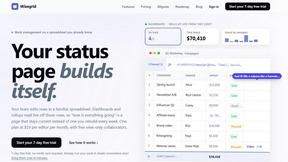
Spreadsheet-native work management with AI formulas, dashboards, automation, reporting, and project views for growing teams.
Whop Trends
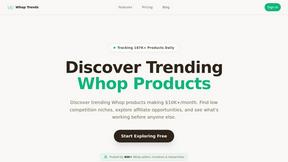
Whop Trends helps you discover trending products daily, enabling you to boost your income with data-driven insights.

Blueberry
Blueberry is an all-in-one Mac app that unites your editor, terminal, and browser for seamless web app development.
Shrinkpad
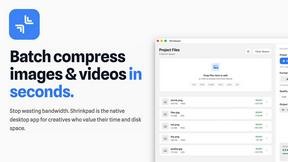
Shrinkpad quickly compresses your images and videos on Mac to save space and time.

Skene
Skene transforms your codebase into a growth engine, empowering you to own and prompt your product's success.

Yellow Systems
Yellow Systems builds custom AI and software to help your business grow and stay competitive.
MVPable
Transform your idea into a clear, actionable MVP plan with the right tools and expert guidance for successful building.