
HeyVid
HeyVid AI simplifies content creation by generating high-quality videos and images from text and images in just a few clicks.
Visit
About HeyVid
HeyVid is a powerful AI-driven tool designed for anyone looking to create stunning videos and images quickly and efficiently. Whether you are a content creator, marketer, educator, or business professional, HeyVid simplifies the creative process by allowing users to transform text, images, or even existing videos into captivating new content. With a variety of features, including text-to-video and image-to-video capabilities, HeyVid is your all-in-one solution for high-quality multimedia generation. The platform is user-friendly, requiring no prior video editing skills, making it accessible to beginners while still offering the depth that professionals demand. With HeyVid, you can enhance your storytelling, promote your brand, and share your message through visually engaging content, boosting your online presence and audience engagement.
Features of HeyVid
Text to Video
HeyVid's Text to Video feature allows users to effortlessly convert written content into engaging videos. Simply input your text, and the AI will generate a professional-quality video that aligns with your narrative. This feature is perfect for creators looking to transform blog posts, articles, or social media updates into dynamic visual content.
Image to Video
With HeyVid's Image to Video functionality, you can bring your still images to life. This feature enables users to create animated videos from a series of images, making it ideal for presentations, marketing campaigns, or storytelling. The animations add an extra layer of engagement to your visuals, captivating your audience.
AI Image Generator
The AI Image Generator in HeyVid allows users to create stunning visuals from scratch. By utilizing advanced AI models, you can generate unique images based on prompts, making it a fantastic tool for graphic designers and marketers needing fresh content. The versatility of this feature ensures that your visuals stand out and resonate with your audience.
AI Voice and Music Generation
HeyVid doesn't just stop at video and images; it also offers AI-generated voiceovers and music. This feature allows users to add professional audio to their videos, enhancing the overall quality of their content. Whether you need a narration for your video or background music, HeyVid's AI tools help create a cohesive and polished final product.
Use Cases of HeyVid
Social Media Content Creation
HeyVid is an excellent tool for social media managers and influencers looking to create engaging posts. With its various features, users can produce eye-catching videos and images tailored for platforms like Instagram, TikTok, or Facebook, increasing engagement and reach.
Educational Materials
Educators can utilize HeyVid to create visually engaging tutorials, presentations, and training materials. By transforming complex information into easy-to-understand videos, teachers can enhance learning experiences and retain student interest more effectively.
Marketing Campaigns
Marketers can leverage HeyVid to produce compelling promotional videos and advertisements. With features like text-to-video and image-to-video, businesses can create visually stunning content that captures attention and drives conversions, making their campaigns more effective.
Corporate Communications
HeyVid is also perfect for businesses aiming to improve their internal and external communications. From team updates and onboarding videos to client presentations, HeyVid helps create professional-grade content that effectively conveys messages and enhances company image.
Frequently Asked Questions
How does HeyVid generate videos from text?
HeyVid uses advanced AI algorithms to analyze the text input and create a video that visually represents the content. It combines relevant images, animations, and transitions to produce a polished final product.
Can I customize the video output?
Yes, HeyVid allows users to customize various aspects of the video, including resolution, aspect ratio, and additional features like voiceovers and music. This flexibility ensures that your videos align with your branding and messaging.
Is HeyVid suitable for beginners?
Absolutely! HeyVid is designed with user-friendliness in mind, making it accessible for beginners. The intuitive interface and step-by-step guidance enable anyone to create professional-quality content quickly.
What types of media can I create with HeyVid?
With HeyVid, you can create a wide range of media, including videos from text or images, images from prompts, and even audio content like voiceovers and music. This versatility makes it a comprehensive tool for all your creative needs.
Similar to HeyVid

AI Email Filter
AI Email Filter sorts incoming mail into folders using plain-language prompts you write. Works with any IMAP mailbox; bring your own LLM if you want.
Egmatic
No-code 2D game editor: visual node logic, drag-and-drop scenes, live preview. Exports to Windows, macOS, Linux, Android, iOS, Web.

Kody Tools
Free collection of online developer utilities, code formatters, and digital converters designed to streamline your daily workflow.

Forms Plugin
The #1 Native Form Builder Plugin for Framer - No Code, No Embeds, No External Platforms.

Product Launch Checklist
A free launch checklist for SaaS, apps, AI tools and more. Every step says why it matters and when you can skip it.

HomeAnswerBook
Practical, independent guides to home repairs, maintenance, costs, troubleshooting, and everyday fixes.
BlazePDF
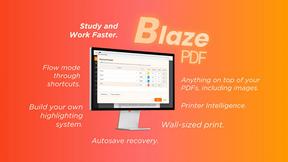
Highlight faster. Study in flow with custom shortcuts and a workflow built around you. Print smarter, or turn any page into a tiled poster.
