Filator
Filator is a free all-in-one platform with 500+ tools to create, convert, and automate tasks effortlessly.
Visit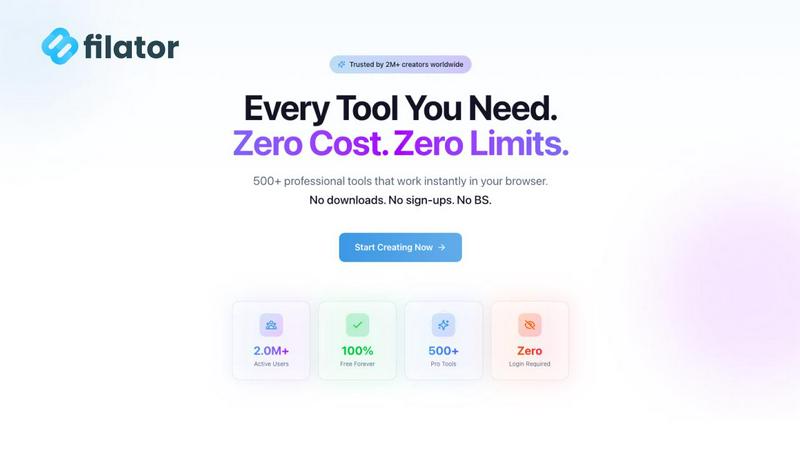
About Filator
Filator is a comprehensive digital toolbox designed to enhance productivity and streamline your workflow. This innovative platform offers over 500 different tools that cater to various needs such as file conversion, PDF editing, AI content generation, QR code creation, and much more—all accessible from a single, user-friendly website. Filator is perfect for a diverse audience, including developers, marketers, students, and designers, allowing them to perform tasks efficiently without the hassle of switching between multiple sites. One of the standout features of Filator is its commitment to user privacy; you can utilize the tools without signing up or worrying about data collection, as all processing is done directly in your browser. With millions of users worldwide, Filator stands out as a reliable platform, offering both free and premium tools to maximize productivity with minimal friction.
Features of Filator
Instant Access to Tools
Filator provides immediate access to a wide variety of tools without the need for any registration. Just visit the site, pick a tool, and start using it right away. This ensures you can accomplish your tasks without delays or the need to remember multiple passwords.
Professional-Grade Output
Every tool on Filator is designed to deliver high-quality results. Whether you are converting files or generating AI content, you can expect professional-grade output in various formats, ensuring that your work meets industry standards.
AI-Powered Functionality
Filator harnesses the power of AI to enhance user experience. From generating content to analyzing documents, the AI tools understand context and provide smart suggestions, making your tasks easier and quicker to complete.
Workflow Automation
With Filator, you can chain tools together to automate repetitive tasks. This feature allows you to create efficient workflows that save time and reduce manual effort, empowering you to focus on more important aspects of your projects.
Use Cases of Filator
Content Creation for Marketers
Marketers can use Filator's AI content generation tools to create engaging social media posts, blogs, and newsletters. This streamlines their content strategy, allowing them to produce high-quality copy in a fraction of the time.
PDF Editing for Students
Students often need to handle various PDF documents for assignments and projects. With Filator's PDF tools, they can easily edit, merge, split, or convert PDFs, making their academic work more manageable and efficient.
Image Manipulation for Designers
Graphic designers can take advantage of Filator's image tools to edit photos, remove backgrounds, or convert image formats quickly. This allows them to focus more on creativity and less on technical hurdles.
Quick QR Code Generation for Businesses
Businesses looking to enhance customer engagement can utilize Filator's QR code generator to create dynamic codes for promotions, product information, or event details. This feature helps them connect with customers seamlessly.
Frequently Asked Questions
What types of tools does Filator offer?
Filator offers a diverse range of tools across categories such as AI tools, PDF tools, image tools, social media tools, and QR code generators. This variety makes it easy to find the right tool for any task.
Do I need to create an account to use Filator?
No, you do not need to create an account to access the tools on Filator. You can start using any tool instantly without registration, ensuring a hassle-free experience.
Are the tools on Filator free to use?
Yes, Filator offers over 50 free tools for users. While there are also paid plans for heavy users, many essential tools are available at no cost, providing excellent value.
How does Filator ensure user privacy?
Filator prioritizes user privacy by processing all actions directly in your web browser without collecting personal data. This means you can use the tools without concerns about data security or privacy breaches.
Pricing of Filator
Filator offers a range of pricing plans to cater to different user needs. The free plan provides access to 10 AI credits per month, while the Starter plan at $4.99/month includes 1,000 AI credits and priority support. The Pro plan at $9.99/month expands to 5,000 AI credits and unlimited AI messages, making it the most popular choice. For heavy users, the Premium plan at $24.99/month offers 20,000 AI credits and dedicated support with additional features. All plans include access to over 500 tools.
Explore more in this category:
Similar to Filator


amaze.directory
Every AI tool here was opened and used on a real task before it went in. Free to submit.

Speechyou
AI transcription for voice notes, meetings, and audio files in 1,700 languages, with AI summaries and subtitle export and unlimited chat ai usage.

ProspectHalo
AI sales agent that finds qualified leads, runs outreach, follows up automatically, creates content, and helps book more meetings.
benchmark.directory
Independent AI tool listings: the cheapest usable plan, the real free-tier limit, tested integrations, and who trains on your work.

saasgrow.ai
The shortcut to the right SaaS. Screened growth tools, organised by category, with nothing sponsored and nothing bought.

Tools Network
Tools Network is a curated directory of the best AI tools across 25+ categories. Compare ratings, pricing, and features to find the right one, fast.