
Dokie AI
Dokie AI helps you create professional presentations in minutes using advanced AI, so you can focus on your ideas.
Visit
About Dokie AI
Dokie AI is a revolutionary AI-powered presentation maker designed to help anyone create stunning, professional slides in minutes, even without any design experience. It moves far beyond simple templates by using true artificial intelligence, powered by the advanced Claude Opus 4.6 model, to handle the entire creative process. You simply describe your idea, and Dokie AI takes care of structuring your content, choosing beautiful layouts, applying perfect typography, and selecting complementary visual designs. It's built for business professionals, educators, marketers, and startup founders who need to communicate ideas powerfully but don't have the time or skills to build presentations from scratch. The core value of Dokie AI is its ability to transform a simple text prompt or an existing document into a polished, ready-to-present slide deck, saving you hours of work and eliminating design frustration.
Features of Dokie AI
AI Generate PPT
This is your starting point for creating a presentation from a blank page. Just describe your topic, audience, or key points in plain text. Dokie AI's intelligent engine then analyzes your input and generates a complete, structured slide deck for you. It automatically creates compelling content, selects professional layouts, and incorporates relevant charts and visuals, giving you a presentation foundation that looks like it was made by a professional designer.
AI Beautify PPT
Already have a PowerPoint file but it looks dull or poorly formatted? Upload your existing presentation, and Dokie AI will work its magic to enhance it. The AI analyzes your slides, fixes awkward layouts, applies cohesive and modern styling, and improves the visual hierarchy—all while carefully preserving your original text and data. It's like having an instant design consultant to polish your work.
Multi-Format Conversion
Dokie AI breaks down barriers between different file types. You can easily convert various documents into editable PowerPoint presentations. This includes turning PDF files, Word documents, HTML web pages, and even YouTube videos into structured slide decks. This feature is perfect for repurposing existing content into a presentation-ready format without manual copying and pasting.
Speaker Notes & Reverse Prompt
Dokie AI helps you not just create slides, but also deliver your presentation confidently. It can automatically generate detailed speaker notes and talking points for each slide. Furthermore, its unique "Reverse Prompt" feature can analyze an uploaded presentation and extract the AI prompt that could have created it, which is an incredible learning tool for understanding how to communicate your ideas effectively to AI.
Use Cases of Dokie AI
Business Proposal Creation
Startup founders and sales professionals can use Dokie AI to quickly generate investor decks or client proposals. By inputting key details about their business model, market analysis, and financial projections, they receive a professionally designed presentation that makes a strong, credible first impression, accelerating the fundraising or sales cycle.
Educational Lesson Development
Teachers and trainers can transform their lesson plans or research notes into engaging visual presentations. Instead of spending hours on slide design, they can focus on content quality. Dokie AI helps structure the material into digestible slides with appropriate visuals, making lessons more interactive and easier for students to follow.
Marketing Report Beautification
Marketers often have data-heavy reports from analytics tools that need to be presented to teams or executives. With the "Beautify PPT" feature, they can upload these dense slides and instantly get a visually appealing version with improved charts, clear layouts, and a consistent color scheme, making the data storytelling much more impactful.
Conference & Workshop Preparation
Professionals preparing for a speaking engagement can use Dokie AI's full suite. They can "Generate" a draft from their speech outline, "Convert" relevant PDF handouts into slides, and finally use the "Speaker Notes" feature to create a natural script. This streamlines the entire preparation process into one efficient workflow.
Frequently Asked Questions
What makes Dokie AI different from template-based tools like Canva?
While template tools provide static designs you must fill in yourself, Dokie AI uses true generative AI (Claude Opus 4.6) to create unique presentations from scratch. It doesn't just place your text into a pre-made box; it intelligently structures your content, writes compelling copy, chooses layouts, and designs visuals that are specifically tailored to your topic, offering a much more dynamic and customized result.
What file formats can I use with Dokie AI?
Dokie AI is highly versatile with file formats. You can start from a simple text prompt. You can also upload existing PowerPoint (.ppt, .pptx) files to beautify them. Furthermore, you can convert documents from many formats into PPT, including PDF files, Microsoft Word documents, HTML web pages, and even YouTube video links.
Do I need to be good at writing prompts to use Dokie AI?
Not at all! Dokie AI is designed to be beginner-friendly. You can start with a simple sentence describing your presentation's goal, like "a marketing plan for a new eco-friendly water bottle." The AI is powerful enough to work with this and ask clarifying questions if needed. The more detail you provide, the better the result, but even a basic prompt will generate a complete presentation.
Can I edit the presentations that Dokie AI creates?
Absolutely. Dokie AI generates a fully editable PowerPoint presentation. You receive a standard .pptx file that you can open in Microsoft PowerPoint, Google Slides, or any other compatible software. You have complete freedom to tweak the text, change images, adjust colors, and customize every element to your exact liking after the AI provides its first draft.
Pricing of Dokie AI
Dokie AI offers flexible pricing to suit different needs. You can choose a pay-as-you-go credit pack starting from $39.80. For regular users, subscription plans provide better value, with a monthly plan starting from $19.90 per month and an annual plan offering the most savings at just $15.90 per month (billed yearly). This gives you access to the full suite of AI generation, beautification, and conversion tools.
Similar to Dokie AI
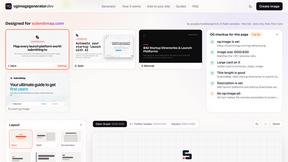
ogimagegenerator.dev
Paste a URL and AI designs on-brand Open Graph images from your page's colours, fonts and logo. Free, no sign-up.
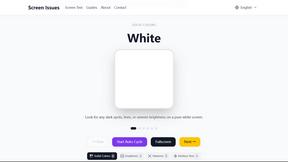
Screen Issues
Free Online Screen Test Tool - Instantly diagnose dead pixels, lines, color issues, and flickering. Multiple test modes, no download needed.
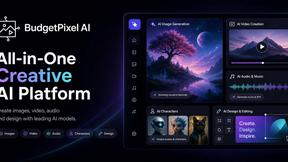
Budgetpixel AI
Create and edit AI images, videos, music, and designs in one workspace, with multiple models, reusable characters, and API access.

HookAds
Free ad creative hub: 1,750+ prompts behind viral AI ads, 118 hook frameworks, teardowns, swipe files and 27 free AI tools.
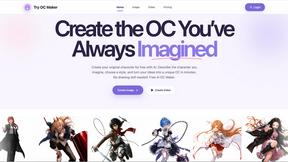
Try OC Maker
Create OCs from text or images, customize their look, and turn them into animated videos with AI.
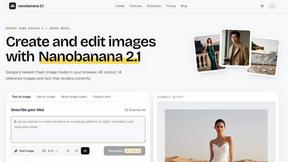
nanobanana 21
Fast, simple image studio powered by Nano Banana 2.1. Create and edit high-quality AI images with accurate details and readable text.
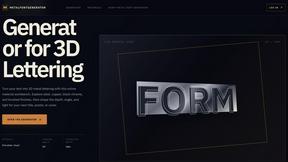
metalfontgenerator
A sleek online tool for creating bold 3D metal lettering with customizable finishes, depth, perspective, lighting, and spacing.

Seedance 2.5 Free
Create polished AI videos from text or images online with Seedance 2.5 Free.